
11-Trying Out MidJourney: How to Create Stunning AI Art with Prompts
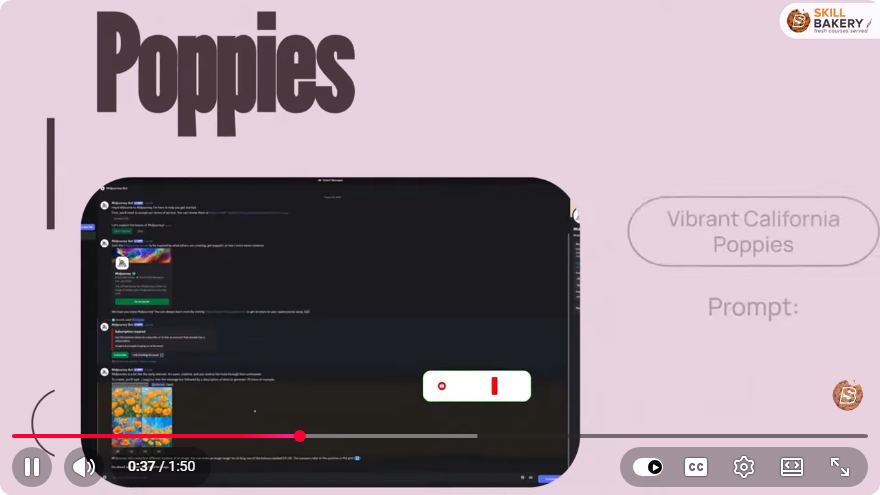
Creating Stunning AI Art with MidJourney: A Step-by-Step Tutorial
Artificial Intelligence (AI) has revolutionized the way we create and interact with art. One of the most exciting platforms for generating AI art is MidJourney. In this blog post, we will explore how to create stunning artwork using MidJourney, focusing on the use of prompts. Whether you are an artist, a designer, or simply someone interested in AI, this guide will help you get started on your creative journey.
What is MidJourney?
MidJourney is an AI-powered platform that generates images from text prompts. It utilizes advanced machine learning algorithms to interpret your words and translate them into visually appealing art. The platform is user-friendly and allows for a wide range of artistic styles, making it suitable for both beginners and experienced creators.
Getting Started with MidJourney
To begin your journey with MidJourney, follow these steps:
Step 1: Access MidJourney
- Join the Discord Server: MidJourney operates primarily through a Discord server. If you don’t have a Discord account, create one at discord.com.
- Find the MidJourney Server: Use the link provided on the MidJourney website to join the server.
Step 2: Sign Up for a Plan
MidJourney offers various subscription plans, including a free trial. Choose a plan that best fits your needs. The free trial allows you to create a limited number of images, while paid plans offer more extensive capabilities.
Crafting Your Prompts
The key to generating impressive AI art with MidJourney lies in how you structure your prompts. A well-crafted prompt can lead to stunning results, while a vague prompt may yield disappointing images. Here are some tips for creating effective prompts:
Be Descriptive
Use descriptive language to convey your vision. Instead of saying "a landscape," try specifying "a serene mountain landscape at sunset." This gives the AI more context to work with.
Use Artistic Styles
Incorporate artistic styles or references in your prompts. For example, you might say, "a portrait of a woman in the style of Van Gogh." This helps the AI understand the type of aesthetics you are aiming for.
Include Emotions and Themes
Adding emotions or themes can significantly impact the outcome. For instance, "a lonely robot in a bustling city" can evoke a different feeling than "a happy robot in a peaceful garden."
Generating Art with MidJourney
Once you have your prompt ready, it’s time to create your artwork. Here’s how to do it:
Step 1: Enter Your Prompt
- In the MidJourney Discord server, navigate to one of the designated bot channels (usually labeled as #newbies).
- Type the command
/imaginefollowed by your prompt. For example:/imagine a serene mountain landscape at sunset
Step 2: Wait for the AI to Process
After submitting your prompt, the AI will take a moment to generate your artwork. The processing time may vary based on server load and the complexity of your request.
Step 3: Review Your Artwork
Once the AI has generated your image, it will appear in the chat. Take a moment to review the artwork. If you are satisfied, you can download it directly. If not, consider tweaking your prompt and trying again.
Tips for Further Exploration
- Experiment with Different Prompts: Don’t hesitate to try various combinations of words, styles, and themes. The beauty of AI art is that there are no limits to your creativity.
- Participate in the Community: Engage with other users on the MidJourney Discord server. Share your work, seek feedback, and collaborate with others to enhance your skills.
- Study Existing Artworks: Look at the art generated by other users for inspiration. Analyze their prompts to see how they structure their requests.
Conclusion
Creating stunning AI art with MidJourney is an exciting and rewarding experience. By understanding how to craft effective prompts and utilizing the platform's capabilities, you can unleash your creativity and explore new artistic frontiers. So, dive in, experiment, and let your imagination run wild with MidJourney!
If you have any questions or want to share your experiences with MidJourney, feel free to leave a comment below. Happy creating!
Connect with SkillBakery Studios
Explore more tutorials, tools, and resources:
Posted by SkillBakery Studios


 Hello, my name is Jack Sparrow. I'm a 50 year old self-employed Pirate from the Caribbean.
No comments:
Post a Comment