
23. Python Essentials: Comparison Operators in Python: Comparing Values and Making Boolean Decisions
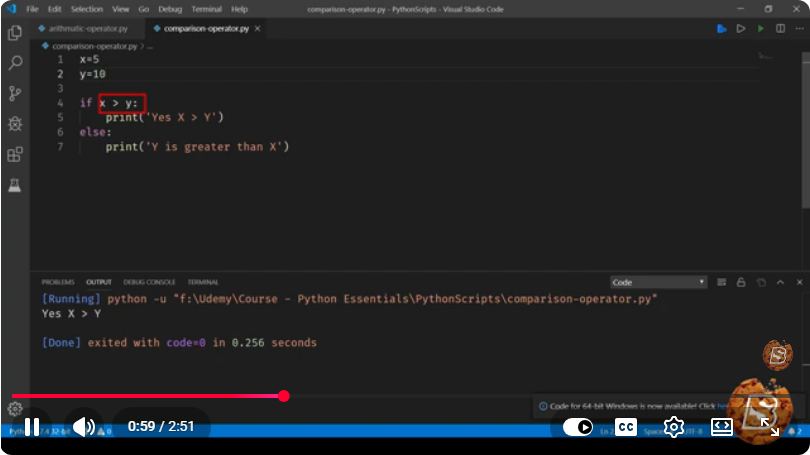
Python Essentials: Understanding Comparison Operators
In the realm of programming, comparison operators are fundamental tools that enable developers to compare values and make decisions based on those comparisons. In this blog post, we'll explore the various comparison operators available in Python, their syntax, and practical examples that demonstrate how to use them effectively.
What Are Comparison Operators?
Comparison operators are used to compare two values or expressions. The result of a comparison is always a Boolean value: True or False. These operators are crucial for making decisions in your code, such as controlling the flow of execution with conditionals.
Common Comparison Operators in Python
Python provides several built-in comparison operators. Here’s a list of the most commonly used ones:
| Operator | Description | Example |
|---|---|---|
== |
Equal to | a == b |
!= |
Not equal to | a != b |
> |
Greater than | a > b |
< |
Less than | a < b |
>= |
Greater than or equal to | a >= b |
<= |
Less than or equal to | a <= b |
Let’s dive into each operator with examples.
1. Equal to (==)
The == operator checks if two values are equal.
a = 5
b = 5
if a == b:
    print("a is equal to b")
Output:
a is equal to b
2. Not equal to (!=)
The != operator checks if two values are not equal.
a = 5
b = 3
if a != b:
    print("a is not equal to b")
Output:
a is not equal to b
3. Greater than (>)
The > operator checks if the left value is greater than the right value.
a = 10
b = 5
if a > b:
    print("a is greater than b")
Output:
a is greater than b
4. Less than (<)
The < operator checks if the left value is less than the right value.
a = 3
b = 7
if a < b:
    print("a is less than b")
Output:
a is less than b
5. Greater than or equal to (>=)
The >= operator checks if the left value is greater than or equal to the right value.
a = 5
b = 5
if a >= b:
    print("a is greater than or equal to b")
Output:
a is greater than or equal to b
6. Less than or equal to (<=)
The <= operator checks if the left value is less than or equal to the right value.
a = 5
b = 10
if a <= b:
    print("a is less than or equal to b")
Output:
a is less than or equal to b
Using Comparison Operators in Conditional Statements
Comparison operators are often used within conditional statements such as if, elif, and else. This allows you to execute different blocks of code based on the results of these comparisons.
Example: Simple Decision-Making
Here’s a practical example that combines several comparison operators to make a decision based on user input.
age = int(input("Enter your age: "))

if age < 13:
    print("You are a child.")
elif age < 20:
    print("You are a teenager.")
else:
    print("You are an adult.")
In this code, we determine the user's category based on their age using comparison operators.
Conclusion
Comparison operators are essential in Python programming for comparing values and making Boolean decisions. Understanding how to use these operators effectively allows you to control the flow of your programs and make them responsive to different conditions. Whether you're building simple scripts or complex applications, mastering comparison operators is a crucial step in your Python journey.
For more Python essentials, stay tuned for our upcoming posts!
Connect with SkillBakery Studios
Explore more tutorials, tools, and resources:
Posted by SkillBakery Studios


 Hello, my name is Jack Sparrow. I'm a 50 year old self-employed Pirate from the Caribbean.
No comments:
Post a Comment