
28. Python Essentials: For Loops in Python: Iterating with Ease and Efficiency
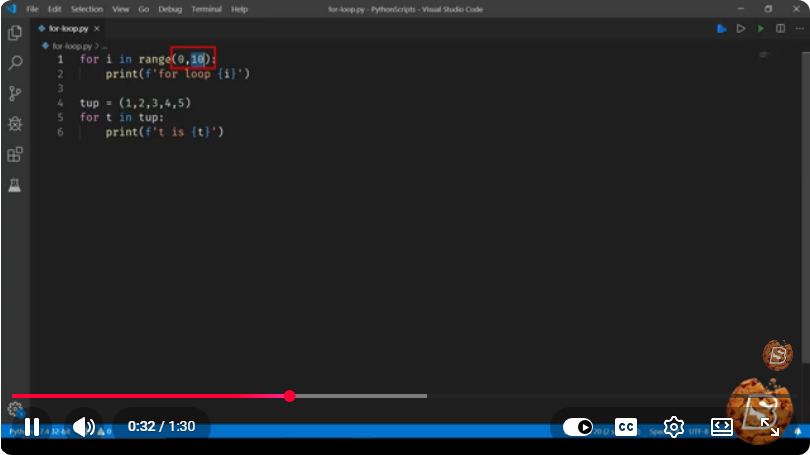
Python Essentials: For Loops in Python
For loops are a fundamental construct in Python, allowing developers to iterate over sequences such as lists, tuples, strings, and even dictionaries. Whether you're a beginner starting your programming journey or an experienced developer looking to brush up on your skills, understanding for loops is essential for writing efficient and clean code. In this post, we will explore the concept of for loops in Python, their syntax, and practical examples to help you iterate with ease and efficiency.
What is a For Loop?
A for loop in Python allows you to execute a block of code multiple times, iterating over a sequence of items. This means you can perform operations on each item in the sequence without needing to manually manage the index or length of the sequence.
Basic Syntax
The basic syntax of a for loop in Python is as follows:
for item in iterable:
    # Code block to execute
- item: This is a variable that takes the value of each element in the iterable.
- iterable: This is the collection you want to iterate over (like a list, tuple, or string).
Example of a For Loop
Let’s look at a simple example of iterating over a list of numbers:
numbers = [1, 2, 3, 4, 5]

for number in numbers:
    print(number)
In this example, the loop goes through each number in the numbers list and prints it out. The output will be:
1
2
3
4
5
Using For Loops with Strings
For loops can also be used to iterate through characters in a string. Here’s an example:
my_string = "Hello"

for char in my_string:
    print(char)
This code will output each character in the string "Hello":
H
e
l
l
o
Looping Through a Dictionary
When dealing with dictionaries, for loops can iterate through both keys and values. Here’s how you can do that:
my_dict = {'a': 1, 'b': 2, 'c': 3}

for key, value in my_dict.items():
    print(f"Key: {key}, Value: {value}")
In this example, the output will be:
Key: a, Value: 1
Key: b, Value: 2
Key: c, Value: 3
The Range Function
A common use case for for loops is iterating over a sequence of numbers. The range() function is particularly useful in this context. It generates a sequence of numbers which you can loop through. Here’s an example:
for i in range(5):
    print(i)
This will print the numbers from 0 to 4:
0
1
2
3
4
Specifying Start and End in Range
You can also specify a start and end value in the range() function:
for i in range(1, 6):
    print(i)
This will output:
1
2
3
4
5
Nested For Loops
You can also nest for loops to iterate over multi-dimensional data structures, such as lists of lists. Here’s an example:
matrix = [[1, 2, 3], [4, 5, 6], [7, 8, 9]]

for row in matrix:
    for number in row:
        print(number, end=' ')
    print()  # For new line
This will print:
1 2 3
4 5 6
7 8 9
Conclusion
For loops are a powerful feature of Python that enable you to iterate through various data types efficiently. By mastering for loops, you can simplify your code and improve its readability. Whether you're working with lists, strings, dictionaries, or even multi-dimensional data, for loops provide the flexibility and functionality needed to manipulate data effectively.
Now that you understand the basics of for loops in Python, try experimenting with your own examples! Iterate through different data structures and see how you can apply loops to solve problems in your own projects. Happy coding!
Connect with SkillBakery Studios
Explore more tutorials, tools, and resources:
Posted by SkillBakery Studios


 Hello, my name is Jack Sparrow. I'm a 50 year old self-employed Pirate from the Caribbean.
No comments:
Post a Comment