
47. Python Essentials: Iterators in Python
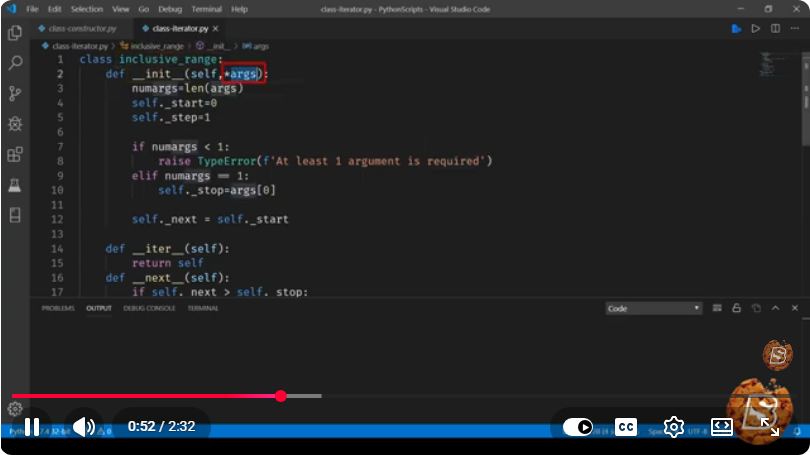
Understanding Iterators in Python: A Quick Guide
In the world of Python programming, iterators are a fundamental concept that can greatly enhance how we work with data. In this blog post, we'll take a closer look at what iterators are, how they work, and how you can leverage them in your Python projects. This guide is inspired by the essential concepts covered in the YouTube video titled "47. Python Essentials: Iterators in Python."
What is an Iterator?
An iterator is an object in Python that enables you to traverse through all the elements of a collection, such as a list, tuple, or dictionary, without needing to know the underlying structure of the collection.
Key Characteristics of Iterators
- Stateful: An iterator maintains its state, meaning it remembers where it is in the sequence.
- Lazy Evaluation: Iterators generate items only as they are needed, which can be more memory-efficient than loading an entire collection into memory at once.
The Iterator Protocol
Python’s iterator protocol consists of two main methods that any iterator must implement:
__iter__(): This method returns the iterator object itself, which is required for the object to be iterable.__next__(): This method returns the next value from the iterator. When there are no more items to return, it should raise aStopIterationexception.
Example of a Custom Iterator
Let’s create a simple custom iterator that generates the first n squares of numbers.
class SquareIterator:
    def __init__(self, n):
        self.n = n
        self.current = 0

    def __iter__(self):
        return self

    def __next__(self):
        if self.current < self.n:
            result = self.current ** 2
            self.current += 1
            return result
        else:
            raise StopIteration

# Using the SquareIterator
squares = SquareIterator(5)
for square in squares:
    print(square)
Output
0
1
4
9
16
In this example, the SquareIterator class implements both __iter__() and __next__() methods. When you iterate over an instance of SquareIterator, it returns the squares of numbers from 0 to n-1.
Built-in Iterators in Python
Python has several built-in types that are iterable, including:
- Lists
- Tuples
- Dictionaries
- Sets
You can convert these iterables into iterators using the iter() function.
Example with Built-in Iterators
my_list = [10, 20, 30]
iterator = iter(my_list)

print(next(iterator))  # Output: 10
print(next(iterator))  # Output: 20
print(next(iterator))  # Output: 30
# print(next(iterator))  # This will raise StopIteration
Generator Functions
A more Pythonic way to create iterators is through generator functions. A generator allows you to write an iterator in a simpler way using the yield statement.
Example of a Generator Function
def square_generator(n):
    for i in range(n):
        yield i ** 2

# Using the square_generator
for square in square_generator(5):
    print(square)
Output
0
1
4
9
16
In this example, the square_generator function is a generator that yields the squares of numbers from 0 to n-1. The use of yield makes it easy to create an iterator without defining the entire iterator class.
Conclusion
Understanding iterators is essential for effective Python programming. They provide a powerful way to work with data while maintaining simplicity and efficiency. Whether you choose to create custom iterators or use the built-in capabilities of Python, iterators can significantly enhance your coding experience.
For more in-depth learning, consider exploring the video "47. Python Essentials: Iterators in Python" where these concepts are discussed in detail. Happy coding!
Connect with SkillBakery Studios
Explore more tutorials, tools, and resources:
Posted by SkillBakery Studios


 Hello, my name is Jack Sparrow. I'm a 50 year old self-employed Pirate from the Caribbean.
No comments:
Post a Comment