
6-Requesting JSON Chat Completions from OpenAI for Programmatic Use
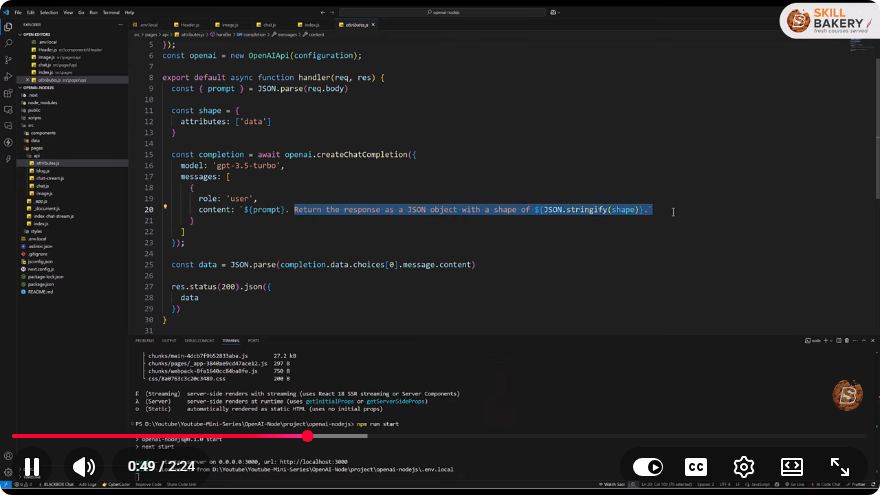
How to Request JSON Chat Completions from OpenAI for Programmatic Use
In today's tech-driven world, integrating AI capabilities into your applications can significantly enhance performance and user experience. OpenAI's API provides a powerful platform for developers to harness the capabilities of AI, particularly through chat completions. In this tutorial, we'll explore how to request JSON chat completions from OpenAI, structure your API requests, parse responses, and seamlessly integrate AI-generated content into your applications.
Table of Contents
- What is OpenAI's API?
- Setting Up Your Environment
- Structuring Your API Requests
- Parsing API Responses
- Integrating AI-Generated Content
- Conclusion
What is OpenAI's API?
OpenAI's API allows developers to access the advanced capabilities of AI models, such as language understanding and generation. By leveraging this API, developers can automate workflows, create interactive applications, and enhance user engagement through AI-generated responses. JSON chat completions are one of the key features of the API, enabling real-time conversational interactions.
Setting Up Your Environment
Before you can start making API requests, you'll need to set up your environment. Follow these steps:
Sign Up for OpenAI: Visit the OpenAI website and create an account.
Get Your API Key: After signing in, navigate to the API section of your account to generate your API key. Keep this key secure, as it will be required for authentication.
Install Required Libraries: Depending on your programming language, you may need to install libraries to facilitate HTTP requests. For Python, you can use
requests. Install it using pip:pip install requests
Structuring Your API Requests
Once your environment is set up, you can start structuring your API requests. Here’s how to do it in Python:
import requests

API_KEY = 'your_api_key_here'
url = "https://api.openai.com/v1/chat/completions"

headers = {
    "Authorization": f"Bearer {API_KEY}",
    "Content-Type": "application/json"
}

data = {
    "model": "gpt-3.5-turbo",  # Specify the model you want to use
    "messages": [
        {"role": "user", "content": "Hello, how can you assist me today?"}
    ],
    "temperature": 0.7,  # Adjust response creativity
    "max_tokens": 150    # Set maximum response length
}

response = requests.post(url, headers=headers, json=data)
Key Parameters Explained
- model: The AI model you want to use (e.g.,
gpt-3.5-turbo). - messages: A list of messages that define the conversation context. Each message should have a role (
user,assistant, orsystem) and content. - temperature: A float between 0 and 1 that controls randomness in responses. Higher values produce more creative responses.
- max_tokens: Limits the length of the generated response.
Parsing API Responses
After sending your request, you'll receive a JSON response from the API. Here's how to parse it:
if response.status_code == 200:
    response_data = response.json()
    chat_response = response_data['choices'][0]['message']['content']
    print("AI Response:", chat_response)
else:
    print("Error:", response.status_code, response.text)
Handling Errors
Always check the response status code to handle any errors gracefully. If the status code isn’t 200, print the error message to understand what went wrong.
Integrating AI-Generated Content
Once you have the AI's response, you can integrate it into your application as needed. Whether you're building a chatbot, a content generation tool, or an automated email responder, the AI-generated content can enhance your application's functionality.
Example Use Case
Imagine you're creating a customer support chatbot. You can use the API to generate responses to user queries in real-time, improving user engagement and providing instant assistance.
# Example of integrating AI response into a chatbot interface
user_input = "What are your opening hours?"
data['messages'].append({"role": "user", "content": user_input})

# Send the request again
response = requests.post(url, headers=headers, json=data)

if response.status_code == 200:
    response_data = response.json()
    chat_response = response_data['choices'][0]['message']['content']
    print("Chatbot:", chat_response)
Conclusion
Integrating OpenAI's JSON chat completions into your applications can unlock new capabilities and streamline workflows. By following the steps outlined in this tutorial, you can successfully structure your API requests, parse responses, and make the most of AI-generated content. As you explore the possibilities, remember to experiment with different parameters to find the best results for your specific use case. Happy coding! 🚀
Connect with SkillBakery Studios
Explore more tutorials, tools, and resources:
Posted by SkillBakery Studios


 Hello, my name is Jack Sparrow. I'm a 50 year old self-employed Pirate from the Caribbean.
No comments:
Post a Comment