
7. Scalability Unleashed: Deep Dive into Azure Cosmos DB Partitioning Strategies
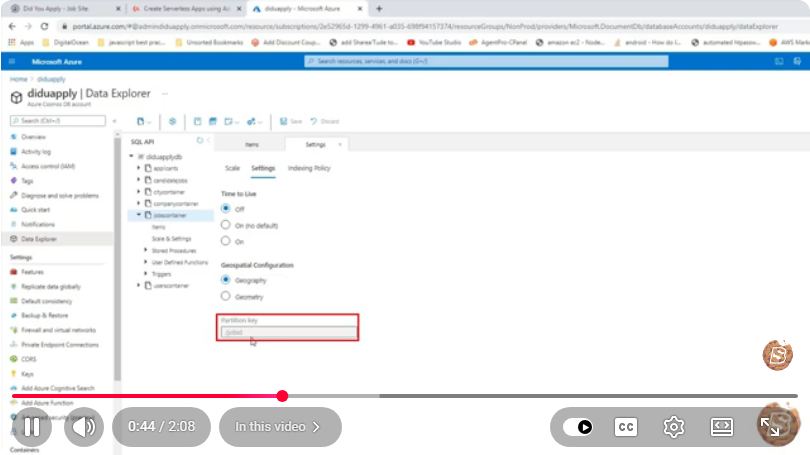
Scalability Unleashed: A Deep Dive into Azure Cosmos DB Partitioning Strategies
In today's data-driven world, scalability is crucial for applications that handle large volumes of data and require quick access times. Azure Cosmos DB, a globally distributed, multi-model database service, provides exceptional scalability through its unique partitioning strategies. In this blog post, we will explore the various partitioning strategies available in Azure Cosmos DB, allowing you to optimize your applications for performance and cost.
Understanding Partitioning in Azure Cosmos DB
Partitioning is the process of dividing data into smaller, manageable pieces called partitions. Each partition is stored independently, which allows for increased performance and scalability. Azure Cosmos DB uses partition keys to determine how data is distributed across partitions. Choosing the right partition key is essential, as it can significantly impact the performance and cost of your database.
What is a Partition Key?
A partition key is a property of your data that Azure Cosmos DB uses to distribute and manage data across partitions. All items with the same partition key are stored in the same partition, enabling efficient querying and storage.
When selecting a partition key, consider the following:
- Cardinality: Choose keys with high cardinality (many unique values) to ensure even distribution of data.
- Access Patterns: Understand how your application queries data to select a partition key that minimizes cross-partition queries.
- Cost: Keep in mind that cross-partition queries can incur additional costs.
Partitioning Strategies
Azure Cosmos DB offers several partitioning strategies that can be tailored to meet your application's needs. Let's explore the key strategies.
1. Single Partition Strategy
A single partition strategy is suitable for applications with a small amount of data (up to 20 GB). In this case, you can rely on Azure Cosmos DB's automatic partitioning. However, as your data grows, you may need to switch to a multi-partition strategy.
2. Multi-Partition Strategy
For applications expecting to exceed 20 GB of data, a multi-partition strategy is essential. In this strategy, you define a partition key, and Azure Cosmos DB automatically distributes the data across multiple partitions.
3. Even Partitioning
Even partitioning is achieved by selecting a partition key with high cardinality, ensuring that data is evenly distributed. This approach minimizes the risk of hotspots, which can occur when too much data is concentrated in a single partition.
4. Hot Partitioning
Hot partitioning occurs when a partition key is over-indexed, resulting in uneven data distribution. This can lead to performance issues and increased costs. To avoid hot partitioning, select a partition key that reflects your application's access patterns.
5. Composite Partitioning
Composite partitioning allows you to combine multiple properties to create a composite partition key. This can be particularly useful when you have complex data access patterns. However, it requires careful planning to ensure the keys are efficient and provide the desired distribution.
Best Practices for Partitioning in Azure Cosmos DB
To maximize performance and minimize costs, consider the following best practices when implementing partitioning strategies in Azure Cosmos DB:
- Analyze Data Usage: Understand how your application accesses data to inform your partition key selection.
- Monitor Performance: Use Azure Monitor to track performance metrics and identify potential bottlenecks.
- Adjust Partition Keys: If you notice performance degradation, consider adjusting your partition keys based on evolving data access patterns.
- Test and Iterate: Regularly test your partitioning strategy and iterate based on performance data and application needs.
Conclusion
Partitioning is a crucial aspect of Azure Cosmos DB that can significantly impact your application's scalability, performance, and cost. By understanding the different partitioning strategies and best practices, you can unleash the full potential of Azure Cosmos DB and ensure your application is prepared for future growth.
For more in-depth insights and tutorials, consider checking out Azure’s official documentation on Cosmos DB Partitioning.
Further Reading
- Azure Cosmos DB Documentation
- Partitioning Strategies in Azure Cosmos DB
- Best Practices for Partitioning in Azure Cosmos DB
By mastering partitioning strategies, you can enhance your application's performance and ensure it scales efficiently as your data needs grow.
Connect with SkillBakery Studios
Explore more tutorials, tools, and resources:
Posted by SkillBakery Studios


 Hello, my name is Jack Sparrow. I'm a 50 year old self-employed Pirate from the Caribbean.
No comments:
Post a Comment