
AngularJS : Routing in AngularJS - Web Development
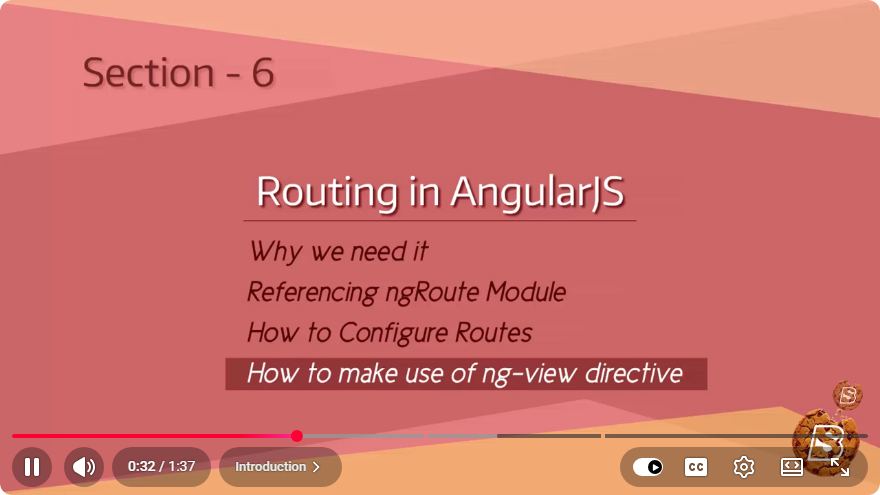
Understanding Routing in AngularJS: A Comprehensive Guide
In the realm of web development, AngularJS has earned a reputation as a powerful framework for building dynamic web applications. One of its most significant features is routing, which enables developers to create single-page applications (SPAs) that provide a seamless user experience. In this post, we will explore routing in AngularJS, understand its importance, and learn how to implement it effectively.
What is Routing?
Routing refers to the mechanism that allows navigation between different views or components in a web application without the need to reload the entire page. In AngularJS, routing is managed by the ngRoute module, which provides tools for defining routes and associating them with specific views and controllers.
Why Use Routing?
Using routing in AngularJS comes with numerous advantages:
- Improved User Experience: Users can navigate between different sections of your app without experiencing page reloads, making the application feel faster and more responsive.
- Cleaner URLs: Routing allows for user-friendly URLs that reflect the structure of your application, improving SEO and usability.
- Organized Code Structure: By separating different views and their associated logic, routing helps maintain a clean and manageable codebase.
Setting Up AngularJS with ngRoute
Before diving into routing, ensure you have AngularJS and the ngRoute module integrated into your project. You can do this by including the following CDN links in your HTML file:
<!DOCTYPE html>
<html ng-app="myApp">
<head>
    <script src="https://ajax.googleapis.com/ajax/libs/angularjs/1.8.2/angular.min.js"></script>
    <script src="https://ajax.googleapis.com/ajax/libs/angularjs/1.8.2/angular-route.min.js"></script>
    <title>AngularJS Routing Example</title>
</head>
<body>
    <div ng-view></div>

    <script src="app.js"></script>
</body>
</html>
Creating Your AngularJS Application
Next, let’s create a simple AngularJS application that utilizes routing. We will define a module, configure routes, and create views.
Step 1: Define the AngularJS Module
In your app.js file, define your main AngularJS module and inject the ngRoute dependency:
var app = angular.module('myApp', ['ngRoute']);
Step 2: Configure Routes
Use the $routeProvider service to set up routes. Each route will specify a URL path, the template to load, and the controller to use. Here’s how to do it:
app.config(['$routeProvider', function($routeProvider) {
    $routeProvider
        .when('/', {
            templateUrl: 'home.html',
            controller: 'HomeController'
        })
        .when('/about', {
            templateUrl: 'about.html',
            controller: 'AboutController'
        })
        .otherwise({
            redirectTo: '/'
        });
}]);
Step 3: Create the Views
Create the HTML files for your views, home.html and about.html, in the same directory.
home.html
<h1>Welcome to the Home Page</h1>
<p>This is the main page of the application.</p>
about.html
<h1>About Us</h1>
<p>This page contains information about our application.</p>
Step 4: Add Controllers
Now, create the corresponding controllers for your views. Here’s an example of how to define the Home and About controllers:
app.controller('HomeController', function($scope) {
    $scope.message = 'Welcome to the Home Page!';
});

app.controller('AboutController', function($scope) {
    $scope.message = 'Learn more about us here.';
});
Step 5: Implement Navigation
To navigate between different views, you can use AngularJS's ng-link directive in your main HTML:
<nav>
    <a ng-href="#!/">Home</a>
    <a ng-href="#!/about">About</a>
</nav>
Conclusion
Routing in AngularJS is a powerful feature that enhances the user experience by allowing seamless navigation between different parts of a web application. By following the steps outlined in this guide, you can effectively implement routing in your AngularJS applications and create a structured, easy-to-manage codebase.
For further learning, consider experimenting with nested routes, route parameters, and more advanced routing features. Happy coding!
Connect with SkillBakery Studios
Explore more tutorials, tools, and resources:
Posted by SkillBakery Studios


 Hello, my name is Jack Sparrow. I'm a 50 year old self-employed Pirate from the Caribbean.
No comments:
Post a Comment