
ASP NetMVC Core What You Should Know

ASP.NET MVC Core: What You Should Know
In the ever-evolving landscape of web development, ASP.NET Core MVC stands out as a robust framework designed for building dynamic web applications. In this blog post, we'll dive into the essentials of ASP.NET Core MVC, covering its architecture, features, and why it might be the right choice for your next project.
What is ASP.NET Core MVC?
ASP.NET Core MVC is a cross-platform, high-performance framework for building modern, cloud-based web applications. It combines the features of ASP.NET MVC and ASP.NET Web API into one programming model, allowing developers to create web applications and APIs with ease.
Key Features of ASP.NET Core MVC
Cross-Platform: Unlike previous versions of ASP.NET, ASP.NET Core runs on Windows, macOS, and Linux, making it versatile for development and deployment.
Modular Architecture: The framework is lightweight and modular, allowing developers to include only the necessary components in their applications, which can lead to improved performance.
Dependency Injection: ASP.NET Core comes with built-in support for dependency injection, promoting better code organization and testability.
Unified MVC and Web API: The framework integrates the Model-View-Controller (MVC) pattern and Web API, simplifying the process of building RESTful services.
Razor Pages: This feature allows developers to build page-focused web applications, making it easier to manage the UI and back-end logic.
Middleware Pipeline: ASP.NET Core uses a middleware pipeline to handle requests and responses, providing great flexibility in how requests are processed.
Understanding the MVC Architecture
Model
The Model represents the data and business logic of the application. It is responsible for retrieving, storing, and processing data. In ASP.NET Core MVC, models can be simple classes with properties, or they can represent complex entities from a database using Entity Framework Core.
View
The View is responsible for presenting the data to the user. In ASP.NET Core, views are typically created using Razor syntax, which allows for embedding C# code within HTML. This makes it easy to generate dynamic content based on the model data.
Controller
The Controller acts as an intermediary between the Model and View. It responds to user input, retrieves data from the Model, and returns the appropriate View. Controllers are where the application logic resides and handle incoming requests.
Getting Started with ASP.NET Core MVC
To get started with an ASP.NET Core MVC application, follow these steps:
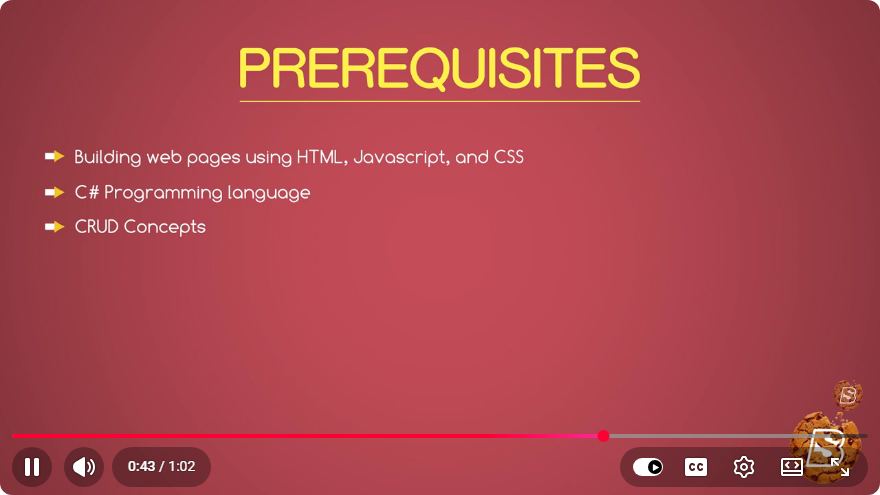
Prerequisites
- Install .NET SDK.
- A code editor like Visual Studio or Visual Studio Code.
Creating a New Project
Open your terminal or command prompt.
Run the following command to create a new ASP.NET Core MVC application:
dotnet new mvc -n MyMvcAppNavigate into your project folder:
cd MyMvcAppLaunch the application:
dotnet runOpen your web browser and go to
http://localhost:5000to see your new application in action.
Adding a Controller
To create a new controller, follow these steps:
Inside the
Controllersfolder, create a new file namedHomeController.cs.Add the following code:
using Microsoft.AspNetCore.Mvc;

namespace MyMvcApp.Controllers
{
    public class HomeController : Controller
    {
        public IActionResult Index()
        {
            return View();
        }
    }
}
Create a corresponding view in the
Views/Homefolder namedIndex.cshtml:@page <h1>Welcome to My MVC App!</h1>
Conclusion
ASP.NET Core MVC is a powerful framework that simplifies the process of building modern web applications and APIs. With its modular architecture, built-in dependency injection, and cross-platform capabilities, it's an excellent choice for developers looking to create dynamic web applications.
Whether you're new to web development or an experienced programmer, understanding ASP.NET Core MVC can open up new opportunities to create robust, scalable, and maintainable applications. Dive into the documentation, experiment with building projects, and embrace the versatility that ASP.NET Core MVC offers.
For more in-depth information, consider checking out Microsoft's official ASP.NET Core documentation. Happy coding!
Connect with SkillBakery Studios
Explore more tutorials, tools, and resources:
Posted by SkillBakery Studios


 Hello, my name is Jack Sparrow. I'm a 50 year old self-employed Pirate from the Caribbean.
No comments:
Post a Comment