
C# Developers : Simplified Collection Expressions in C# - Creating and Combining Lists Easily
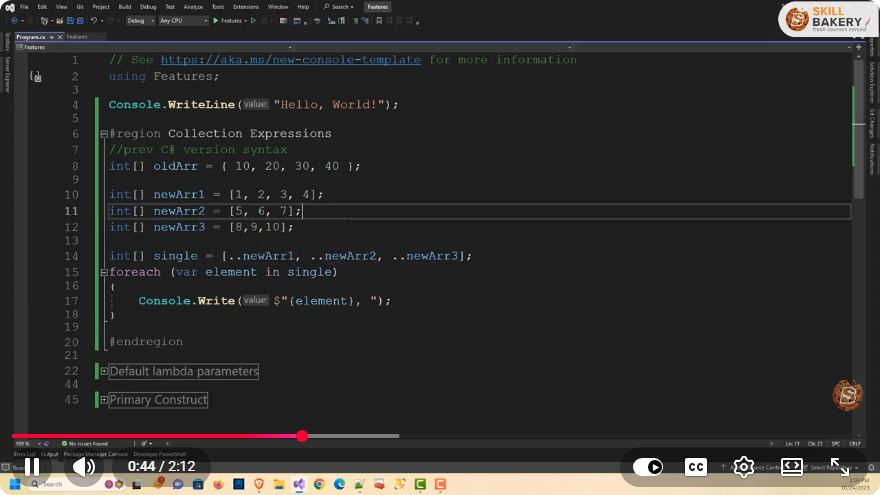
Simplified Collection Expressions in C#: Creating and Combining Lists Easily
In the rapidly evolving world of C#, developers continually seek ways to simplify their coding processes. One of the areas that have seen significant improvements is the handling of collections. In this blog post, we will explore simplified collection expressions in C#, focusing on how to create and combine lists easily.
What Are Collection Expressions?
Collection expressions in C# are syntactical constructs that allow developers to create and manipulate collections like lists, arrays, and dictionaries more easily. With the introduction of features such as LINQ (Language Integrated Query) and new syntactic sugar in recent versions of C#, managing collections has become more intuitive and less verbose.
Creating Lists in C#
Using Collection Initializers
One of the simplest ways to create lists in C# is by using collection initializers. This allows you to initialize a list with values in a more readable format.
using System;
using System.Collections.Generic;

class Program
{
    static void Main()
    {
        List<string> fruits = new List<string>
        {
            "Apple",
            "Banana",
            "Cherry"
        };

        foreach (var fruit in fruits)
        {
            Console.WriteLine(fruit);
        }
    }
}
In the example above, we create a list of fruits and populate it with initial values in a clean and concise manner.
Using LINQ to Create Lists
Another powerful way to create lists is by using LINQ. With LINQ, you can generate lists based on existing collections or create entirely new lists through transformations.
using System;
using System.Collections.Generic;
using System.Linq;

class Program
{
    static void Main()
    {
        int[] numbers = { 1, 2, 3, 4, 5 };
        List<int> squaredNumbers = numbers.Select(n => n * n).ToList();

        foreach (var number in squaredNumbers)
        {
            Console.WriteLine(number);
        }
    }
}
In this example, we use LINQ's Select method to create a new list of squared numbers from an existing array.
Combining Lists in C#
Combining lists is a common operation that can be done easily using methods provided by the List<T> class and LINQ.
Using the AddRange Method
The AddRange method allows you to append elements from one list to another seamlessly.
using System;
using System.Collections.Generic;

class Program
{
    static void Main()
    {
        List<string> list1 = new List<string> { "Apple", "Banana" };
        List<string> list2 = new List<string> { "Cherry", "Date" };

        list1.AddRange(list2);

        foreach (var fruit in list1)
        {
            Console.WriteLine(fruit);
        }
    }
}
Here, we combine list1 and list2 into list1 using the AddRange method, resulting in a single list containing all fruits.
Using LINQ to Combine Lists
LINQ can also be used to combine lists, allowing for more advanced scenarios such as filtering duplicates.
using System;
using System.Collections.Generic;
using System.Linq;

class Program
{
    static void Main()
    {
        List<string> list1 = new List<string> { "Apple", "Banana" };
        List<string> list2 = new List<string> { "Banana", "Cherry" };

        List<string> combinedList = list1.Union(list2).ToList();

        foreach (var fruit in combinedList)
        {
            Console.WriteLine(fruit);
        }
    }
}
In this example, we use LINQ's Union method to combine list1 and list2, ensuring that the resulting list contains only unique elements.
Conclusion
C# has made significant strides in simplifying collection expressions, allowing developers to create and combine lists with ease. By leveraging collection initializers and LINQ, you can write cleaner and more efficient code. Whether you are a beginner or an experienced developer, mastering these techniques will enhance your productivity and make your code more maintainable.
For further exploration, consider diving deeper into LINQ's capabilities, as it offers a rich set of features that go beyond simple list manipulation. Happy coding!
Connect with SkillBakery Studios
Explore more tutorials, tools, and resources:
Posted by SkillBakery Studios


 Hello, my name is Jack Sparrow. I'm a 50 year old self-employed Pirate from the Caribbean.
No comments:
Post a Comment