
C # - Iterate Enumerator
Mastering Enumerator Iteration in C#: A Quick Guide
In the world of programming, iterating through data collections is a fundamental concept that every developer should master. In C#, enumerators provide a powerful way to traverse collections. This blog post will break down how to iterate through an enumerator effectively, drawing insights from a short yet informative video on the topic. Let’s dive in!
What is an Enumerator?
An enumerator in C# is an object that allows you to traverse a collection, such as an array or a list. It adheres to the IEnumerator interface, providing a way to access elements sequentially without exposing the underlying structure of the collection.
Key Concepts of Enumerators
- Current Property: This property gets the element at the current position of the enumerator.
- MoveNext Method: This method advances the enumerator to the next element of the collection.
- Reset Method: This method sets the enumerator to its initial position, before the first element in the collection.
Basic Usage of Enumerator
Let’s take a look at how you can utilize an enumerator to iterate through a collection. Below is a simple example using a List of integers.
Example Code
using System;
using System.Collections.Generic;

class Program
{
    static void Main()
    {
        List<int> numbers = new List<int> { 1, 2, 3, 4, 5 };

        // Obtain the enumerator for the list
        IEnumerator<int> enumerator = numbers.GetEnumerator();

        // Iterate through the collection
        while (enumerator.MoveNext())
        {
            // Access the current element
            int current = enumerator.Current;
            Console.WriteLine(current);
        }

        // Reset the enumerator to its initial position
        enumerator.Reset();
    }
}
Breaking Down the Code
- Creating a List: We start by creating a list of integers.
- Obtaining the Enumerator: We call
GetEnumerator()on our list to obtain the enumerator. - Using MoveNext(): The
whileloop continues as long asMoveNext()returnstrue, moving through each element in the list. - Accessing Current: Inside the loop, we access the
Currentproperty to get the value of the current element. - Resetting the Enumerator: Finally, we demonstrate how to reset the enumerator to its initial position using
Reset().
When to Use Enumerators
Using enumerators is particularly useful when:
- You need to traverse a collection without exposing its structure.
- You want to control the iteration flow explicitly.
- You are working with collections that require deferred execution (like LINQ queries).
Advantages of Using Enumerators
- Encapsulation: They provide a way to access elements without exposing the underlying collection.
- Flexibility: You can create custom iterators for complex data structures.
- Safety: They help prevent common errors associated with manual index manipulation.
Conclusion
Understanding how to iterate through collections using enumerators is a vital skill in C#. Not only does it enhance the efficiency of your code, but it also promotes better coding practices by keeping your collections encapsulated.
By mastering enumerators, you can write cleaner, more maintainable code. So whether you’re building applications or just tinkering with code, remember the power of enumerators in your C# toolkit!
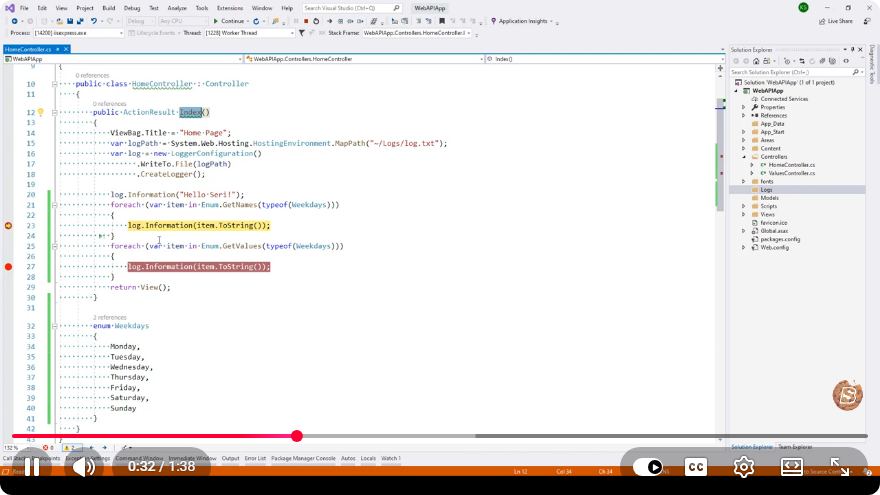
For further exploration, consider watching the referenced video for a quick visual guide on iterating with enumerators in action. Happy coding!
Connect with SkillBakery Studios
Explore more tutorials, tools, and resources:
Posted by SkillBakery Studios


 Hello, my name is Jack Sparrow. I'm a 50 year old self-employed Pirate from the Caribbean.
No comments:
Post a Comment