
🛒 Calculate Cart Total & Item Count with Jotai

Calculate Cart Total & Item Count with Jotai
In the world of modern web development, state management is a critical aspect of building robust applications. Jotai, a minimalistic state management library for React, offers a simple and effective way to handle state. In this tutorial, we will explore how to calculate the cart total and item count using Jotai in just a few steps.
What is Jotai?
Jotai is a state management library designed to be simple and flexible. It allows you to manage your application's state using atoms, which are units of state. Jotai is particularly well-suited for React applications, enabling developers to create efficient state management solutions without the complexity of larger libraries like Redux.
Prerequisites
Before we dive into the code, ensure you have the following:
- A basic understanding of React.
- Node.js and npm installed on your machine.
- A new or existing React project set up.
If you don’t have a React project set up yet, you can create one using Create React App:
npx create-react-app jotai-cart
cd jotai-cart
Then, install Jotai:
npm install jotai
Setting Up the Cart
Now that our environment is ready, let’s set up a simple cart system using Jotai.
1. Create Atoms
Atoms are the building blocks of Jotai. We will create atoms to store the items in the cart and calculate the total price and item count.
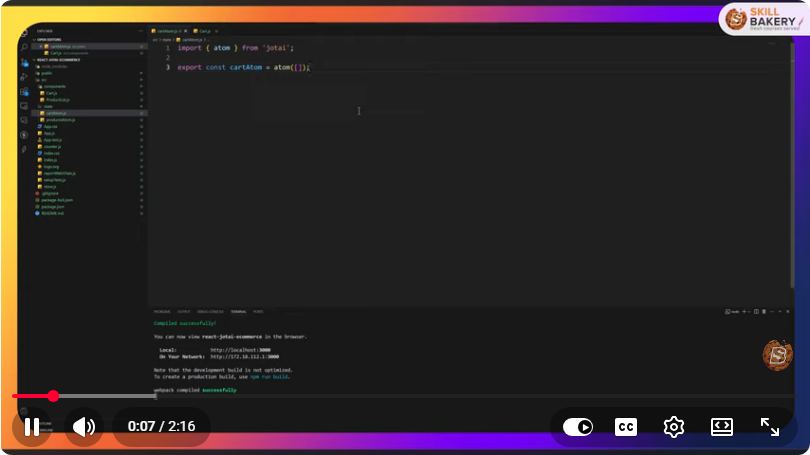
Create a new file called cartAtoms.js in your src directory:
// src/cartAtoms.js
import { atom } from 'jotai';

// Atom to store cart items
export const cartItemsAtom = atom([]);

// Atom to calculate total price
export const cartTotalAtom = atom((get) =>
  get(cartItemsAtom).reduce((total, item) => total + item.price * item.count, 0)
);

// Atom to calculate the total item count
export const cartCountAtom = atom((get) =>
  get(cartItemsAtom).reduce((count, item) => count + item.count, 0)
);
2. Creating the Cart Component
Next, let’s create a simple Cart component that will allow users to add items, display the cart total, and show the item count.
Create a new file called Cart.js in your src directory:
// src/Cart.js
import React from 'react';
import { useAtom } from 'jotai';
import { cartItemsAtom, cartTotalAtom, cartCountAtom } from './cartAtoms';

const Cart = () => {
  const [cartItems, setCartItems] = useAtom(cartItemsAtom);
  const [total] = useAtom(cartTotalAtom);
  const [itemCount] = useAtom(cartCountAtom);

  const addItem = () => {
    const newItem = { id: Date.now(), name: 'Item ' + (cartItems.length + 1), price: 10, count: 1 };
    setCartItems((prevItems) => [...prevItems, newItem]);
  };

  return (
    <div>
      <h2>Cart</h2>
      <button onClick={addItem}>Add Item</button>
      <h3>Total Items: {itemCount}</h3>
      <h3>Total Price: ${total.toFixed(2)}</h3>
      <ul>
        {cartItems.map((item) => (
          <li key={item.id}>
            {item.name} - ${item.price} x {item.count}
          </li>
        ))}
      </ul>
    </div>
  );
};

export default Cart;
3. Integrating the Cart Component
Finally, we need to integrate the Cart component into our main application. Open App.js and update it as follows:
// src/App.js
import React from 'react';
import Cart from './Cart';

const App = () => {
  return (
    <div>
      <h1>Shopping Cart Example with Jotai</h1>
      <Cart />
    </div>
  );
};

export default App;
4. Running the Application
Now that everything is set up, you can run your application:
npm start
Visit http://localhost:3000 in your browser, and you should see your shopping cart interface. You can add items to the cart, and it will automatically calculate the total price and item count.
Conclusion
Using Jotai, we have created a simple shopping cart that calculates the total price and item count dynamically. This tutorial demonstrated how to set up atoms for managing state and create a functional React component to interact with that state.
Jotai's straightforward API makes it easy to manage state in your applications without the overhead of more complex libraries. As you continue to develop your React applications, consider leveraging Jotai for a clean and efficient state management solution.
Happy coding!
Connect with SkillBakery Studios
Explore more tutorials, tools, and resources:
Posted by SkillBakery Studios


 Hello, my name is Jack Sparrow. I'm a 50 year old self-employed Pirate from the Caribbean.
No comments:
Post a Comment