
CDN Fallback - Advance jQuery-Web Development
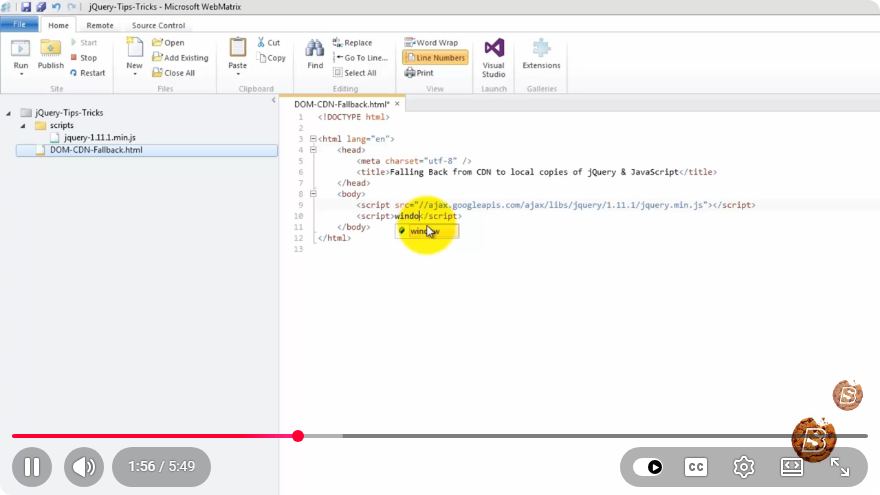
Understanding CDN Fallback in Advanced jQuery Web Development
In the ever-evolving world of web development, ensuring that your applications run smoothly across all environments is paramount. One common technique to achieve this is the use of Content Delivery Networks (CDNs). However, what happens when your CDN fails or is unreachable? This is where the concept of CDN fallback becomes crucial. In this blog post, we will explore CDN fallback in the context of advanced jQuery web development.
What is a CDN?
A Content Delivery Network (CDN) is a system of distributed servers that deliver web content to a user based on their geographical location. CDNs help reduce latency, enhance load times, and improve the overall user experience. Popular CDNs, such as Cloudflare, Amazon CloudFront, and jsDelivr, host libraries for jQuery, Bootstrap, and other JavaScript frameworks.
Why Use CDN Fallback?
While CDNs offer numerous advantages, they can occasionally be unreliable due to server issues or network problems. Implementing a CDN fallback mechanism ensures that your web application remains functional even when the CDN is unreachable. This is especially important for critical libraries like jQuery, which many web applications rely on.
Benefits of CDN Fallback
- Improved Reliability: Users will always have access to the necessary scripts, regardless of CDN availability.
- Enhanced Performance: If the CDN is working well, users will experience faster load times.
- Offline Support: Users can still access the application even with poor internet connectivity.
Implementing CDN Fallback with jQuery
Let’s walk through a practical example of how to implement CDN fallback for jQuery in your web application.
Step 1: Include jQuery from a CDN
Start by including the jQuery library from a reputable CDN in your HTML file. Here’s a sample snippet:
<!DOCTYPE html>
<html lang="en">
<head>
    <meta charset="UTF-8">
    <meta name="viewport" content="width=device-width, initial-scale=1.0">
    <title>CDN Fallback Example</title>
    <script src="https://code.jquery.com/jquery-3.6.0.min.js"></script>
</head>
<body>
    <h1>Hello, World!</h1>
</body>
</html>
Step 2: Add Fallback Logic
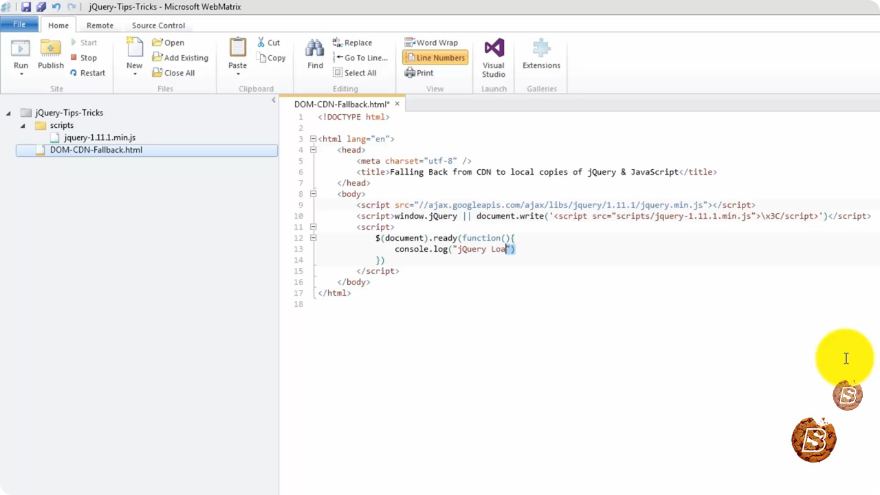
Next, you’ll want to implement the fallback logic using a standard <script> tag. If the CDN fails to load jQuery, your code will load a local copy from your server instead.
Here’s how to do it:
<!DOCTYPE html>
<html lang="en">
<head>
    <meta charset="UTF-8">
    <meta name="viewport" content="width=device-width, initial-scale=1.0">
    <title>CDN Fallback Example</title>
    <script src="https://code.jquery.com/jquery-3.6.0.min.js"></script>
    <script>
        // Fallback to local jQuery if CDN fails
        window.jQuery || document.write('<script src="js/jquery-3.6.0.min.js"><\/script>');
    </script>
</head>
<body>
    <h1>Hello, World!</h1>
    <script>
        $(document).ready(function() {
            $('h1').text('jQuery Loaded Successfully!');
        });
    </script>
</body>
</html>
Explanation of the Code
- CDN Inclusion: The first
<script>tag attempts to load jQuery from a CDN. - Fallback Logic: The
window.jQuerycheck determines if jQuery was successfully loaded. If it wasn't, thedocument.write()method is called to load a local copy of jQuery. - Local Script: Ensure you have a local copy of jQuery placed in the
jsdirectory. - Using jQuery: After the scripts are loaded, you can use jQuery as usual to manipulate the DOM.
Conclusion
Implementing a CDN fallback is a best practice in advanced jQuery web development. It enhances the reliability and performance of your web applications, ensuring that they remain functional even in the face of CDN outages. By following the simple steps outlined above, you can safeguard your applications and deliver a seamless user experience.
Additional Tips
- Always test your CDN fallback in different network conditions to ensure it works as expected.
- Consider using multiple CDNs for your libraries to further improve reliability.
- Keep your local library versions updated to ensure compatibility with your code.
By integrating CDN fallback into your development process, you're not only improving reliability but also optimizing the overall user experience. Happy coding!
Connect with SkillBakery Studios
Explore more tutorials, tools, and resources:
Posted by SkillBakery Studios


 Hello, my name is Jack Sparrow. I'm a 50 year old self-employed Pirate from the Caribbean.
No comments:
Post a Comment