
Could This Be the Ultimate Keyboard for Windows Power Users?
Could This Be the Ultimate Keyboard for Windows Power Users?
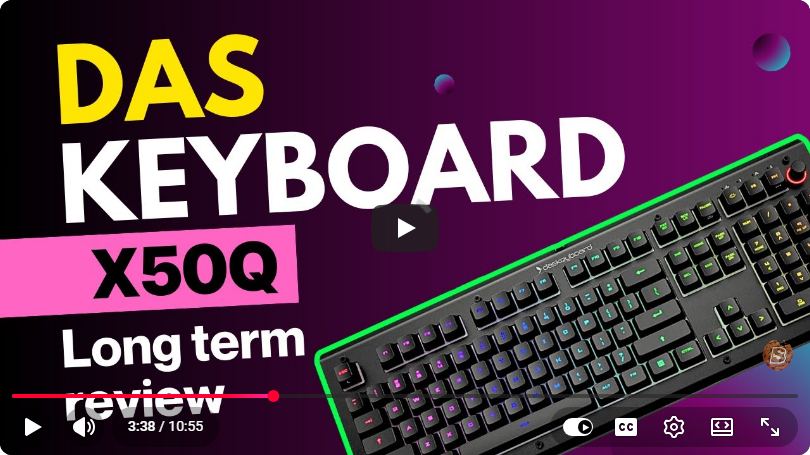
In the world of computing, the right keyboard can significantly enhance productivity, especially for power users who demand efficiency and speed. With so many options available, finding a keyboard that meets all your needs can be a daunting task. In this blog post, we will explore the features and benefits of what could potentially be the ultimate keyboard for Windows power users, as discussed in the recent YouTube video.
Key Features of the Ultimate Keyboard
1. Ergonomic Design
One of the primary considerations for any keyboard is its design. An ergonomic keyboard reduces strain on your wrists and fingers, allowing for longer periods of comfortable typing.
- Split Key Layout: Many power users prefer a split keyboard layout which promotes a more natural hand position.
- Wrist Rests: Look for keyboards that include cushioned wrist rests to provide extra support.
2. Mechanical Switches
Mechanical switches are a favorite among power users for their tactile feedback and durability.
- Variety of Switch Types: Keyboards with different switch types (Cherry MX, Gateron, etc.) allow users to choose the feel that best suits their typing style.
- Longevity: Mechanical switches are typically rated for 50 million keystrokes, making them more durable than their membrane counterparts.
3. Customizable Key Mapping
Power users often have specific tasks they perform frequently. A keyboard that allows for customizable key mapping can save considerable time.
- Software Integration: Many modern keyboards come with software that lets you remap keys and record macros.
- Profiles: Some keyboards allow you to create multiple profiles for different applications, switching seamlessly between them.
4. Backlighting Options
Good lighting is essential for working in low-light conditions.
- RGB Backlighting: Customizable RGB lighting not only enhances aesthetics but can also help to highlight specific keys.
- Adjustable Brightness: Look for keyboards that offer multiple brightness levels or the ability to turn off backlighting when not needed.
Additional Features to Consider
1. Connectivity Options
A USB-C wired connection provides low latency and reliability. However, many power users also appreciate the flexibility of Bluetooth connectivity for a tidy workspace.
- Multi-Device Pairing: Keyboards that can connect to multiple devices allow users to switch between a desktop, tablet, or laptop seamlessly.
2. Build Quality
Durability is key for any power user. A keyboard should be able to withstand heavy usage without degrading in performance.
- Material: Choose keyboards made from high-quality plastic or metal for longevity.
- Keycap Quality: PBT keycaps are typically more durable and resistant to wear than their ABS counterparts.
3. Additional Function Keys
Function keys can significantly enhance productivity by allowing quick access to frequently used commands.
- Media Controls: Dedicated media keys allow for easy control of your music and videos.
- Macro Keys: Additional programmable keys enable users to set up shortcuts for complex commands or sequences.
Conclusion
The ultimate keyboard for Windows power users combines ergonomic design, mechanical switches, customizable features, and durability. Whether you are a gamer, programmer, or content creator, investing in a keyboard that enhances your workflow can lead to significant gains in productivity.
As you consider your next keyboard purchase, keep in mind the features mentioned in this post. With the right keyboard, you can elevate your computing experience and work more efficiently than ever before.
For more insights and a visual overview of this keyboard, check out the original YouTube video here.
Connect with SkillBakery Studios
Explore more tutorials, tools, and resources:
Posted by SkillBakery Studios


 Hello, my name is Jack Sparrow. I'm a 50 year old self-employed Pirate from the Caribbean.
No comments:
Post a Comment