
Data Structures in C# Exploring Recursive Binary Search
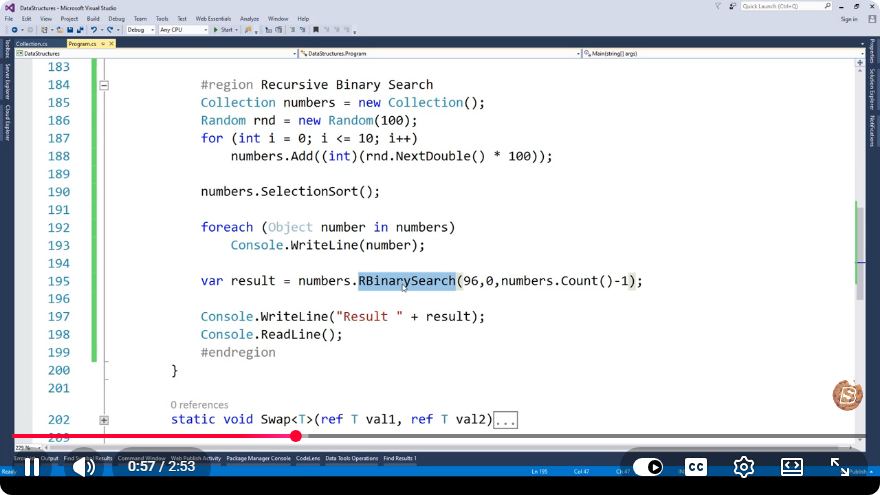
Exploring Recursive Binary Search in C#
In the realm of computer science, data structures and algorithms are fundamental concepts that empower developers to write efficient code. One such essential algorithm is the Binary Search, which is particularly effective when dealing with sorted arrays. In this blog post, we'll delve into the recursive implementation of Binary Search in C#, providing you with not only the code but also a clear understanding of how it works.
Understanding Binary Search
Binary Search is an efficient algorithm for finding a target value within a sorted array. Unlike linear search, which checks each element one by one, Binary Search divides the array into halves, significantly reducing the number of comparisons needed.
How Binary Search Works
- Initialization: Start with two pointers,
low(beginning of the array) andhigh(end of the array). - Middle Element: Calculate the middle index of the current segment of the array.
- Comparison:
- If the middle element is equal to the target value, the search is successful.
- If the middle element is greater than the target, continue searching in the left half.
- If the middle element is less than the target, search in the right half.
- Recursion: Repeat the above steps until the target is found or the segment is empty.
Recursive Implementation of Binary Search in C#
using System;

class Program
{
    static void Main()
    {
        int[] sortedArray = { 1, 2, 3, 4, 5, 6, 7, 8, 9, 10 };
        int target = 7;

        int result = RecursiveBinarySearch(sortedArray, target, 0, sortedArray.Length - 1);

        if (result != -1)
        {
            Console.WriteLine($"Element found at index: {result}");
        }
        else
        {
            Console.WriteLine("Element not found in the array.");
        }
    }

    static int RecursiveBinarySearch(int[] array, int target, int low, int high)
    {
        if (high >= low)
        {
            int mid = low + (high - low) / 2;

            // Check if the target is present at mid
            if (array[mid] == target)
                return mid;

            // If target is smaller than mid, search left half
            if (array[mid] > target)
                return RecursiveBinarySearch(array, target, low, mid - 1);

            // If target is larger than mid, search right half
            return RecursiveBinarySearch(array, target, mid + 1, high);
        }

        // Target is not present in the array
        return -1;
    }
}
Explanation of the Code
Main Method:
- Initializes a sorted array and a target value.
- Calls the
RecursiveBinarySearchmethod and checks the result.
RecursiveBinarySearch Method:
- Accepts the sorted array, target value, low index, and high index as parameters.
- Checks if the current segment is valid (
high >= low). - Calculates the middle index and compares it with the target.
- Depending on the comparison, the method calls itself recursively for the left or right segment of the array.
- If the target is not found, it returns -1.
Advantages of Recursive Binary Search
- Simplicity: The recursive approach simplifies the implementation and makes the code more readable.
- Efficiency: With a time complexity of O(log n), Binary Search is significantly faster than linear search, especially for large datasets.
Conclusion
Understanding and implementing the recursive Binary Search in C# is a great way to enhance your algorithmic skills. This powerful technique allows you to efficiently find elements in sorted arrays, making it a vital tool in any developer's toolkit.
By mastering this algorithm, you will not only improve your problem-solving capabilities but also gain deeper insights into data structures and algorithms. Happy coding!
Connect with SkillBakery Studios
Explore more tutorials, tools, and resources:
Posted by SkillBakery Studios


 Hello, my name is Jack Sparrow. I'm a 50 year old self-employed Pirate from the Caribbean.
No comments:
Post a Comment