
Demystifying Data Annotation in C#: Giving Meaning to String Variables C# 7.0
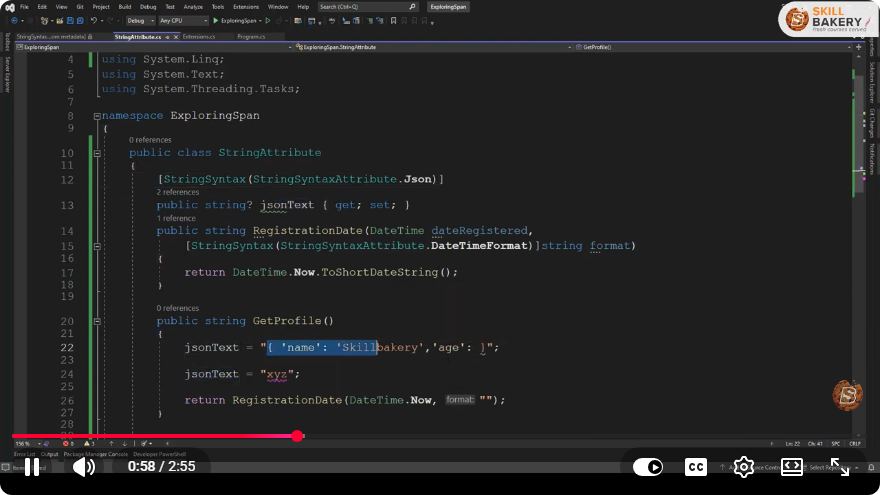
Demystifying Data Annotation in C#: Giving Meaning to String Variables
In the realm of programming, ensuring that the data we manage is meaningful and correctly validated is crucial. In C#, data annotations serve as a powerful tool for achieving this goal. In this blog post, we will explore the concept of data annotation in C# 7.0, understanding how it can be applied to string variables to enhance code reliability and maintainability.
What Are Data Annotations?
Data annotations are attributes that can be applied to classes or properties in C# to specify metadata about the data. They help in validating user input, controlling how data is displayed, and providing additional context to developers and tools that interact with the data. Commonly used in frameworks like ASP.NET, data annotations can improve both the user experience and the robustness of applications.
Key Data Annotation Attributes in C#
In C#, several data annotation attributes can be applied to string variables. Here are some of the most commonly used ones:
- [Required]: Ensures that a property is not null or empty.
- [StringLength]: Specifies the maximum length of a string.
- [RegularExpression]: Validates that a string matches a specified regular expression pattern.
- [EmailAddress]: Validates that a string is in the format of a valid email address.
- [Url]: Validates that a string is in the format of a valid URL.
Example of Data Annotations in C#
Let’s consider a practical example where we create a simple class to represent a user profile. We will apply data annotations to ensure that the user data meets certain criteria.
using System;
using System.ComponentModel.DataAnnotations;

public class UserProfile
{
    [Required(ErrorMessage = "Username is required.")]
    [StringLength(20, ErrorMessage = "Username cannot be longer than 20 characters.")]
    public string Username { get; set; }

    [EmailAddress(ErrorMessage = "Invalid email format.")]
    public string Email { get; set; }

    [StringLength(100, MinimumLength = 6, ErrorMessage = "Password must be between 6 and 100 characters.")]
    public string Password { get; set; }
}
In this example, we have defined a UserProfile class with three properties: Username, Email, and Password. Each property is annotated to enforce validation rules:
- Username must be provided and cannot exceed 20 characters.
- Email must be in a valid email format.
- Password must be between 6 and 100 characters.
Validating Data Annotations
To validate the properties annotated with data annotations, you can use the Validator class from the System.ComponentModel.DataAnnotations namespace. Here’s how you can implement validation:
using System.Collections.Generic;
using System.ComponentModel.DataAnnotations;

public class Program
{
    public static void Main()
    {
        var user = new UserProfile
        {
            Username = "user123",
            Email = "user@example.com",
            Password = "pass"
        };

        var validationResults = new List<ValidationResult>();
        var context = new ValidationContext(user);

        bool isValid = Validator.TryValidateObject(user, context, validationResults, true);

        if (!isValid)
        {
            foreach (var validationResult in validationResults)
            {
                Console.WriteLine(validationResult.ErrorMessage);
            }
        }
        else
        {
            Console.WriteLine("User profile is valid!");
        }
    }
}
In this code, we create an instance of UserProfile and then validate it using Validator.TryValidateObject(). If the validation fails, the error messages are printed to the console.
Conclusion
Data annotations in C# 7.0 provide a clear and efficient way to enforce validation rules on string variables. They help ensure that your data is valid before it is processed or stored, ultimately improving the quality and reliability of your applications. By applying the appropriate data annotation attributes, you can save time on manual validation checks and enhance user experience.
Now that you have a foundational understanding of data annotations in C#, you can begin implementing them in your own applications. Happy coding!
Connect with SkillBakery Studios
Explore more tutorials, tools, and resources:
Posted by SkillBakery Studios


 Hello, my name is Jack Sparrow. I'm a 50 year old self-employed Pirate from the Caribbean.
No comments:
Post a Comment