
Developing Web App using React Cosmos DB - Delete Records
Developing a Web App Using React and Cosmos DB: Deleting Records
In this blog post, we will explore how to develop a web application using React and Azure Cosmos DB, specifically focusing on how to delete records efficiently. Deleting records in a web application is an essential part of data management, and understanding how to do this properly can greatly enhance your application's functionality.
Table of Contents
- Introduction to React and Cosmos DB
- Setting Up Your Environment
- Creating the React Application
- Connecting to Azure Cosmos DB
- Implementing the Delete Functionality
- Testing the Delete Functionality
- Conclusion
Introduction to React and Cosmos DB
React is a popular JavaScript library for building user interfaces, particularly single-page applications. On the other hand, Azure Cosmos DB is a globally distributed, multi-model database service designed for fast and scalable data storage.
This tutorial will guide you through the process of setting up a simple web application that allows users to view and delete records stored in Cosmos DB.
Setting Up Your Environment
Before we start writing any code, ensure you have the following prerequisites installed:
- Node.js - This is essential for running React applications.
- npm - The Node package manager is needed to install packages.
- Azure Account - You will need an Azure account to set up a Cosmos DB instance.
Once your environment is ready, create a new directory for your React application and navigate into it:
mkdir my-react-cosmos-app
cd my-react-cosmos-app
Creating the React Application
To create a new React application, you can use the Create React App command:
npx create-react-app my-app
cd my-app
Once your app is created, you can start the development server:
npm start
Your new React app should now be running at http://localhost:3000.
Connecting to Azure Cosmos DB
To connect your React application to Azure Cosmos DB, you need to install the Azure Cosmos DB SDK:
npm install @azure/cosmos
Next, create a new file, db.js, in your src directory. This file will handle the connection to Cosmos DB.
// src/db.js
const { CosmosClient } = require('@azure/cosmos');

const endpoint = "YOUR_COSMOS_DB_ENDPOINT";
const key = "YOUR_COSMOS_DB_KEY";
const client = new CosmosClient({ endpoint, key });

const databaseId = "YOUR_DATABASE_ID";
const containerId = "YOUR_CONTAINER_ID";

const container = client.database(databaseId).container(containerId);

module.exports = container;
Make sure to replace YOUR_COSMOS_DB_ENDPOINT, YOUR_COSMOS_DB_KEY, YOUR_DATABASE_ID, and YOUR_CONTAINER_ID with your actual Cosmos DB credentials.
Implementing the Delete Functionality
Now, let’s implement the delete functionality in our React component. First, create a new component, RecordList.js, in the src directory.
// src/RecordList.js
import React, { useEffect, useState } from 'react';
import container from './db';

const RecordList = () => {
  const [records, setRecords] = useState([]);

  useEffect(() => {
    const fetchRecords = async () => {
      const { resources } = await container.items.readAll().fetchAll();
      setRecords(resources);
    };

    fetchRecords();
  }, []);

  const deleteRecord = async (id) => {
    await container.item(id).delete();
    setRecords(records.filter(record => record.id !== id));
  };

  return (
    <div>
      <h2>Records</h2>
      <ul>
        {records.map(record => (
          <li key={record.id}>
            {record.name}
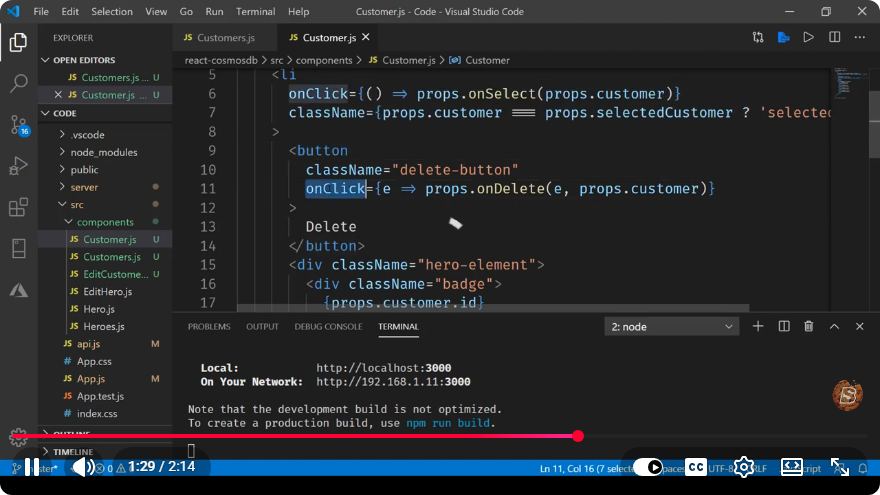
            <button onClick={() => deleteRecord(record.id)}>Delete</button>
          </li>
        ))}
      </ul>
    </div>
  );
};

export default RecordList;
Explanation of the Code:
- Fetching Records: The
useEffecthook is used to fetch records from Cosmos DB when the component mounts. - Deleting Records: The
deleteRecordfunction calls thedeletemethod on the Cosmos DB item and updates the local state to reflect this change.
Testing the Delete Functionality
Now that you have implemented the delete functionality, it’s time to test it. Include the RecordList component in your App.js file:
// src/App.js
import React from 'react';
import RecordList from './RecordList';

function App() {
  return (
    <div className="App">
      <h1>My React Cosmos DB App</h1>
      <RecordList />
    </div>
  );
}

export default App;
Run your application again and navigate to http://localhost:3000. You should see a list of records along with a delete button next to each record. Clicking the delete button should remove that record from both the UI and Cosmos DB.
Conclusion
In this tutorial, we covered how to develop a simple web application using React and Azure Cosmos DB, with a focus on implementing the delete functionality. You learned how to set up your environment, connect to Cosmos DB, and manage records within your React application.
With this foundation, you can now expand your application further by adding features such as record editing, searching, or even user authentication. Happy coding!
Connect with SkillBakery Studios
Explore more tutorials, tools, and resources:
Posted by SkillBakery Studios


 Hello, my name is Jack Sparrow. I'm a 50 year old self-employed Pirate from the Caribbean.
No comments:
Post a Comment