
Getting Started with Laravel : Database Relationships 2 minutes
Getting Started with Laravel: Understanding Database Relationships
Laravel is a powerful PHP framework that simplifies web application development. One of its key features is the ability to manage database relationships seamlessly. In this blog post, we will explore the different types of database relationships in Laravel and how to implement them effectively.
What are Database Relationships?
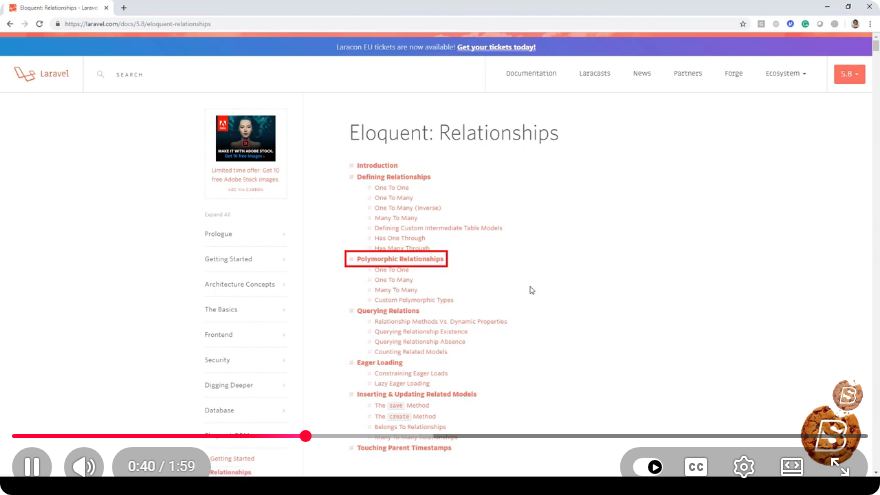
In the context of relational databases, a database relationship defines how entities (or tables) relate to one another. Understanding these relationships is crucial for designing an efficient database schema. Laravel supports several types of relationships:
- One-to-One
- One-to-Many
- Many-to-Many
- Has Many Through
- Polymorphic Relationships
Setting Up Laravel
Before diving into database relationships, ensure you have Laravel set up. You can create a new project using Composer:
composer create-project --prefer-dist laravel/laravel my-laravel-app
Configuring Your Database
Once your project is set up, configure your database connection in the .env file:
DB_CONNECTION=mysql
DB_HOST=127.0.0.1
DB_PORT=3306
DB_DATABASE=your_database_name
DB_USERNAME=your_username
DB_PASSWORD=your_password
After updating the configuration, run migrations to create tables:
php artisan migrate
One-to-One Relationships
In a one-to-one relationship, each record in one table is associated with exactly one record in another table.
Setting Up Models
Let's say you have User and Profile models. Each user has one profile.
- Create models and migration files:
php artisan make:model User -m
php artisan make:model Profile -m
- Define the migration for the
profilestable:
// database/migrations/xxxx_xx_xx_create_profiles_table.php

public function up()
{
    Schema::create('profiles', function (Blueprint $table) {
        $table->id();
        $table->foreignId('user_id')->constrained()->onDelete('cascade');
        $table->string('bio')->nullable();
        $table->timestamps();
    });
}
- Define the relationships in the models:
// app/Models/User.php

public function profile()
{
    return $this->hasOne(Profile::class);
}

// app/Models/Profile.php

public function user()
{
    return $this->belongsTo(User::class);
}
One-to-Many Relationships
In a one-to-many relationship, a single record in one table can be associated with multiple records in another table.
Example: Users and Posts
- Create the
Postmodel:
php artisan make:model Post -m
- Update the
postsmigration:
// database/migrations/xxxx_xx_xx_create_posts_table.php

public function up()
{
    Schema::create('posts', function (Blueprint $table) {
        $table->id();
        $table->foreignId('user_id')->constrained()->onDelete('cascade');
        $table->string('title');
        $table->text('content');
        $table->timestamps();
    });
}
- Define the one-to-many relationship:
// app/Models/User.php

public function posts()
{
    return $this->hasMany(Post::class);
}

// app/Models/Post.php

public function user()
{
    return $this->belongsTo(User::class);
}
Many-to-Many Relationships
In a many-to-many relationship, records in one table can be associated with multiple records in another table. This is commonly implemented using a pivot table.
Example: Users and Roles
- Create the
Rolemodel:
php artisan make:model Role -m
- Create the pivot table migration:
php artisan make:migration create_role_user_table
- Update the pivot table migration:
// database/migrations/xxxx_xx_xx_create_role_user_table.php

public function up()
{
    Schema::create('role_user', function (Blueprint $table) {
        $table->id();
        $table->foreignId('user_id')->constrained()->onDelete('cascade');
        $table->foreignId('role_id')->constrained()->onDelete('cascade');
        $table->timestamps();
    });
}
- Define the relationships:
// app/Models/User.php

public function roles()
{
    return $this->belongsToMany(Role::class);
}

// app/Models/Role.php

public function users()
{
    return $this->belongsToMany(User::class);
}
Conclusion
Understanding database relationships is vital for building robust applications with Laravel. By leveraging Laravel's Eloquent ORM, you can define and manage these relationships efficiently. In this tutorial, we covered the basics of one-to-one, one-to-many, and many-to-many relationships, providing you with a solid foundation to build upon as you continue your Laravel journey.
For a more in-depth exploration, consider checking out the official Laravel documentation on Eloquent Relationships. Happy coding!
Connect with SkillBakery Studios
Explore more tutorials, tools, and resources:
Posted by SkillBakery Studios


 Hello, my name is Jack Sparrow. I'm a 50 year old self-employed Pirate from the Caribbean.
No comments:
Post a Comment