
Getting Started with Laravel : Exploring Artisan: Laravel's Command Line Interface (CLI)
Getting Started with Laravel: Exploring Artisan - Laravel's Command Line Interface (CLI)
Laravel, one of the most popular PHP frameworks, comes with a powerful command line interface known as Artisan. In this post, we'll explore how to get started with Artisan, why it's important, and some common commands you can use to enhance your development workflow.
What is Artisan?
Artisan is Laravel's built-in command line tool that provides a variety of helpful commands for performing common tasks. From generating boilerplate code to running migrations, Artisan simplifies many of the routine tasks that developers encounter when building applications.
Why Use Artisan?
Using Artisan can significantly improve your productivity. Here are some advantages:
- Time-Saving: Artisan automates repetitive tasks, allowing you to focus on writing code.
- Efficiency: Commands can be executed quickly without the need for navigating through the UI, making development faster.
- Customization: You can create your own commands tailored to your application's specific needs.
How to Access Artisan
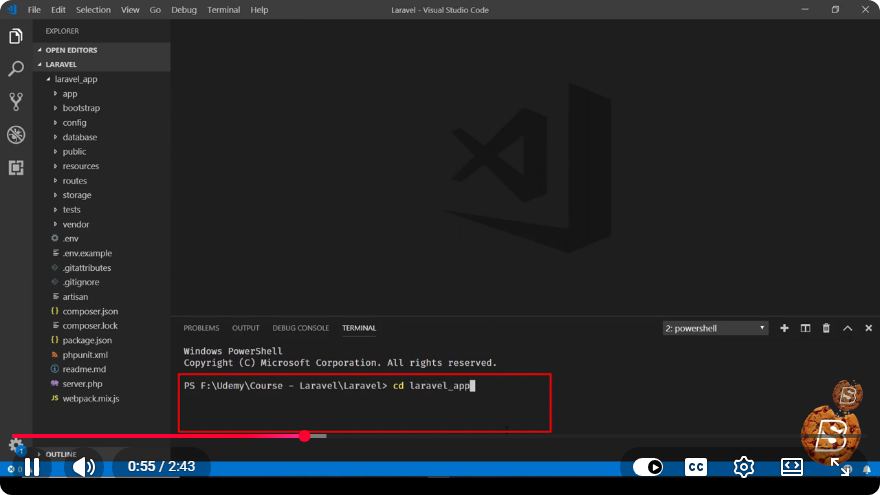
To access Artisan, you need to have Laravel installed on your machine. Once your Laravel project is set up, you can access the Artisan CLI through your terminal.
Navigate to your Laravel project directory:
cd /path/to/your/laravel/projectRun Artisan:
php artisan
When you execute this command, you'll see a list of available Artisan commands along with a brief description of what each command does.
Common Artisan Commands
Here are some commonly used Artisan commands that can help you get started:
1. Generating a New Controller
Creating a new controller is as simple as running the following command:
php artisan make:controller MyController
This command creates a new controller named MyController.php in the app/Http/Controllers directory.
2. Running Migrations
Migrations are a way to manage your database schema. To run all pending migrations, use:
php artisan migrate
This command will execute any new migrations, updating your database structure accordingly.
3. Creating a New Model
If you need to create a new Eloquent model, you can do so with:
php artisan make:model MyModel
This will create a new model file in the app/Models directory.
4. Generating a Resource Controller
For CRUD operations, you might want to create a resource controller that includes methods for handling all HTTP requests. Use:
php artisan make:controller MyResourceController --resource
This command will create a controller with predefined methods for index, create, store, show, edit, update, and destroy.
5. Clearing Cache
As you're developing, you may need to clear your application cache. Use this command to do so:
php artisan cache:clear
This command helps ensure that you are working with the most current data.
Custom Artisan Commands
In addition to the built-in commands, you can create your own custom Artisan commands to suit your application’s needs. Here’s a simple way to create one:
Generate a new command:
php artisan make:command MyCustomCommandEdit the generated command: You will find your new command in the
app/Console/Commandsdirectory. Open it and define your command's functionality in thehandle()method.Register the command: Finally, register your command in the
Kernel.phpfile located in theapp/Consoledirectory.
Conclusion
Artisan is an invaluable tool for Laravel developers, offering a range of commands to streamline your workflow. Whether you're generating models, running migrations, or creating custom commands, Artisan helps you maintain efficiency and focus on building great applications.
As you continue your journey with Laravel, make sure to explore the full capabilities of Artisan and consider integrating it into your daily development tasks. Happy coding!
Connect with SkillBakery Studios
Explore more tutorials, tools, and resources:
Posted by SkillBakery Studios


 Hello, my name is Jack Sparrow. I'm a 50 year old self-employed Pirate from the Caribbean.
No comments:
Post a Comment