
JavaScript ES6 - Introduction - Web Development
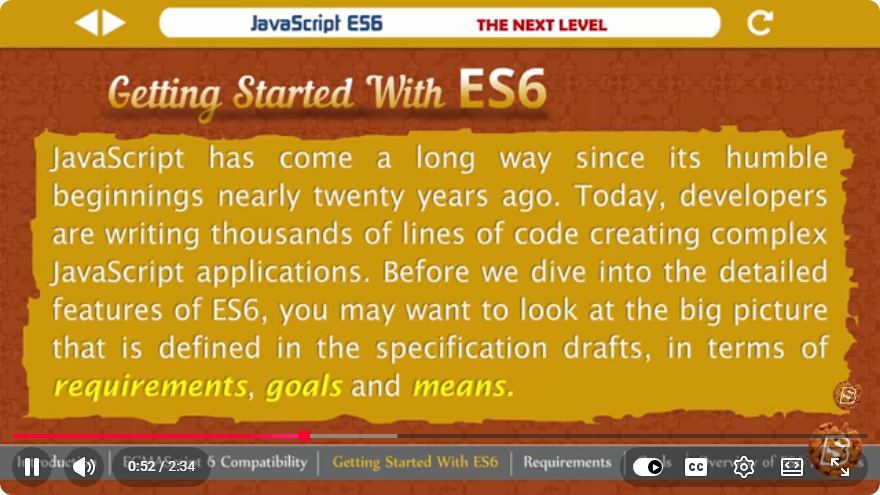
Introduction to JavaScript ES6: A Quick Guide for Web Development
JavaScript is an essential language for web development, and with the release of ECMAScript 6 (ES6), it introduced several powerful features that enhance code readability, efficiency, and functionality. In this blog post, we'll explore the key features of ES6 and how they can improve your development experience.
What is ES6?
ECMAScript 6, also known as ES6 or ECMAScript 2015, is a significant update to the JavaScript language that added new syntax and features. These enhancements allow developers to write cleaner, more efficient code and improve the overall development process.
Key Features of ES6
Let's dive into some of the most important features provided by ES6.
1. Arrow Functions
One of the most notable features of ES6 is the introduction of arrow functions. These provide a more concise way to write function expressions and also allow for easier handling of the this keyword.
// Traditional function syntax
const sum = function(a, b) {
    return a + b;
};

// Arrow function syntax
const sumArrow = (a, b) => a + b;
2. Template Literals
Template literals allow for easier string interpolation and multi-line strings. Instead of using concatenation, you can embed expressions directly in a string, making your code cleaner and more readable.
const name = "John";
const greeting = `Hello, ${name}! Welcome to ES6.`;
console.log(greeting);
3. Destructuring Assignment
Destructuring assignment helps to unpack values from arrays or properties from objects into distinct variables. This feature simplifies the process of extracting data from complex structures.
const person = {
    name: "Jane",
    age: 30
};

const { name, age } = person;
console.log(name); // Jane
console.log(age);  // 30
4. Default Parameters
With ES6, you can set default values for function parameters. This feature allows functions to have default behavior without requiring additional checks for undefined values.
function multiply(a, b = 1) {
    return a * b;
}

console.log(multiply(5));    // 5
console.log(multiply(5, 2)); // 10
5. Spread Operator
The spread operator (...) enables you to expand arrays or objects in situations where multiple elements or properties are expected. It can be useful for merging arrays or copying objects.
const arr1 = [1, 2, 3];
const arr2 = [4, 5, 6];
const mergedArray = [...arr1, ...arr2]; // [1, 2, 3, 4, 5, 6]

const obj1 = { a: 1, b: 2 };
const obj2 = { c: 3 };
const mergedObject = { ...obj1, ...obj2 }; // { a: 1, b: 2, c: 3 }
6. Classes
ES6 introduced a class syntax that simplifies the creation of objects and inheritance. This makes it easier to create structured, object-oriented code.
class Animal {
    constructor(name) {
        this.name = name;
    }

    speak() {
        console.log(`${this.name} makes a noise.`);
    }
}

class Dog extends Animal {
    speak() {
        console.log(`${this.name} barks.`);
    }
}

const dog = new Dog("Rex");
dog.speak(); // Rex barks.
Conclusion
JavaScript ES6 brings a plethora of features that enhance the way we write code. From arrow functions to classes, these updates not only improve code readability but also make it easier to manage complex applications.
As you continue your journey in web development, understanding and utilizing these ES6 features will help you become a more efficient and effective developer. To learn more, explore the official ECMAScript documentation and practice implementing these features in your projects. Happy coding!

Connect with SkillBakery Studios
Explore more tutorials, tools, and resources:
Posted by SkillBakery Studios


 Hello, my name is Jack Sparrow. I'm a 50 year old self-employed Pirate from the Caribbean.
No comments:
Post a Comment