
Javascript - Understanding Var, Let and Const in JavaScript
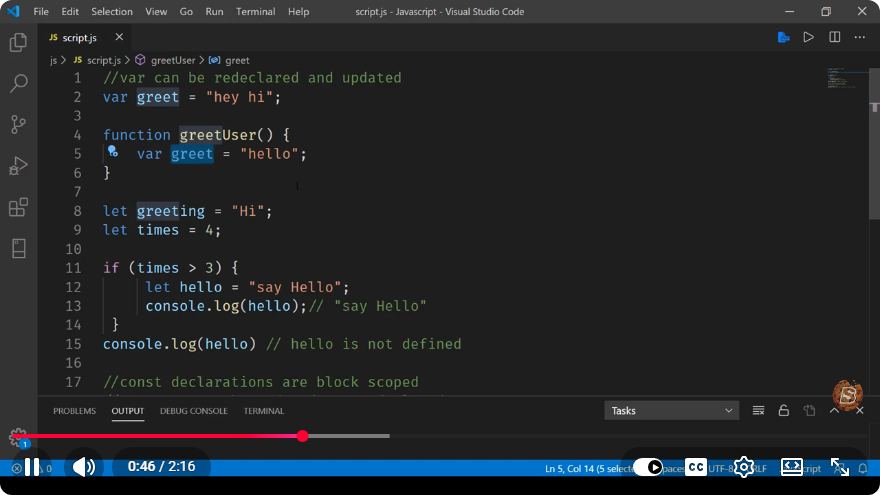
Understanding Var, Let, and Const in JavaScript
JavaScript is a versatile programming language that has evolved significantly since its inception. One of the fundamental concepts every JavaScript developer must grasp is variable declaration. In this post, we’ll explore the differences between var, let, and const, along with practical examples to illustrate their usage.
What are Variables in JavaScript?
In JavaScript, a variable is a container that holds data values. Variables can store different types of data, including numbers, strings, objects, and more. The way you declare these variables can affect their behavior in your code.
The Three Ways to Declare Variables
1. Var
The var keyword is the oldest way to declare variables in JavaScript. It allows you to create a variable that is function-scoped or globally-scoped, depending on where it is declared.
Example of var
function exampleFunction() {
    if (true) {
        var x = 10; // x is declared with var
    }
    console.log(x); // Outputs: 10 (x is accessible here)
}

exampleFunction();
Characteristics of var:
- Scope: Function-scoped or globally-scoped.
- Hoisting: Variables declared with
varare hoisted to the top of their function or global scope, meaning they can be referenced before their declaration.
2. Let
The let keyword was introduced in ES6 (ECMAScript 2015) and allows you to declare block-scoped variables. This means that the variable is only accessible within the block in which it is defined.
Example of let
function exampleFunction() {
    if (true) {
        let y = 20; // y is declared with let
        console.log(y); // Outputs: 20
    }
    // console.log(y); // Uncommenting this line will cause a ReferenceError
}

exampleFunction();
Characteristics of let:
- Scope: Block-scoped (limited to the nearest enclosing block).
- Hoisting: Similar to
var, but cannot be accessed before its declaration, resulting in a ReferenceError.
3. Const
The const keyword is also introduced in ES6 and is used to declare block-scoped variables. However, unlike let, const creates variables that cannot be reassigned.
Example of const
function exampleFunction() {
    const z = 30; // z is declared with const
    console.log(z); // Outputs: 30

    // z = 40; // Uncommenting this line will cause a TypeError
}

exampleFunction();
Characteristics of const:
- Scope: Block-scoped.
- Hoisting: Similar to
let, variables cannot be accessed before their declaration. - Reassignment: Variables declared with
constcannot be reassigned. However, if the variable is an object or array, the contents can still be modified.
Key Differences at a Glance
| Feature | var |
let |
const |
|---|---|---|---|
| Scope | Function or global | Block-scoped | Block-scoped |
| Hoisting | Yes | Yes | Yes |
| Reassignment | Yes | Yes | No |
| Redeclaration | Yes | No | No |
Best Practices
- Prefer
letandconst: In modern JavaScript, it’s recommended to useletandconstinstead ofvarbecause they provide better scoping rules and help prevent accidental reassignments. - Use
constby default: For variables that do not need to change, useconst. If you need to reassign the variable, switch tolet.
Conclusion
Understanding the differences between var, let, and const is crucial for writing clean, effective JavaScript code. By using let and const, you can take advantage of block scoping and prevent unintended variable behavior. As you practice, you'll find these concepts become second nature, enhancing your coding efficiency and effectiveness.
For further learning, consider experimenting with these variable types in your own JavaScript projects. Happy coding!
Connect with SkillBakery Studios
Explore more tutorials, tools, and resources:
Posted by SkillBakery Studios


 Hello, my name is Jack Sparrow. I'm a 50 year old self-employed Pirate from the Caribbean.
No comments:
Post a Comment