
Master Meteor JS : understand pub sub model - Web Development 58 seconds
Mastering Meteor JS: Understanding the Pub/Sub Model in 58 Seconds
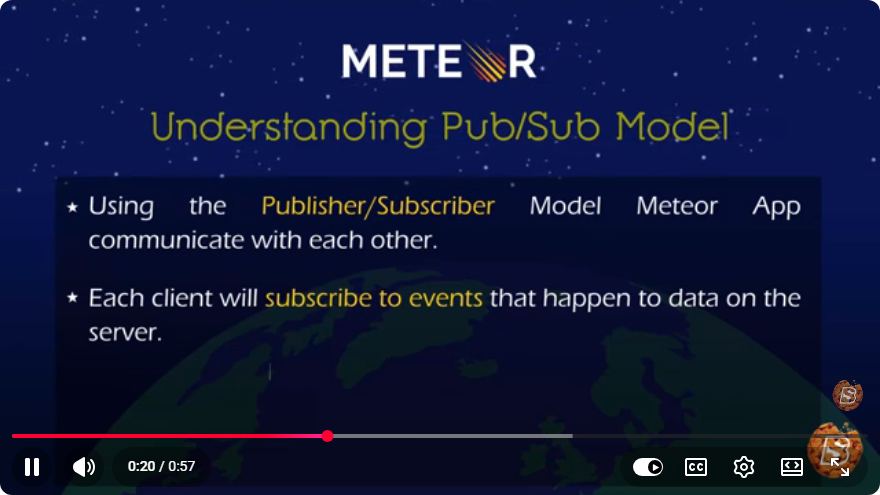
Meteor JS is a powerful full-stack JavaScript framework that makes web development easier and more efficient. One of the core concepts of Meteor is its Publish/Subscribe (Pub/Sub) model, which facilitates real-time data updates between the server and client. In this blog post, we will dive into the Pub/Sub model in Meteor JS, exploring its mechanics, use cases, and how you can implement it in your applications.
What is the Pub/Sub Model?
The Pub/Sub model is a messaging pattern where publishers send messages without knowing who will consume them, while subscribers express interest in receiving messages of a particular type. This decoupling allows for scalable and flexible architectures.
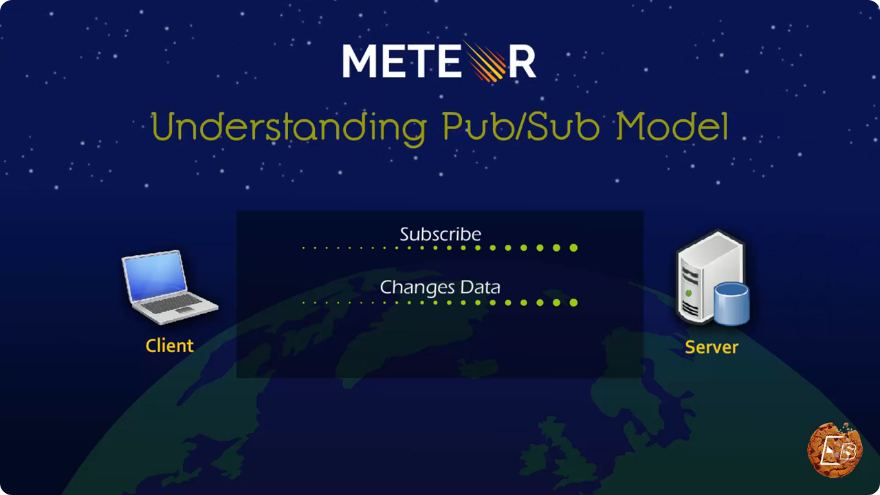
In the context of Meteor JS, the server acts as the publisher, and the client acts as the subscriber. This model enables real-time data synchronization, allowing the client to receive updated data as soon as it changes on the server.
How Does the Pub/Sub Model Work in Meteor?
1. Publishing Data on the Server
In Meteor, you define publications on the server side. A publication is a function that specifies what data the client can subscribe to. Here’s a simple example:
// server/main.js
import { Meteor } from 'meteor/meteor';
import { Mongo } from 'meteor/mongo';

const Tasks = new Mongo.Collection('tasks');

Meteor.publish('allTasks', function() {
  return Tasks.find();
});
In this example, we create a publication named allTasks that returns all documents from the Tasks collection.
2. Subscribing to Publications on the Client
On the client side, you subscribe to the publication you defined on the server. This is done using the Meteor.subscribe() method. Here’s how you can subscribe to the allTasks publication:
// client/main.js
import { Meteor } from 'meteor/meteor';
import { Template } from 'meteor/templating';
import { Mongo } from 'meteor/mongo';

const Tasks = new Mongo.Collection('tasks');

Meteor.startup(() => {
  // Subscribe to the 'allTasks' publication
  Meteor.subscribe('allTasks');
});

Template.tasks.helpers({
  tasks() {
    return Tasks.find();
  },
});
In this snippet, we subscribe to the allTasks publication when the Meteor application starts. The tasks helper retrieves the data from the Tasks collection, which will automatically update in real-time.
3. Real-Time Data Updates
One of the significant advantages of the Pub/Sub model in Meteor is its real-time capabilities. When you insert, update, or remove documents from the Tasks collection on the server, all connected clients will receive these changes instantly.
Here’s an example of how you can add a new task:
// server/main.js
Meteor.methods({
  addTask(task) {
    Tasks.insert({
      text: task,
      createdAt: new Date(),
    });
  },
});
Now, when you call this method from the client, like so:
Meteor.call('addTask', 'New Task');
All connected clients will receive the updated list of tasks in real-time.
Best Practices for Using Pub/Sub in Meteor
Limit Data Exposure: Always publish only the data necessary for the client. This reduces the amount of data transferred and improves performance.
Use Reactive Variables: If you need to manage local state, consider using reactive variables or Meteor's
Sessionfor better performance and responsiveness.Manage Subscriptions: Use
Meteor.subscribe()wisely to manage subscriptions effectively. Consider usingTracker.autorunto reactively handle changes in your subscriptions.
Conclusion
The Pub/Sub model in Meteor JS is a powerful tool that simplifies real-time data handling between the server and client. By understanding how to implement publications and subscriptions, you can create dynamic applications that respond instantly to data changes. Whether you are building a simple task manager or a complex web application, mastering the Pub/Sub model is essential for leveraging the full potential of Meteor JS.
For further learning, check out the official Meteor documentation to explore more advanced features and best practices. Happy coding!
Connect with SkillBakery Studios
Explore more tutorials, tools, and resources:
Posted by SkillBakery Studios


 Hello, my name is Jack Sparrow. I'm a 50 year old self-employed Pirate from the Caribbean.
No comments:
Post a Comment