
MS SQL - Generate a new GUID and get current Date 38 seconds
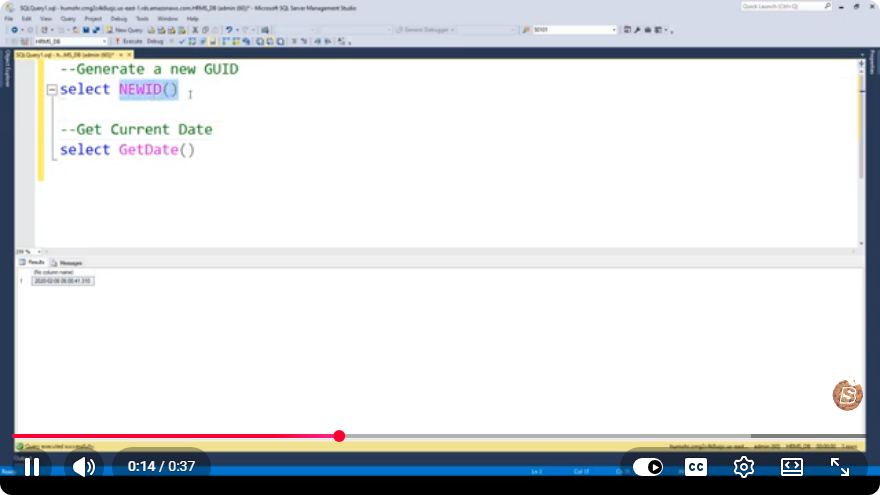
MS SQL: Generate a New GUID and Get the Current Date in 38 Seconds
In the world of database management, Microsoft SQL Server (MS SQL) offers robust features to handle various data types and operations. Two of the most commonly used data types are GUIDs (Globally Unique Identifiers) and dates. In this tutorial, we will explore how to generate a new GUID and retrieve the current date using MS SQL, which can be particularly useful for ensuring unique values and timestamping records.
What is a GUID?
A GUID is a unique identifier that is used to represent objects and records in a database. It is particularly useful in scenarios where a unique key is required across distributed systems. GUIDs are 128-bit values and are represented as a string of hexadecimal digits.
Why Use GUIDs?
- Uniqueness: GUIDs are globally unique, reducing the chances of duplicate keys.
- Distributed Systems: They can be generated independently on different machines without conflict.
- Security: They are more difficult to guess compared to sequential IDs, adding a layer of security.
Getting Started with MS SQL
Before diving into the code, ensure you have access to an MS SQL Server and a suitable client for executing SQL commands, such as SQL Server Management Studio (SSMS).
Generating a New GUID
In MS SQL, you can generate a new GUID using the NEWID() function. This function creates a new uniqueidentifier value every time it is called.
Example: Generate a GUID
Here’s how to generate a new GUID:
SELECT NEWID() AS NewGUID;
Explanation:
NEWID(): This function generates a new GUID.AS NewGUID: This part renames the output column for better readability.
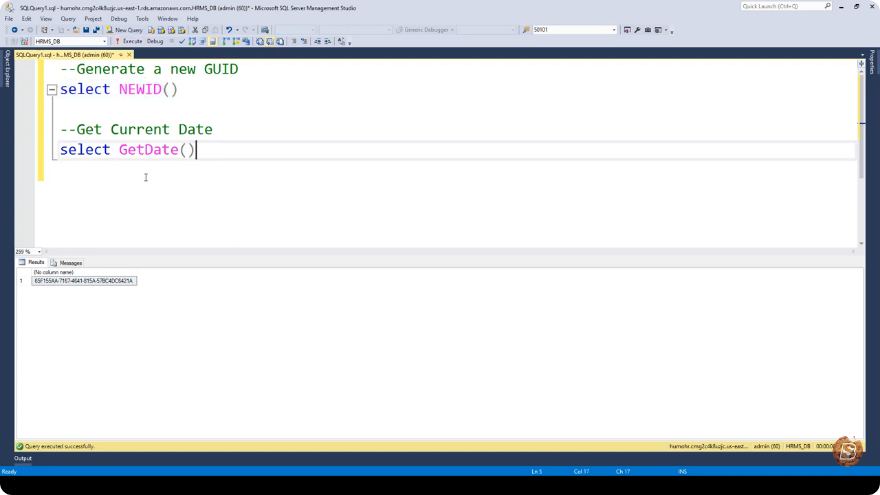
When you run this query, you will receive a unique identifier similar to the following format:
A5E4D0CF-B5A1-4F2E-A1D8-57F99E9C2345
Getting the Current Date
To retrieve the current date and time in MS SQL, you can use the GETDATE() function. This function returns the current system date and time.
Example: Get Current Date
Here’s how to get the current date and time:
SELECT GETDATE() AS CurrentDateTime;
Explanation:
GETDATE(): This function fetches the current date and time from the server.AS CurrentDateTime: This renames the output column for clarity.
When you execute this query, you will see an output similar to:
2023-10-08 12:34:56.789
Combining GUID and Current Date
In many applications, you may want to generate a GUID and retrieve the current date in a single query. This can be done by combining both functions.
Example: Generate GUID and Current Date Together
Here is an example query that generates both a GUID and the current date:
SELECT NEWID() AS NewGUID, GETDATE() AS CurrentDateTime;
Output
Running this query will give you a result set that looks like this:
| NewGUID                               | CurrentDateTime       |
|---------------------------------------|-----------------------|
| A5E4D0CF-B5A1-4F2E-A1D8-57F99E9C2345 | 2023-10-08 12:34:56.789 |
Conclusion
In this tutorial, we've explored how to generate a new GUID and retrieve the current date using MS SQL. Understanding how to use these functions can greatly enhance your database management practices, especially when dealing with unique identifiers and timestamps. Whether you're working on a new application or maintaining an existing database, mastering these commands can streamline your development process.
Feel free to experiment with these functions in your SQL environment, and don't hesitate to reach out for further clarification or questions! Happy coding!
Connect with SkillBakery Studios
Explore more tutorials, tools, and resources:
Posted by SkillBakery Studios


 Hello, my name is Jack Sparrow. I'm a 50 year old self-employed Pirate from the Caribbean.
No comments:
Post a Comment