
NextJs - React Framework - Exploring Routers

Exploring Routers in Next.js: A Quick Guide
Next.js is a powerful React framework that simplifies the development of server-side rendered (SSR) web applications. One of the core features of Next.js is its routing system, which allows developers to create dynamic and static routes effortlessly. In this blog post, we will explore the fundamental concepts of routing in Next.js, leveraging insights from the video "NextJs - React Framework - Exploring Routers."
What is Routing in Next.js?
Routing refers to the mechanism that connects URLs to specific components or pages in your application. In Next.js, routing is file-based, meaning that the structure of your files in the pages directory directly influences the routes of your application.
Basic Routing
Creating Pages
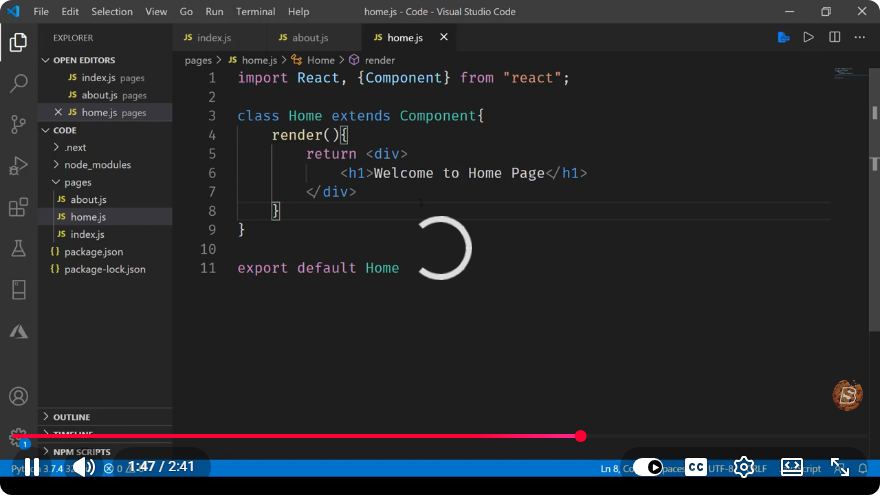
To create a new page in Next.js, simply create a new file in the pages directory. For instance, if you create a file named about.js, it will automatically be accessible at the /about route.
Here’s a simple example of a page component:
// pages/about.js
import React from 'react';

const About = () => {
    return (
        <div>
            <h1>About Us</h1>
            <p>Welcome to our website!</p>
        </div>
    );
};

export default About;
Dynamic Routing
Next.js also supports dynamic routing, allowing you to create routes that accept parameters. To create a dynamic route, you can use square brackets in the filename.
For example, to create a blog post route that accepts an id, you would create a file named [id].js inside a posts directory:
// pages/posts/[id].js
import React from 'react';

const Post = ({ id }) => {
    return (
        <div>
            <h1>Post ID: {id}</h1>
            <p>This is a dynamic post page.</p>
        </div>
    );
};

// Fetching the dynamic ID from the URL
export async function getServerSideProps(context) {
    const { id } = context.params;
    return { props: { id } };
}

export default Post;
Nested Routes
Next.js also allows for nested routes. You can create a structured directory within the pages folder to represent nested paths.
For example, to create a route for /blog/post, you would set up your directory like this:
/pages
  └── blog
      └── post.js
The post.js file could contain:
// pages/blog/post.js
import React from 'react';

const BlogPost = () => {
    return (
        <div>
            <h1>Blog Post</h1>
            <p>This is a blog post.</p>
        </div>
    );
};

export default BlogPost;
Link Component
Navigating between pages in a Next.js application can be done using the Link component. This component optimizes page loads, allowing for faster navigation.
Here’s how to use the Link component:
import Link from 'next/link';

const Home = () => {
    return (
        <div>
            <h1>Welcome to Our Site</h1>
            <Link href="/about">
                <a>Go to About Page</a>
            </Link>
            <Link href="/posts/1">
                <a>View Post 1</a>
            </Link>
        </div>
    );
};

export default Home;
Conclusion
Understanding routing in Next.js is crucial for building effective and efficient web applications. With its file-based routing system, dynamic routes, nested routes, and convenient navigation using the Link component, Next.js makes it easy to manage the user experience on your site.
By leveraging the concepts discussed in this blog post, you can create a variety of routes tailored to your application’s needs. Explore and experiment with routing in your Next.js projects to enhance your development workflow!
For more hands-on examples, check out the Next.js documentation and continue to experiment with the different routing capabilities it offers. Happy coding!
Connect with SkillBakery Studios
Explore more tutorials, tools, and resources:
Posted by SkillBakery Studios


 Hello, my name is Jack Sparrow. I'm a 50 year old self-employed Pirate from the Caribbean.
No comments:
Post a Comment