
Python Overview - Introduction
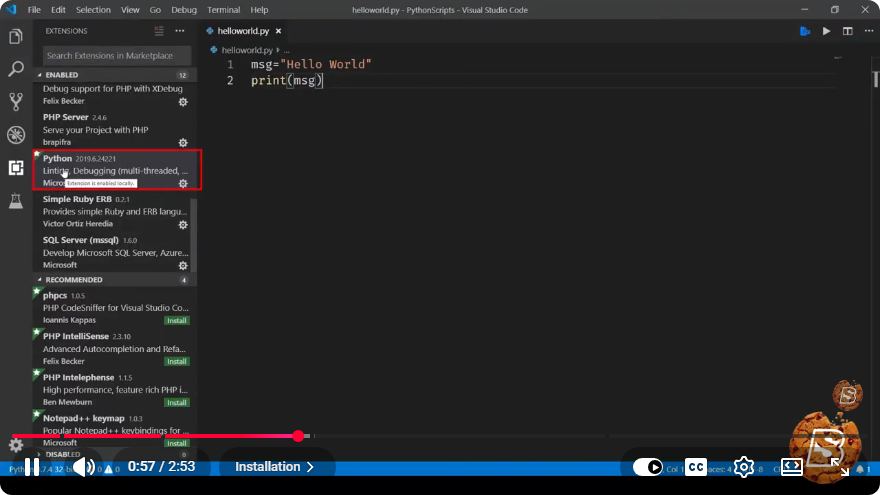
Python Overview: A Quick Introduction
Python has become one of the most popular programming languages in the world, known for its simplicity and versatility. In this blog post, we’ll provide a concise overview of Python, including its key features, applications, and how to get started.
What is Python?
Python is an interpreted, high-level programming language created by Guido van Rossum and first released in 1991. It is designed to be easy to read and write, making it an excellent choice for both beginners and experienced developers. Python supports multiple programming paradigms, including procedural, object-oriented, and functional programming.
Key Features of Python
1. Simple Syntax
Python’s syntax is clean and straightforward, allowing developers to express concepts in fewer lines of code compared to other languages like C++ or Java. This characteristic makes Python particularly user-friendly for newcomers.
print("Hello, World!")
2. Extensive Libraries and Frameworks
Python boasts a vast ecosystem of libraries and frameworks, which extend its functionality. Popular libraries include:
- NumPy for numerical computations
- Pandas for data manipulation and analysis
- Matplotlib for data visualization
- Django for web development
3. Cross-Platform Compatibility
Python is cross-platform, meaning that Python programs can run on various operating systems, such as Windows, macOS, and Linux, without requiring modifications.
4. Strong Community Support
Python has a large and active community, which means that you’ll find plenty of resources, tutorials, and forums to help you troubleshoot any issues you encounter.
Applications of Python
Python is used in a wide range of applications, including:
Web Development
Using frameworks like Django and Flask, developers can build robust web applications quickly and efficiently.
Data Science and Machine Learning
Python is a popular choice for data analysis, data visualization, and machine learning due to its powerful libraries like Pandas, NumPy, and scikit-learn.
Automation and Scripting
Python can automate repetitive tasks, which saves time and reduces the risk of human error. It is widely used for writing scripts to automate mundane tasks.
Game Development
With libraries like Pygame, developers can create games and interactive applications in Python.
Scientific Computing
Python is used extensively in scientific research due to its powerful libraries that facilitate complex mathematical computations.
Getting Started with Python
1. Install Python
To get started with Python, you need to install it on your machine. You can download the latest version from the official Python website. Follow the installation instructions for your operating system.
2. Set Up a Development Environment
You can write Python code in various environments, such as:
- IDLE: Python’s built-in Integrated Development and Learning Environment.
- Jupyter Notebook: Ideal for data science and exploratory programming.
- Text Editors: Such as Visual Studio Code or Atom.
3. Write Your First Python Program
Once you have Python installed, open your chosen development environment and write a simple program:
# This program adds two numbers
num1 = 5
num2 = 10
sum = num1 + num2
print("The sum is:", sum)
4. Explore Python Resources
There are numerous resources available to help you learn Python, including:
- Official Documentation: A comprehensive guide to Python’s features and libraries.
- Online Courses: Websites like Coursera, edX, and Udemy offer Python courses tailored for all skill levels.
- Books: Titles like "Automate the Boring Stuff with Python" and "Python Crash Course" are excellent for beginners.
Conclusion
Python is a powerful and versatile programming language that offers a wide range of applications. Its user-friendly syntax and extensive libraries make it an ideal choice for both beginners and seasoned developers. With an active community and plentiful resources, you can start your Python journey today and unlock the potential of this remarkable language. Happy coding!
Connect with SkillBakery Studios
Explore more tutorials, tools, and resources:
Posted by SkillBakery Studios


 Hello, my name is Jack Sparrow. I'm a 50 year old self-employed Pirate from the Caribbean.
No comments:
Post a Comment