
Unleashing the Power of HTML 5: Continuous Location Tracking with HTML5 Geolocation API
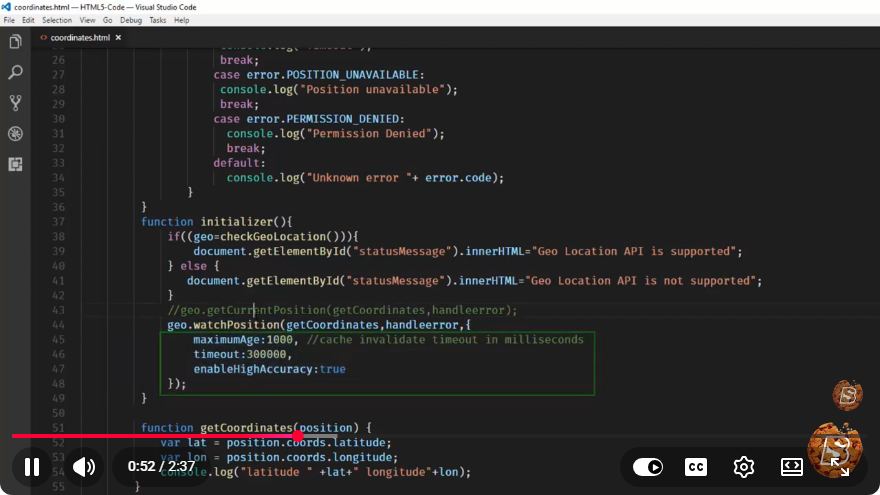
Unleashing the Power of HTML5: Continuous Location Tracking with HTML5 Geolocation API
In our increasingly mobile world, location-based services have become essential for many applications. The HTML5 Geolocation API allows web developers to access the geographical location of a user's device, enabling a wide range of location-aware applications. In this blog post, we'll explore how to use the HTML5 Geolocation API for continuous location tracking.
What is the HTML5 Geolocation API?
The HTML5 Geolocation API is a powerful feature that provides a simple way to retrieve the user's geographical location through their web browser. This API is widely supported in modern browsers and allows developers to create applications that can respond to location changes in real-time.
Key Features:
- User Consent: The browser prompts the user for permission to share their location.
- Accuracy: The API can provide location data using GPS, Wi-Fi, or cellular data.
- Continuous Tracking: You can track the user's location continuously as it changes.
Getting Started with HTML5 Geolocation API
To use the HTML5 Geolocation API, you need to be familiar with a few basic methods. The main method we will be using is navigator.geolocation.getCurrentPosition() and navigator.geolocation.watchPosition() for continuous tracking.
Example Code
Here’s a simple example to demonstrate how to track the user’s location continuously:
<!DOCTYPE html>
<html lang="en">
<head>
    <meta charset="UTF-8">
    <meta name="viewport" content="width=device-width, initial-scale=1.0">
    <title>Continuous Location Tracking</title>
</head>
<body>
    <h1>Continuous Location Tracking with HTML5 Geolocation API</h1>
    <div id="location"></div>

    <script>
        // Function to handle successful location retrieval
        function showPosition(position) {
            const { latitude, longitude } = position.coords;
            document.getElementById('location').innerHTML =
                `Latitude: ${latitude}<br>Longitude: ${longitude}`;
        }

        // Function to handle errors
        function showError(error) {
            switch(error.code) {
                case error.PERMISSION_DENIED:
                    alert("User denied the request for Geolocation.");
                    break;
                case error.POSITION_UNAVAILABLE:
                    alert("Location information is unavailable.");
                    break;
                case error.TIMEOUT:
                    alert("The request to get user location timed out.");
                    break;
                case error.UNKNOWN_ERROR:
                    alert("An unknown error occurred.");
                    break;
            }
        }

        // Check if Geolocation is supported
        if (navigator.geolocation) {
            // Watch the user's position
            navigator.geolocation.watchPosition(showPosition, showError);
        } else {
            alert("Geolocation is not supported by this browser.");
        }
    </script>
</body>
</html>
Explanation of the Code
HTML Structure: We set up a simple HTML structure with a heading and a div to display the location.
JavaScript Functions:
showPosition(position): This function is called whenever the user's position is updated. It extracts the latitude and longitude from thepositionobject and updates the webpage.showError(error): This function handles various error scenarios, such as permission denial or location unavailability.
Geolocation API Usage:
- We first check if the Geolocation API is supported by the user's browser.
- If supported, we call
navigator.geolocation.watchPosition(showPosition, showError)to start continuous location tracking.
Considerations When Using Geolocation
While the HTML5 Geolocation API is incredibly useful, there are several considerations you should keep in mind:
- User Consent: Always ensure that you have the user's permission to access their location.
- Privacy: Be transparent about how you will use their location data. Consider implementing privacy policies.
- Battery Usage: Continuous location tracking can drain the device's battery. Use it judiciously and consider implementing features to pause tracking when not needed.
Conclusion
The HTML5 Geolocation API provides a robust way to access and track user location in real-time. By implementing the code provided, you can create dynamic applications that respond to users' movements and enhance their experience. Whether it's for navigation, fitness tracking, or location-based services, the potential of this technology is vast. As you explore and implement these features, always remember to prioritize user privacy and consent.
Feel free to experiment with the code and expand upon it for your projects! For further learning, consider checking out the official MDN documentation on the Geolocation API. Happy coding!
Connect with SkillBakery Studios
Explore more tutorials, tools, and resources:
Posted by SkillBakery Studios


 Hello, my name is Jack Sparrow. I'm a 50 year old self-employed Pirate from the Caribbean.
No comments:
Post a Comment