
Unleashing the Power of HTML 5: Exploring the Architecture of HTML5 Web Storage and Local Storage
Unleashing the Power of HTML5: Exploring the Architecture of HTML5 Web Storage and Local Storage
HTML5 has revolutionized web development by providing enhanced capabilities for creating dynamic and interactive applications. One of the standout features of HTML5 is its Web Storage API, which introduces mechanisms for storing data on the client side. This blog post will delve into the architecture of HTML5 Web Storage, focusing on Local Storage, and how it can be used to enhance web applications.
What is Web Storage?
Web Storage is a feature of HTML5 that allows web applications to store data in a user's browser. It provides an easy way to store key-value pairs in a web application, enabling developers to manage user data without needing to rely on cookies, which can be limited in size and performance.
Types of Web Storage
HTML5 provides two main types of web storage:
Local Storage: Data stored in Local Storage persists even after the browser is closed. It is available for the same origin (protocol, domain, and port) and can be accessed anytime.
Session Storage: Unlike Local Storage, Session Storage is temporary. Data stored here is only available for the duration of the page session. Once the browser or tab is closed, the data is cleared.
In this post, we will focus primarily on Local Storage and its architecture.
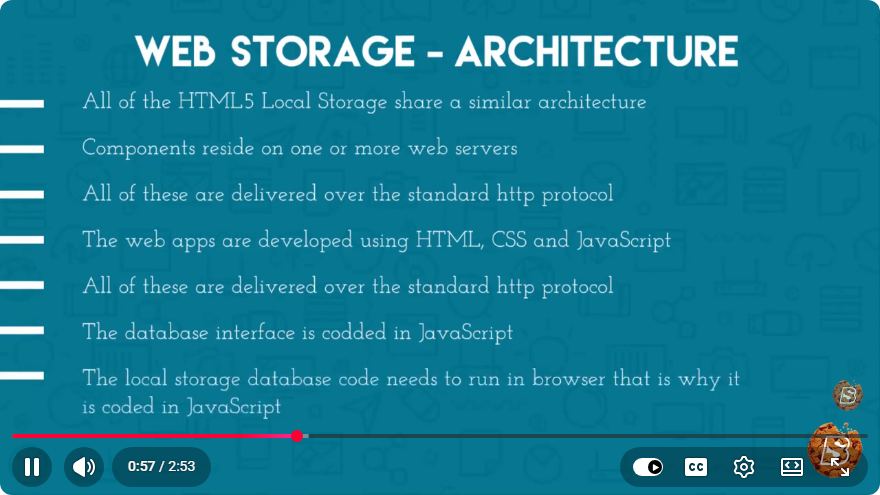
Architecture of Local Storage
Local Storage is designed to be simple and efficient. Here’s a breakdown of its architecture and how to use it.
Key Features of Local Storage
- Persistent Data: Data remains until explicitly deleted by the user or through code.
- Simple API: Local Storage uses a straightforward key-value pair storage system.
- Synchronous API: Interactions with Local Storage are synchronous, meaning they block the main thread until the operation completes.
How to Use Local Storage
Using Local Storage is straightforward. Here are the key methods provided by the Local Storage API:
setItem(key, value): Saves a value associated with a key in Local Storage.getItem(key): Retrieves the value associated with a key.removeItem(key): Deletes the value associated with a key.clear(): Clears all items in Local Storage.key(index): Returns the name of the key at the specified index.
Example Code
Let’s take a look at a simple example demonstrating how to use Local Storage in JavaScript.
// Saving data to Local Storage
localStorage.setItem('username', 'JohnDoe');
localStorage.setItem('age', '30');

// Retrieving data from Local Storage
const username = localStorage.getItem('username');
const age = localStorage.getItem('age');

console.log(`Username: ${username}, Age: ${age}`); // Output: Username: JohnDoe, Age: 30

// Removing an item
localStorage.removeItem('age');

// Clearing all Local Storage
localStorage.clear();
Use Cases for Local Storage
Local Storage can be incredibly useful in various scenarios, including:
- User Preferences: Store user settings or preferences, such as themes or layouts.
- Shopping Carts: Keep track of items in a shopping cart across sessions.
- Offline Applications: Cache data for applications that need offline capabilities.
Best Practices for Using Local Storage
While Local Storage is a powerful tool, it’s essential to use it wisely:
- Limit Data Size: Local Storage has a limit of about 5-10MB per origin. Avoid storing large amounts of data.
- Security Concerns: Never store sensitive information, such as passwords or personal data, in Local Storage, as it can be accessed by any script running on the page.
- Data Management: Implement mechanisms to manage data efficiently, such as using expiration dates or version control.
Conclusion
HTML5 Web Storage, particularly Local Storage, offers a robust method for managing client-side data in web applications. By understanding and leveraging its architecture, developers can enhance user experiences and create more dynamic applications. As you explore the capabilities of Local Storage, remember to follow best practices to ensure both performance and security in your web projects.
For further learning, check out the original video on YouTube that inspired this post!
Connect with SkillBakery Studios
Explore more tutorials, tools, and resources:
Posted by SkillBakery Studios


 Hello, my name is Jack Sparrow. I'm a 50 year old self-employed Pirate from the Caribbean.
No comments:
Post a Comment