
Unleashing the Power of HTML 5: Obtaining User Coordinates with HTML5 Geolocation API
Unleashing the Power of HTML5: Obtaining User Coordinates with the HTML5 Geolocation API
In the realm of web development, HTML5 has introduced a plethora of exciting features that enhance user experience and interactivity. One such powerful feature is the Geolocation API, which allows websites to access a user's geographical location. In this blog post, we’ll explore how to utilize the HTML5 Geolocation API to obtain user coordinates effectively.
What is the Geolocation API?
The Geolocation API is a built-in feature of HTML5 that enables web applications to retrieve the geographical location of a user. This can be incredibly useful for various applications, such as mapping services, location-based services, and personalized content delivery.
Why Use the Geolocation API?
Using the Geolocation API can enhance user experience in multiple ways:
- Personalization: Tailor content based on the user's location.
- Navigation: Provide directions and maps based on where the user is.
- Location-Based Services: Offer services that are relevant to a user's geographical context.
Getting Started with the Geolocation API
To begin using the Geolocation API, ensure your web application is served over HTTPS, as most browsers require a secure context for geolocation features.
Basic Implementation Steps
Check for Geolocation Support: Before implementing the Geolocation API, it’s essential to check if the browser supports it.
Request User Location: If supported, request the user's location.
Handle the Response: Process the coordinates received from the user's device.
Example Code
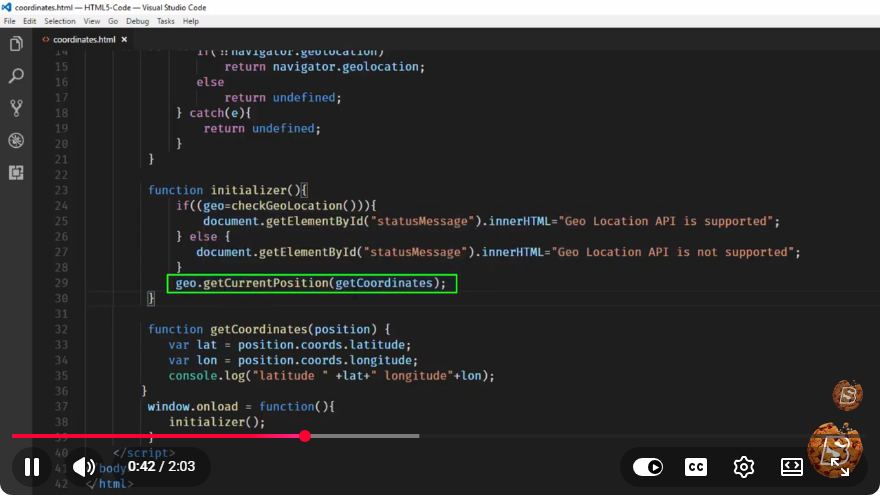
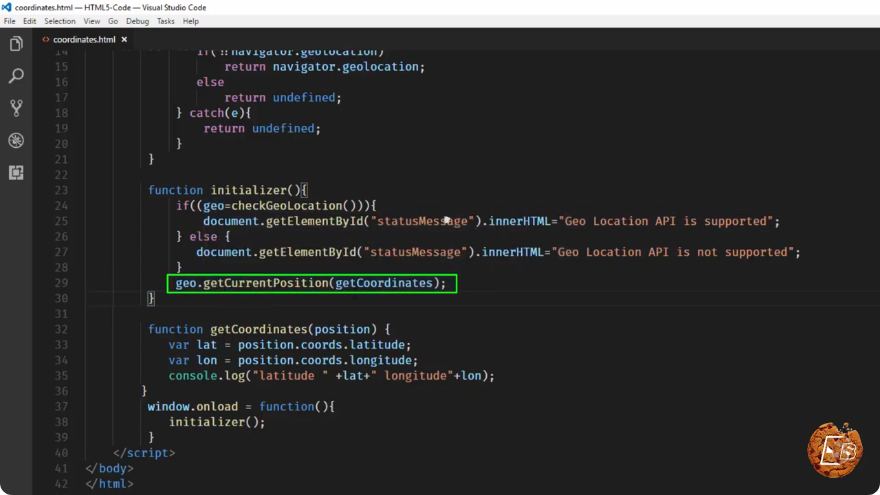
Here’s a simple example demonstrating how to obtain user coordinates using the Geolocation API:
<!DOCTYPE html>
<html lang="en">
<head>
    <meta charset="UTF-8">
    <meta name="viewport" content="width=device-width, initial-scale=1.0">
    <title>Geolocation Example</title>
</head>
<body>
    <h1>Get Your Location</h1>
    <button id="getLocationBtn">Get Location</button>
    <p id="locationDisplay"></p>

    <script>
        document.getElementById('getLocationBtn').addEventListener('click', function() {
            if (navigator.geolocation) {
                navigator.geolocation.getCurrentPosition(showPosition, showError);
            } else {
                document.getElementById('locationDisplay').textContent = "Geolocation is not supported by this browser.";
            }
        });

        function showPosition(position) {
            const latitude = position.coords.latitude;
            const longitude = position.coords.longitude;
            document.getElementById('locationDisplay').textContent =
                `Latitude: ${latitude}, Longitude: ${longitude}`;
        }

        function showError(error) {
            switch(error.code) {
                case error.PERMISSION_DENIED:
                    document.getElementById('locationDisplay').textContent = "User denied the request for Geolocation.";
                    break;
                case error.POSITION_UNAVAILABLE:
                    document.getElementById('locationDisplay').textContent = "Location information is unavailable.";
                    break;
                case error.TIMEOUT:
                    document.getElementById('locationDisplay').textContent = "The request to get user location timed out.";
                    break;
                case error.UNKNOWN_ERROR:
                    document.getElementById('locationDisplay').textContent = "An unknown error occurred.";
                    break;
            }
        }
    </script>
</body>
</html>
Explanation of the Code
- HTML Structure: The HTML includes a button that, when clicked, initiates the location retrieval process and a paragraph to display the result.
- Event Listener: An event listener is added to the button, which checks for the availability of the Geolocation API.
- Getting Coordinates: If available, the
getCurrentPositionmethod is called, which either triggers theshowPositionfunction on success or theshowErrorfunction on failure. - Handling Errors: The error handling function provides feedback based on the type of error encountered.
Conclusion
The HTML5 Geolocation API is a powerful tool that can significantly improve user interaction with web applications. By following the steps outlined in this tutorial, you can easily implement geolocation features to enhance your web projects. Remember always to handle user privacy with care, ensuring that you request permission and provide clear information on how their location data will be used.
With these foundational steps, you can begin to unleash the power of HTML5 and create engaging, location-aware web applications. Happy coding!
Connect with SkillBakery Studios
Explore more tutorials, tools, and resources:
Posted by SkillBakery Studios


 Hello, my name is Jack Sparrow. I'm a 50 year old self-employed Pirate from the Caribbean.
No comments:
Post a Comment