
Unleashing the Power of HTML 5: Unleashing Creative Potential with HTML5 Canvas API
Unleashing the Power of HTML5: Creative Potential with HTML5 Canvas API
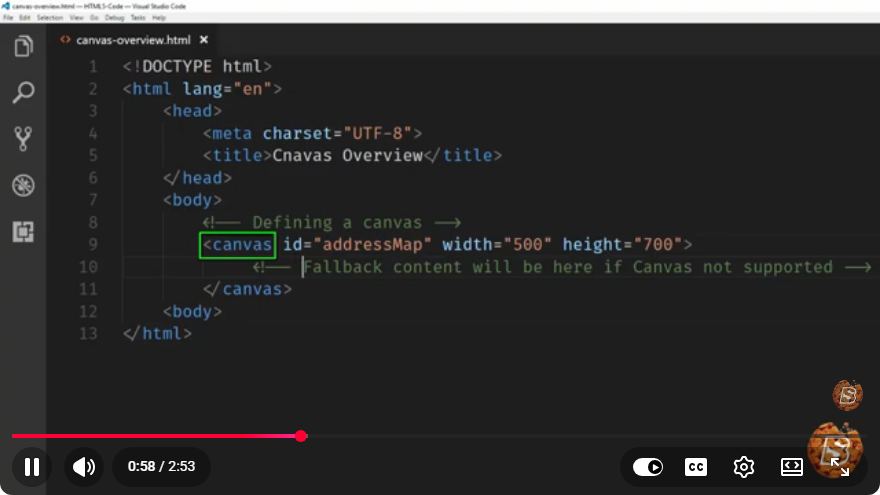
HTML5 has revolutionized web development by introducing powerful features, one of which is the Canvas API. This versatile tool allows developers to create dynamic graphics, animations, and interactive content directly within the browser. In this blog post, we’ll explore the basics of the HTML5 Canvas API, its capabilities, and how to get started with it.
What is HTML5 Canvas?
The Canvas API is a part of HTML5 that provides a space in which you can draw graphics via JavaScript. It enables developers to render shapes, text, images, and animations directly in a web page. With its pixel-based approach, it offers a high degree of flexibility and creativity.
Key Features of Canvas
- Dynamic Graphics: Create shapes and images programmatically.
- Animations: Generate smooth, real-time animations.
- Interactivity: Respond to user inputs like mouse movements and clicks.
- Image Manipulation: Edit images and apply effects using JavaScript.
Getting Started with Canvas
Setting Up the Canvas
To harness the power of the Canvas API, you need to set up a basic HTML structure. Here’s how to do it:
<!DOCTYPE html>
<html lang="en">
<head>
    <meta charset="UTF-8">
    <meta name="viewport" content="width=device-width, initial-scale=1.0">
    <title>HTML5 Canvas Example</title>
    <style>
        canvas {
            border: 1px solid #000;
        }
    </style>
</head>
<body>
    <canvas id="myCanvas" width="500" height="500"></canvas>
    <script src="script.js"></script>
</body>
</html>
In this example, we create a <canvas> element with a specified width and height. The canvas is given a border for visibility.
Drawing on the Canvas
To draw on the canvas, you need to access its 2D rendering context using JavaScript. Here’s a simple example that draws a rectangle and a circle:
// script.js
const canvas = document.getElementById('myCanvas');
const ctx = canvas.getContext('2d');

// Draw a rectangle
ctx.fillStyle = 'blue';
ctx.fillRect(50, 50, 150, 100);

// Draw a circle
ctx.beginPath();
ctx.arc(300, 150, 50, 0, Math.PI * 2);
ctx.fillStyle = 'red';
ctx.fill();
ctx.closePath();
In this script, we:
- Get the canvas element and its 2D rendering context.
- Set the fill color to blue and draw a rectangle at the specified coordinates.
- Create a circle with a radius of 50 pixels, fill it with red, and close the path.
Adding Interactivity
Interactivity is vital for engaging web applications. You can listen for events such as mouse clicks and movements. Here’s an example that changes the color of the rectangle on a mouse click:
canvas.addEventListener('click', function(event) {
    const rect = canvas.getBoundingClientRect();
    const x = event.clientX - rect.left;
    const y = event.clientY - rect.top;

    // Check if the click is inside the rectangle
    if (x >= 50 && x <= 200 && y >= 50 && y <= 150) {
        ctx.fillStyle = 'green'; // Change color to green
        ctx.fillRect(50, 50, 150, 100); // Redraw the rectangle
    }
});
In this code:
- An event listener is added to the canvas to detect clicks.
- The position of the click is calculated relative to the canvas.
- If the click is within the rectangle's bounds, its color changes.
Conclusion
The HTML5 Canvas API opens up a world of creative possibilities for web developers. Whether you want to build games, data visualizations, or interactive art, the Canvas API provides the tools you need to bring your ideas to life.
With the basics covered, you can start experimenting with more complex shapes, animations, and even integrate libraries like Fabric.js or Paper.js for enhanced capabilities. The only limit is your creativity!
For further exploration, be sure to check out the original video tutorial which dives deeper into the possibilities of the HTML5 Canvas API. Happy coding!
Connect with SkillBakery Studios
Explore more tutorials, tools, and resources:
Posted by SkillBakery Studios


 Hello, my name is Jack Sparrow. I'm a 50 year old self-employed Pirate from the Caribbean.
No comments:
Post a Comment