
Unleashing the Power of HTML 5: Working with Web SQL API: Storing Data in the Browser 46 seconds
Unleashing the Power of HTML5: Working with the Web SQL API
HTML5 has ushered in a new era of web development, providing developers with powerful tools to enhance user experiences. One such tool is the Web SQL API, which allows developers to store data directly in the browser. In this post, we will explore the Web SQL API, its functionality, and how to implement it in your own web applications.
What is the Web SQL API?
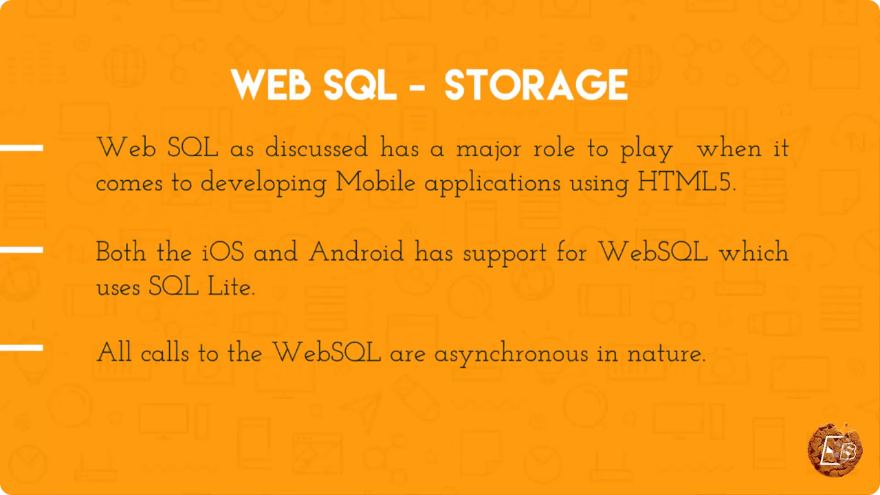
The Web SQL API is a web standard that allows you to create, read, update, and delete data in a relational database directly from the browser. Although it is not widely supported and is considered deprecated, it still works in several major browsers, including Chrome and Safari.
Key Features
- Client-Side Storage: Store data locally on the user's device, reducing server load and improving application performance.
- SQL Syntax: Use familiar SQL commands to interact with the database, making it easier for those with a background in database management.
- Asynchronous Operations: Perform database operations asynchronously, ensuring that the user interface remains responsive.
Getting Started with Web SQL
Establishing a Database Connection
Before you can start using the Web SQL API, you need to establish a connection to a database. You can do this by using the openDatabase method.
const db = openDatabase('myDatabase', '1.0', 'Test DB', 2 * 1024 * 1024);
- Database Name: The name of your database (e.g., 'myDatabase').
- Version: The version of the database (e.g., '1.0').
- Description: A description of the database (e.g., 'Test DB').
- Size: The size of the database in bytes (in this case, 2MB).
Creating a Table
Once you have a connection, the next step is to create a table within your database. This can be accomplished using the SQL CREATE TABLE command.
db.transaction(function (tx) {
    tx.executeSql('CREATE TABLE IF NOT EXISTS users (id UNIQUE, name, email)');
});
In this example, we create a users table with three columns: id, name, and email. The UNIQUE constraint ensures that the id column cannot have duplicate values.
Inserting Data
With your table created, you can now insert data into it using the INSERT INTO command.
db.transaction(function (tx) {
    tx.executeSql('INSERT INTO users (id, name, email) VALUES (?, ?, ?)', [1, 'John Doe', 'john@example.com']);
});
This code snippet inserts a new user into the users table. The ? placeholders are replaced with the values in the array passed as the second argument.
Querying Data
To retrieve data from your database, you can use the SELECT statement. The following example demonstrates how to read data from the users table.
db.transaction(function (tx) {
    tx.executeSql('SELECT * FROM users', [], function (tx, results) {
        for (let i = 0; i < results.rows.length; i++) {
            console.log(results.rows.item(i));
        }
    });
});
In this code, we execute a SELECT query and log each user to the console. The results.rows object contains the retrieved data.
Updating Data
To update existing records, use the UPDATE statement. Below is an example of how to update a user's email.
db.transaction(function (tx) {
    tx.executeSql('UPDATE users SET email = ? WHERE id = ?', ['john.doe@example.com', 1]);
});
This code updates the email of the user with id 1.
Deleting Data
Finally, if you want to remove data from the database, you can use the DELETE statement.
db.transaction(function (tx) {
    tx.executeSql('DELETE FROM users WHERE id = ?', [1]);
});
This example deletes the user with id 1 from the users table.
Conclusion
While the Web SQL API is not widely supported and has been deprecated in favor of more modern alternatives like IndexedDB, it still provides a simple way to manage data within the browser. By following the examples in this post, you can get started with Web SQL and enhance your web applications with powerful client-side storage capabilities.
As you continue your journey in web development, consider exploring the alternatives to Web SQL, such as IndexedDB, to future-proof your applications. Happy coding!
Connect with SkillBakery Studios
Explore more tutorials, tools, and resources:
Posted by SkillBakery Studios


 Hello, my name is Jack Sparrow. I'm a 50 year old self-employed Pirate from the Caribbean.
No comments:
Post a Comment