
Visual Studio 2019 - ASP.Net MVC - Auto Generate Method at the end of the file
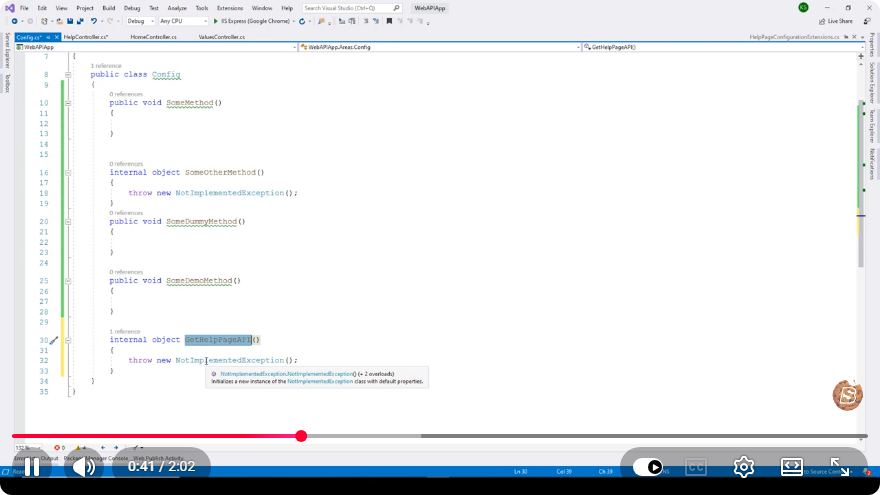
Auto-Generating Methods in ASP.NET MVC with Visual Studio 2019
In the realm of web development, efficiency is key. ASP.NET MVC, a powerful framework for building dynamic web applications, provides developers with a robust set of tools to streamline their workflow. In this blog post, we will explore how to auto-generate methods at the end of a file using Visual Studio 2019. This feature can save you time and reduce errors in your development process. Let’s dive in!
What is ASP.NET MVC?
ASP.NET MVC (Model-View-Controller) is a software architectural pattern that separates an application into three main components:
- Model: Represents the application's data and business logic.
- View: Displays the user interface and renders data from the model.
- Controller: Handles user input and interacts with the model to render the appropriate view.
This separation allows for a more organized, manageable, and testable codebase.
Benefits of Auto-Generating Methods
- Efficiency: Automatically generating methods reduces repetitive coding, allowing developers to focus on more complex tasks.
- Consistency: Ensures that the method signatures and structure remain consistent across the application.
- Error Reduction: Less manual coding means fewer chances for errors to creep in.
Prerequisites
Before we proceed, ensure you have the following:
- Visual Studio 2019 installed on your machine.
- Basic knowledge of C# and ASP.NET MVC.
- An existing ASP.NET MVC project to work with.
Steps to Auto-Generate Methods
Step 1: Open Your ASP.NET MVC Project
Launch Visual Studio 2019 and open your existing ASP.NET MVC project. If you don’t have one, you can create a new project by selecting Create a new project and choosing ASP.NET Web Application.
Step 2: Navigate to the Controller
In your project, navigate to the Controllers folder. This is where you will typically define your controller classes. Open the controller where you want to auto-generate methods.
Step 3: Use the Code Snippet to Generate Methods
Visual Studio provides several built-in code snippets that can help you auto-generate methods. Here’s how to do it:
Position the Cursor: Place your cursor at the end of your controller class, right before the closing brace
}.Invoke Code Snippet: Type
propand press theTabkey twice. This will generate a property template that you can fill in.Auto-Generate Action Methods: To generate action methods for your controller, simply type
httpGet,httpPost, orhttpPutfollowed by the method name. For example:[HttpGet] public ActionResult MyAction() { // Your code here }
You can also use the following code snippet for creating a standard action method:
[HttpGet]
public ActionResult Index()
{
    return View();
}
Step 4: Customize Your Methods
After auto-generating your methods, you can customize them according to your application’s requirements. Add the necessary logic, data retrieval, or any other implementation that your application needs.
Step 5: Build and Run Your Application
Once you have added your methods, build your application to check for any errors. After a successful build, run your application to ensure that your new methods are working as expected.
Conclusion
Auto-generating methods in Visual Studio 2019 is a simple yet powerful feature that can significantly enhance your development experience with ASP.NET MVC. By following the steps outlined in this tutorial, you can save time, maintain consistency, and reduce errors in your codebase.
For further learning, consider exploring more advanced topics in ASP.NET MVC, such as routing, model binding, and custom action filters. Happy coding!
Feel free to share any questions or experiences you have with auto-generating methods in the comments below! If you found this tutorial helpful, don’t forget to share it with your fellow developers.
Connect with SkillBakery Studios
Explore more tutorials, tools, and resources:
Posted by SkillBakery Studios


 Hello, my name is Jack Sparrow. I'm a 50 year old self-employed Pirate from the Caribbean.
No comments:
Post a Comment