
Vue.js 101 : Dynamic Element Rendering with Vue.js Show and Else Directives
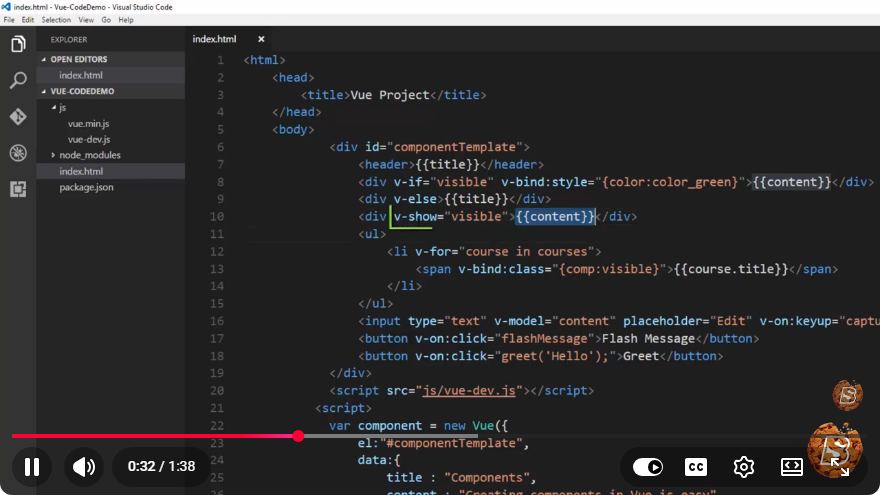
Vue.js 101: Dynamic Element Rendering with Show and Else Directives
In the world of front-end development, Vue.js has emerged as a popular JavaScript framework for building user interfaces. One of the key features that makes Vue.js so powerful is its ability to dynamically render elements based on user interactions or application state. In this blog post, we will explore the v-show and v-else directives in Vue.js, enabling you to create responsive applications with ease.
Understanding Vue.js Directives
Vue.js directives are special tokens in the markup that tell the library to do something to a DOM element. They are prefixed with v-, which distinguishes them from standard HTML attributes. In this tutorial, we will focus on two directives: v-show and v-else.
What is v-show?
The v-show directive toggles the visibility of an element based on the truthiness of the expression provided. Unlike the v-if directive that completely removes the element from the DOM when false, v-show simply toggles the CSS display property.
Example of v-show:
<template>
  <div id="app">
    <button @click="toggle">Toggle Message</button>
    <p v-show="isVisible">Hello, Vue.js!</p>
  </div>
</template>

<script>
export default {
  data() {
    return {
      isVisible: false,
    };
  },
  methods: {
    toggle() {
      this.isVisible = !this.isVisible;
    },
  },
};
</script>
In this example, clicking the button toggles the isVisible data property, which in turn controls the visibility of the <p> element. When isVisible is true, the message "Hello, Vue.js!" is displayed; when false, it is hidden.
What is v-else?
The v-else directive provides a way to conditionally render elements as alternatives to a preceding v-if or v-show. It acts as a fallback when the condition for its counterpart evaluates to false.
Example of v-else:
<template>
  <div id="app">
    <button @click="toggle">Toggle Message</button>
    <p v-if="isVisible">Hello, Vue.js!</p>
    <p v-else>Goodbye, Vue.js!</p>
  </div>
</template>

<script>
export default {
  data() {
    return {
      isVisible: false,
    };
  },
  methods: {
    toggle() {
      this.isVisible = !this.isVisible;
    },
  },
};
</script>
In this example, when isVisible is true, the message "Hello, Vue.js!" is displayed. If isVisible is false, the v-else directive displays "Goodbye, Vue.js!". This creates a clean and intuitive way to present alternative messages based on the application's state.
When to Use v-show vs. v-if
While both v-show and v-if can be used to conditionally render elements, they serve different purposes:
v-show: Best used when you need to toggle visibility frequently. Sincev-showdoes not remove the element from the DOM, it is more efficient for cases where visibility changes often.v-if: Use this directive when you want to conditionally render elements that may not need to be in the DOM at all when not in use. This is more suitable for scenarios where the element is complex or resource-intensive to render.
Conclusion
Dynamic element rendering is a crucial aspect of building interactive applications in Vue.js. Understanding how to use the v-show and v-else directives effectively will allow you to create a more responsive user experience.
Experiment with these directives in your Vue.js projects, and you'll find that they significantly enhance your application's interactivity and usability. Happy coding!
Connect with SkillBakery Studios
Explore more tutorials, tools, and resources:
Posted by SkillBakery Studios


 Hello, my name is Jack Sparrow. I'm a 50 year old self-employed Pirate from the Caribbean.
No comments:
Post a Comment