
Web Developers : 17-Implement a Delete Shop Mutation Using Apollo Client in Next.js
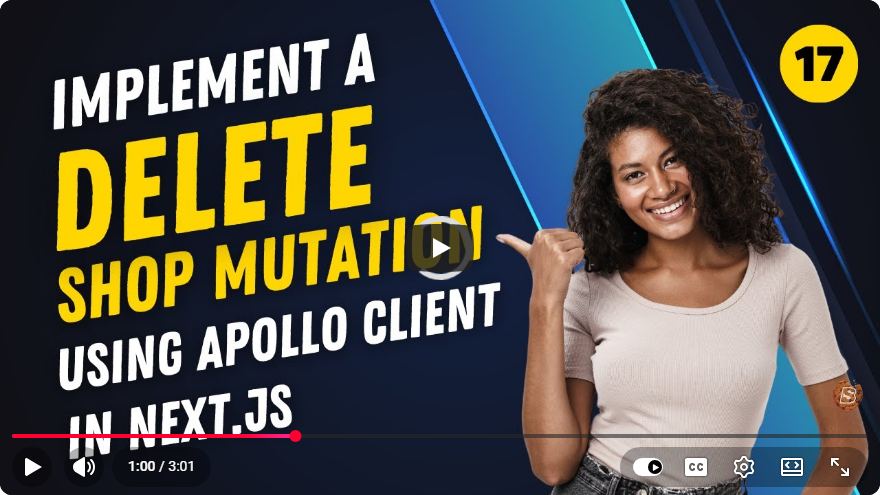
Implementing a Delete Shop Mutation Using Apollo Client in Next.js
In the realm of modern web development, managing data efficiently is crucial for creating responsive and interactive applications. Today, we'll walk through the process of implementing a delete shop mutation using Apollo Client in a Next.js application. This tutorial is based on a concise YouTube video that provides a practical approach to achieve this functionality in just over three minutes.
Prerequisites
Before we dive into the implementation, ensure you have the following:
- Basic understanding of Next.js and React.
- Familiarity with GraphQL and Apollo Client.
- A Next.js application set up and running.
- Apollo Client already integrated into your Next.js project.
If you haven't set up Apollo Client yet, you can follow the official Apollo documentation for guidance.
Step 1: Setting Up the Delete Mutation
To delete a shop, we will need to define a GraphQL mutation. Here’s a basic example of how the mutation might look:
mutation DeleteShop($id: ID!) {
  deleteShop(id: $id) {
    id
    name
  }
}
This mutation will take an id as an argument and return the id and name of the shop that was deleted.
Step 2: Creating the Delete Function
Now, let’s create a function that uses this mutation to delete a shop. We’ll use the useMutation hook provided by Apollo Client to accomplish this.
Create a new file, let’s say DeleteShop.js, and add the following code:
import React from 'react';
import { useMutation, gql } from '@apollo/client';

const DELETE_SHOP = gql`
  mutation DeleteShop($id: ID!) {
    deleteShop(id: $id) {
      id
      name
    }
  }
`;

const DeleteShop = ({ shopId }) => {
  const [deleteShop, { loading, error }] = useMutation(DELETE_SHOP, {
    variables: { id: shopId },
    update(cache, { data: { deleteShop } }) {
      cache.modify({
        fields: {
          shops(existingShops = []) {
            return existingShops.filter(shop => shop.__ref !== `Shop:${deleteShop.id}`);
          }
        }
      });
    }
  });

  const handleDelete = async () => {
    try {
      await deleteShop();
      alert('Shop deleted successfully!');
    } catch (e) {
      console.error("Error deleting shop:", e);
    }
  };

  if (loading) return <p>Loading...</p>;
  if (error) return <p>Error deleting shop: {error.message}</p>;

  return (
    <button onClick={handleDelete}>Delete Shop</button>
  );
};

export default DeleteShop;
Explanation
- useMutation: This hook allows us to execute the delete operation.
- DELETE_SHOP: This constant holds our GraphQL mutation.
- update: The
updatefunction ensures that our Apollo cache reflects the deletion by filtering out the deleted shop. - handleDelete: This function triggers the delete operation when the button is clicked.
Step 3: Integrating the Delete Component
Now that we have our DeleteShop component ready, we need to integrate it into our application. This is typically done within a component that displays the list of shops.
Here’s an example of how you can use the DeleteShop component:
import React from 'react';
import DeleteShop from './DeleteShop';

const ShopList = ({ shops }) => {
  return (
    <div>
      <h1>Shop List</h1>
      {shops.map(shop => (
        <div key={shop.id}>
          <h2>{shop.name}</h2>
          <DeleteShop shopId={shop.id} />
        </div>
      ))}
    </div>
  );
};

export default ShopList;
Explanation
- ShopList: This component renders a list of shops and includes the
DeleteShopcomponent for each shop. - shopId: Each
DeleteShopcomponent receives the uniqueidof the shop to be deleted.
Step 4: Testing the Implementation
With everything set up, it’s time to test your implementation. Run your Next.js application and navigate to the relevant page where your shop list is displayed. Click the "Delete Shop" button next to any shop, and it should be removed from the list upon confirmation.
Conclusion
In this tutorial, we successfully implemented a delete shop mutation using Apollo Client in a Next.js application. By leveraging GraphQL and Apollo Client's caching capabilities, we can efficiently manage our application's state and enhance user experience.
Feel free to explore further by adding features such as confirmation dialogs before deletion or handling errors more gracefully. Happy coding!
Connect with SkillBakery Studios
Explore more tutorials, tools, and resources:
Posted by SkillBakery Studios


 Hello, my name is Jack Sparrow. I'm a 50 year old self-employed Pirate from the Caribbean.
No comments:
Post a Comment