
Web Developers : 8-Implementing Database Logic with Supabase using Postgres Functions
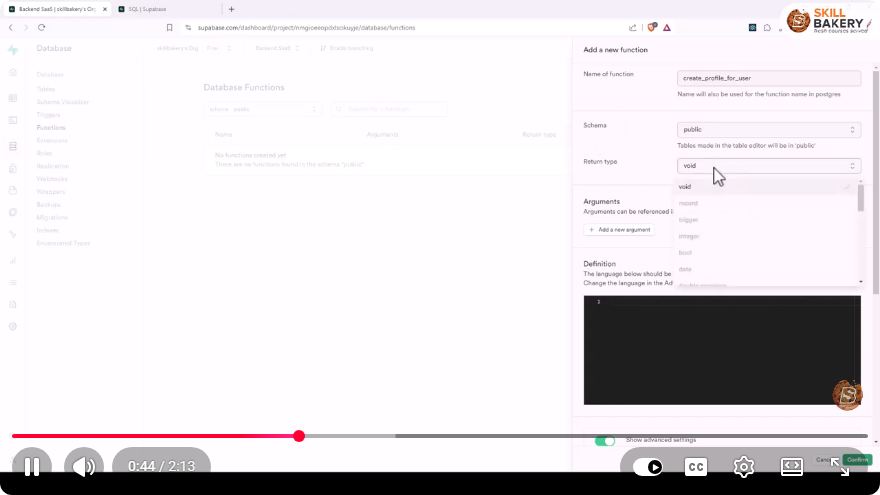
Implementing Database Logic with Supabase Using Postgres Functions
In today's digital landscape, developing robust web applications often requires the seamless integration of databases. Supabase, a powerful open-source alternative to Firebase, leverages PostgreSQL to provide developers with a comprehensive backend solution. In this blog post, we will explore how to implement database logic within Supabase using PostgreSQL functions, as demonstrated in the YouTube video "Web Developers: 8-Implementing Database Logic with Supabase using Postgres Functions."
What is Supabase?
Supabase is a Backend-as-a-Service (BaaS) that simplifies the process of building applications by providing user authentication, real-time subscriptions, and database management, all wrapped around a PostgreSQL database. It aims to make development faster and more efficient.
Understanding PostgreSQL Functions
PostgreSQL functions allow you to define reusable blocks of code that can perform operations, return values, and encapsulate logic within your database. This can significantly reduce the amount of application logic you need to write and maintain in your front-end code.
Why Use Functions?
- Encapsulation: Functions allow you to encapsulate complex logic, making it easier to manage and reuse.
- Performance: Functions run directly in the database, reducing the amount of data transferred between your application and the database server.
- Security: You can restrict access to sensitive data by controlling which functions users can call.
Setting Up Supabase
Before we dive into creating PostgreSQL functions, let’s ensure that you have a Supabase project set up:
- Create a Supabase Account: Sign up for a free account at Supabase.
- Create a New Project: Once logged in, create a new project and set up your database.
- Access the SQL Editor: Navigate to the SQL editor within your Supabase project dashboard.
Creating a PostgreSQL Function
Let’s walk through the steps to create a PostgreSQL function in Supabase.
Step 1: Define Your Function
For this example, we’ll create a simple function that adds a new user to a "users" table. Here’s the SQL code to create the function:
CREATE OR REPLACE FUNCTION add_user(username TEXT, email TEXT)
RETURNS VOID AS $$
BEGIN
    INSERT INTO users (username, email) VALUES (username, email);
END;
$$ LANGUAGE plpgsql;
Explanation:
CREATE OR REPLACE FUNCTIONdefines the function.add_useris the name of the function.- The parameters
(username TEXT, email TEXT)specify what the function takes as input. - The
INSERT INTOstatement adds a new user to the "users" table.
Step 2: Execute the Function
To execute the function we just created, you can call it directly from the SQL editor:
SELECT add_user('johndoe', 'johndoe@example.com');
This command will add a new user with the username "johndoe" and email "johndoe@example.com" to your database.
Step 3: Verify the Insertion
To confirm that the user was added successfully, you can run:
SELECT * FROM users;
This will display all entries in the "users" table, including the newly added user.
Debugging Your Function
If you encounter any issues while executing your function, PostgreSQL provides robust error handling. You can add exception handling in your function as follows:
CREATE OR REPLACE FUNCTION add_user(username TEXT, email TEXT)
RETURNS VOID AS $$
BEGIN
    INSERT INTO users (username, email) VALUES (username, email);
EXCEPTION
    WHEN unique_violation THEN
        RAISE NOTICE 'User already exists';
END;
$$ LANGUAGE plpgsql;
In this enhanced version, if a user with the same username already exists, the function will raise a notice instead of throwing an error.
Conclusion
Implementing database logic with PostgreSQL functions in Supabase allows developers to streamline their application development process. By encapsulating complex operations within the database, you can enhance performance, improve security, and simplify your front-end code.
As you continue to explore Supabase and PostgreSQL, consider leveraging functions to handle more sophisticated logic, such as complex queries, data transformations, and business rules. Happy coding!
For more hands-on demonstrations, check out the original video here.
Connect with SkillBakery Studios
Explore more tutorials, tools, and resources:
Posted by SkillBakery Studios


 Hello, my name is Jack Sparrow. I'm a 50 year old self-employed Pirate from the Caribbean.
No comments:
Post a Comment