
1. Introduction - Flutter: A Powerful Framework for Cross-Platform App Development
Introduction to Flutter: A Powerful Framework for Cross-Platform App Development
In the ever-evolving landscape of mobile application development, developers are on the lookout for frameworks that can streamline their workflow while maximizing performance and usability. Flutter, developed by Google, has emerged as a leading contender in this space. In this blog post, we will explore what Flutter is, its benefits, and why it stands out as a powerful framework for cross-platform app development.
What is Flutter?
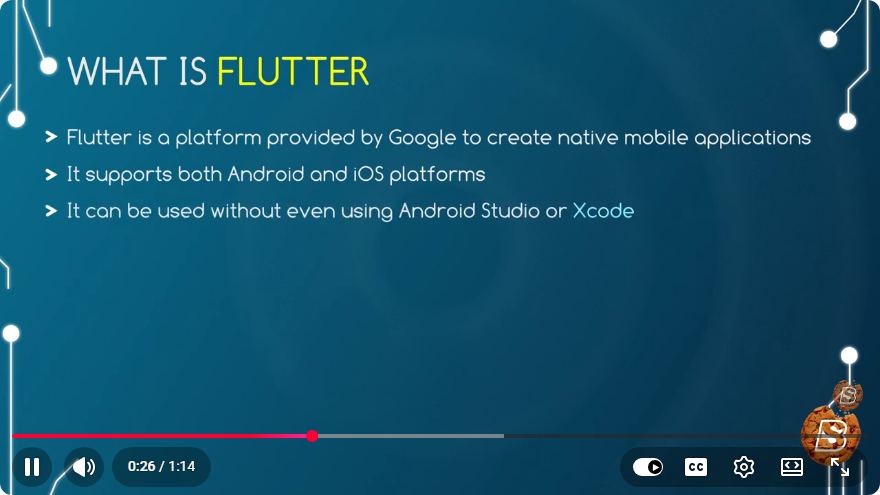
Flutter is an open-source UI software development toolkit created by Google. It allows developers to build natively compiled applications for mobile, web, and desktop from a single codebase. With its rich set of pre-designed widgets, fast performance, and expressive UI, Flutter simplifies the development process while ensuring high-quality user experiences.
Key Features of Flutter
1. Single Codebase
One of the biggest advantages of using Flutter is that you can write your application code once and deploy it across multiple platforms, including iOS, Android, web, and desktop. This significantly reduces the development time and effort required to maintain separate codebases for different platforms.
2. Rich Widget Library
Flutter offers a vast collection of customizable widgets that adhere to specific design languages, such as Material Design for Android and Cupertino for iOS. This allows developers to create visually appealing and platform-consistent apps effortlessly.
3. Hot Reload
Flutter's hot reload feature allows developers to see the results of their code changes in real-time without needing to restart the application. This accelerates the development process and enhances productivity, making it easier to experiment with the UI and fix bugs.
4. High Performance
Flutter applications are compiled directly to native ARM code, which helps in achieving optimal performance. This means that Flutter apps can run at high speeds, providing a smooth user experience and responsive interfaces.
5. Strong Community and Ecosystem
Being an open-source framework, Flutter has a growing community of developers who contribute to its ecosystem. There are numerous libraries and packages available that can be easily integrated into applications, further extending Flutter's capabilities.
Why Choose Flutter?
Cross-Platform Development
Flutter enables developers to reach a broader audience by deploying their apps on multiple platforms with minimal effort. This not only saves time but also reduces the cost of development.
Beautiful and Customizable UIs
With Flutter's comprehensive libraries and flexible widgets, developers can create stunning and unique UIs that can adapt to different screen sizes and orientations.
Future-Proofing
As mobile development trends shift and new technologies emerge, Flutter is continuously updated by Google, ensuring that developers have access to the latest tools and features.
Getting Started with Flutter
If you're interested in diving into Flutter development, follow these steps to set up your environment:
Install Flutter SDK: Download the Flutter SDK from the official website.
Set Up an Editor: Flutter supports various IDEs, including Android Studio, Visual Studio Code, and IntelliJ IDEA. Choose one that you are comfortable with and install the Flutter and Dart plugins.
Create a New Project:
flutter create my_first_app
cd my_first_app
Run the Application:
flutter run
This will launch your new Flutter application in a simulator or on a connected device.
Conclusion
Flutter is undoubtedly a powerful framework for cross-platform app development, offering a blend of efficiency, performance, and aesthetic flexibility. Whether you're a seasoned developer or just starting your journey in mobile app development, Flutter provides the tools and resources you need to build high-quality applications.
With its growing community and continuous updates, now is the perfect time to embrace Flutter for your next app development project. Happy coding!
Connect with SkillBakery Studios
Explore more tutorials, tools, and resources:
Posted by SkillBakery Studios


 Hello, my name is Jack Sparrow. I'm a 50 year old self-employed Pirate from the Caribbean.
No comments:
Post a Comment