
26. Python Essentials: Loops Unveiled: Exploring Iteration and Repetition in Python
Python Essentials: Loops Unveiled - Exploring Iteration and Repetition in Python
In the world of programming, loops are one of the fundamental concepts that allow us to efficiently repeat tasks without redundant code. In this tutorial, we will delve into the essentials of loops in Python, focusing on the two primary types: for loops and while loops. By the end of this post, you’ll have a solid understanding of how to implement loops in your code to optimize your programming efforts.
What are Loops?
Loops are constructs in programming that allow you to execute a block of code repeatedly based on a specified condition. They are particularly useful for tasks that require repetition, such as iterating over lists or executing a block of code until a certain condition is met.
Types of Loops in Python
Python primarily supports two types of loops:
- For Loops
- While Loops
Let’s explore each of these in detail.
For Loops
A for loop is used to iterate over a sequence (like a list, tuple, dictionary, set, or string). It allows you to execute a block of code for each item in the sequence.
Syntax of For Loop
for item in iterable:
    # Code block to execute
Example of For Loop
Let’s say we want to print each element in a list of fruits:
fruits = ['apple', 'banana', 'cherry']
for fruit in fruits:
    print(fruit)
Output:
apple
banana
cherry
In this example, the loop iterates through the list fruits, and for each fruit, it prints its name.
While Loops
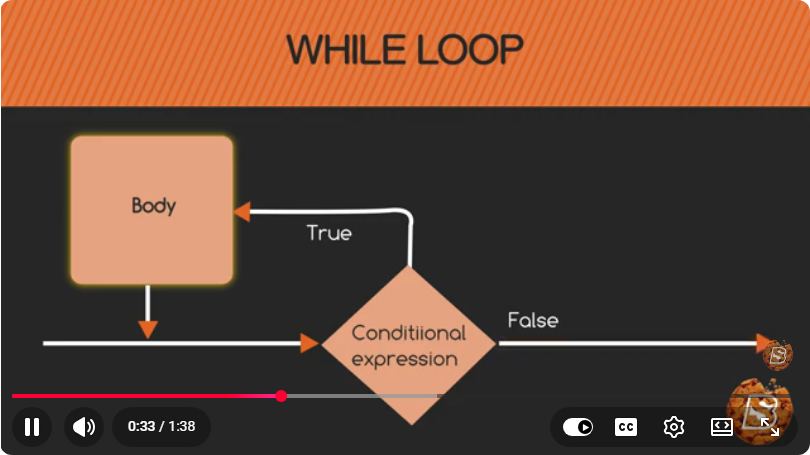
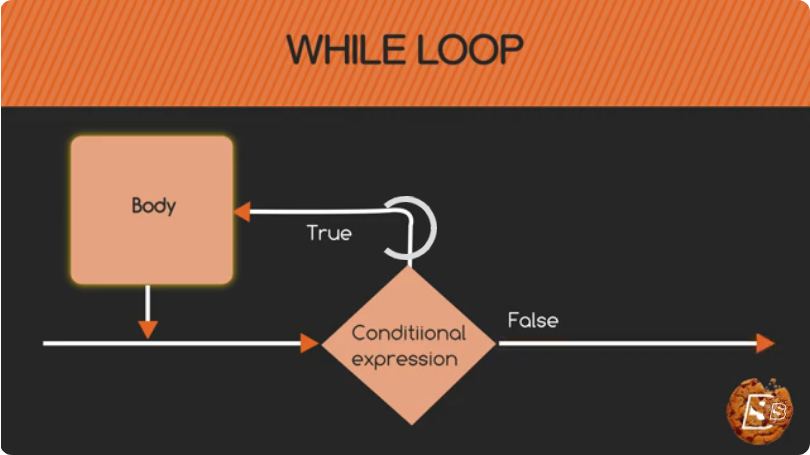
A while loop, on the other hand, continues to execute a block of code as long as a specified condition is true. This type of loop is useful when the number of iterations is not known beforehand.
Syntax of While Loop
while condition:
    # Code block to execute
Example of While Loop
Here’s an example that prints numbers from 1 to 5:
count = 1
while count <= 5:
    print(count)
    count += 1
Output:
1
2
3
4
5
In this case, the loop continues to execute as long as count is less than or equal to 5. The count variable is incremented with each iteration.
Loop Control Statements
Python provides control statements that can alter the flow of loops:
- break: Terminates the loop prematurely.
- continue: Skips the current iteration and proceeds to the next one.
- pass: Does nothing; it can be used as a placeholder.
Example of Break and Continue
for num in range(10):
    if num == 5:
        break  # Exit the loop when num is 5
    if num % 2 == 0:
        continue  # Skip even numbers
    print(num)
Output:
1
3
In this example, the loop breaks when num equals 5, and it skips even numbers using the continue statement.
Conclusion
Loops are an essential part of Python programming, enabling you to write more efficient and concise code. By mastering for and while loops, along with control statements, you can better manage repetition in your programs.
Now that you are equipped with the basics of loops in Python, experiment with them in your own projects to see their power in action. Happy coding!
Connect with SkillBakery Studios
Explore more tutorials, tools, and resources:
Posted by SkillBakery Studios


 Hello, my name is Jack Sparrow. I'm a 50 year old self-employed Pirate from the Caribbean.
No comments:
Post a Comment