
3. Transforming Business with Azure Serverless: Empowering Scalable and Efficient Cloud Applications
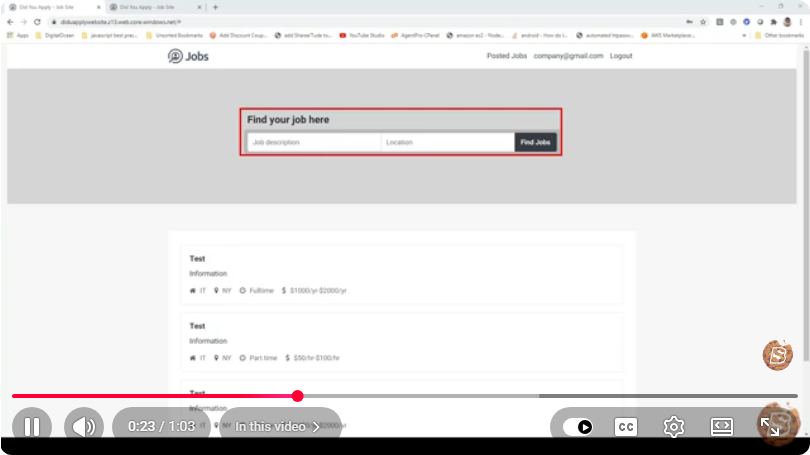
Transforming Business with Azure Serverless: Empowering Scalable and Efficient Cloud Applications
In the rapidly evolving landscape of cloud computing, businesses are continually seeking ways to enhance scalability, efficiency, and overall performance. Azure Serverless architecture provides a robust solution for companies looking to innovate without the complexities of traditional server management. In this blog post, we'll explore how Azure Serverless can transform your business applications, focusing on its core features, benefits, and best practices.
Understanding Azure Serverless
Azure Serverless is a cloud computing model that allows developers to build and run applications without worrying about server infrastructure. Instead of provisioning and managing servers, developers can focus on writing code and deploying it directly to the cloud. Azure Functions and Azure Logic Apps are key components of the Azure Serverless ecosystem.
Key Components
Azure Functions: A serverless compute service that enables you to run event-driven code without provisioning or managing servers. Functions are executed in response to events, such as HTTP requests, database updates, or timers.
Azure Logic Apps: A service that helps automate workflows and integrate applications using a visual designer. Logic Apps allow you to create complex workflows that can connect to various services without writing extensive code.
Benefits of Azure Serverless
1. Scalability
Azure Serverless automatically scales your applications based on demand. This means your application can handle a sudden increase in traffic without the need for manual intervention. This elasticity is crucial for businesses that experience fluctuating workloads.
2. Cost Efficiency
With Azure Serverless, you pay only for the resources you consume. There are no upfront costs or ongoing maintenance expenses, which allows businesses to optimize their budgets. This pricing model is particularly beneficial for startups and small businesses looking to minimize their operational costs.
3. Simplified Development
By using Azure Serverless, developers can focus on writing code rather than managing infrastructure. This leads to faster development cycles and easier deployment of new features. The ability to integrate with various Azure services further simplifies the development process.
Getting Started with Azure Serverless
To help you kickstart your journey with Azure Serverless, we’ll outline a simple example of creating an Azure Function.
Prerequisites
- An Azure account (you can sign up for a free account).
- Visual Studio Code or any preferred code editor.
- Azure Functions Core Tools installed on your machine.
Step 1: Create an Azure Function
Open your terminal and create a new Azure Functions project:
func init MyFunctionApp --pythonReplace
--pythonwith your preferred language (e.g.,--javascript,--dotnet).Navigate into your project directory:
cd MyFunctionAppCreate a new function:
func newChoose a template (e.g., HTTP trigger) and name your function.
Step 2: Write Your Function
Edit the generated function file to implement your business logic. For example, here's a simple HTTP-triggered function in Python:
import logging
import azure.functions as func

def main(req: func.HttpRequest) -> func.HttpResponse:
    logging.info('Python HTTP trigger function processed a request.')

    name = req.params.get('name')
    if not name:
        return func.HttpResponse(
            "Please pass a name on the query string",
            status_code=400
        )

    return func.HttpResponse(f"Hello, {name}!")
Step 3: Run Your Function Locally
To test your function locally, run the following command:
func start
You can access your function at http://localhost:7071/api/{YourFunctionName}.
Step 4: Deploy to Azure
Once you are satisfied with your function, deploy it to Azure using the following command:
func azure functionapp publish <YourFunctionAppName>
Best Practices for Azure Serverless
Monitor and Optimize: Utilize Azure Monitor and Application Insights to track performance and usage metrics. This can help you identify bottlenecks and optimize your functions for better performance.
Use Durable Functions: For long-running workflows, consider using Durable Functions, which enable you to write stateful functions in a serverless compute environment.
Implement Security Measures: Ensure that your serverless applications are secure by implementing authentication and authorization mechanisms.
Leverage DevOps Practices: Integrate CI/CD pipelines to automate testing and deployment processes, ensuring that your updates are smooth and reliable.
Conclusion
Azure Serverless offers a powerful, efficient, and scalable solution for businesses looking to innovate in the cloud. By allowing developers to focus on code rather than infrastructure management, Azure Serverless can significantly enhance productivity and reduce costs. Whether you are a startup or a large enterprise, embracing this technology can lead to transformative changes in your application development and deployment processes. Start your journey with Azure Serverless today and empower your business with the cloud!
Connect with SkillBakery Studios
Explore more tutorials, tools, and resources:
Posted by SkillBakery Studios


 Hello, my name is Jack Sparrow. I'm a 50 year old self-employed Pirate from the Caribbean.
No comments:
Post a Comment