
33. Python Essentials: Keyword Arguments in Python Functions
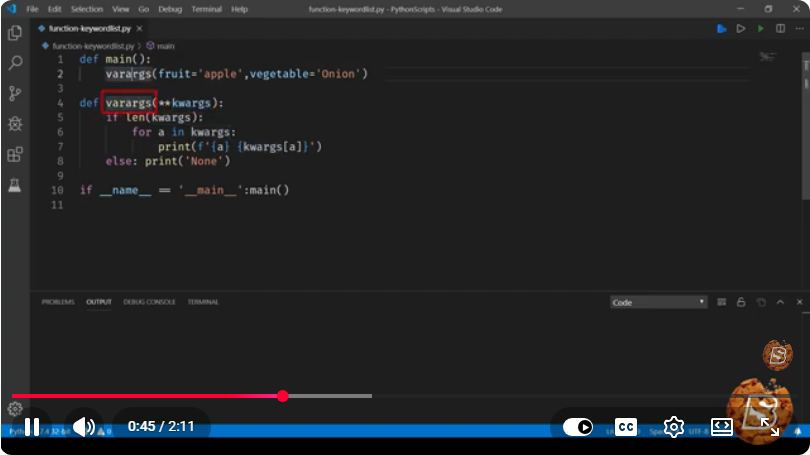
Understanding Keyword Arguments in Python Functions
In the world of Python programming, functions are a cornerstone of effective coding. They allow us to encapsulate code for reuse and improve the readability of our programs. One powerful feature of Python functions is the ability to use keyword arguments. In this post, we will explore what keyword arguments are, how they work, and how to leverage them to write cleaner, more efficient Python code.
What are Keyword Arguments?
Keyword arguments allow you to pass arguments to a function by explicitly stating the parameter names. This feature enhances code readability and enables you to specify only the arguments you want to set, ignoring others. The syntax for passing keyword arguments is straightforward:
def function_name(param1, param2, param3):
    # Function body
You can call the function using keyword arguments like this:
function_name(param1=value1, param2=value2)
Benefits of Using Keyword Arguments
Improved Readability: Using keyword arguments makes it clear what each argument represents, which can be especially useful in functions with many parameters.
Flexibility: You can specify only the parameters you want while leaving others at their default values.
Order Independence: You can pass arguments in any order, which is not possible with positional arguments.
How to Use Keyword Arguments
Let’s look at a practical example to illustrate the use of keyword arguments in a Python function.
Example Function
Consider a function that describes a book:
def describe_book(title, author, year_published=2021):
    print(f"Title: {title}")
    print(f"Author: {author}")
    print(f"Year Published: {year_published}")
In this function:
titleandauthorare required parameters.year_publishedis an optional parameter with a default value.
Calling the Function with Keyword Arguments
You can call the describe_book function in several ways:
- Using Positional Arguments:
describe_book("1984", "George Orwell", 1949)
- Using Keyword Arguments:
describe_book(title="To Kill a Mockingbird", author="Harper Lee")
In this case, year_published will take its default value of 2021.
- Mixing Positional and Keyword Arguments:
describe_book("Brave New World", "Aldous Huxley", year_published=1932)
Here, title and author are passed positionally, while year_published is specified as a keyword argument.
Best Practices
To make the most of keyword arguments, consider the following best practices:
Use Descriptive Names: Ensure your parameter names are descriptive enough to convey their purpose.
Set Default Values: For optional parameters, provide sensible default values to simplify function calls.
Limit Argument Count: A function with too many parameters can become unwieldy. Aim for a manageable number of parameters, using keyword arguments judiciously to maintain clarity.
Conclusion
Keyword arguments are a powerful feature in Python that enhance the readability and flexibility of your functions. By allowing you to specify argument names, they help avoid confusion and make your code more maintainable. Whether you're defining your own functions or using built-in ones, mastering keyword arguments is essential for any Python programmer looking to write effective code.
For more Python essentials, keep exploring and experimenting with functions and their parameters. Happy coding!
Connect with SkillBakery Studios
Explore more tutorials, tools, and resources:
Posted by SkillBakery Studios


 Hello, my name is Jack Sparrow. I'm a 50 year old self-employed Pirate from the Caribbean.
No comments:
Post a Comment