
49. Python Essentials: Registering Errors: Raising Exceptions for Controlled Error Handling
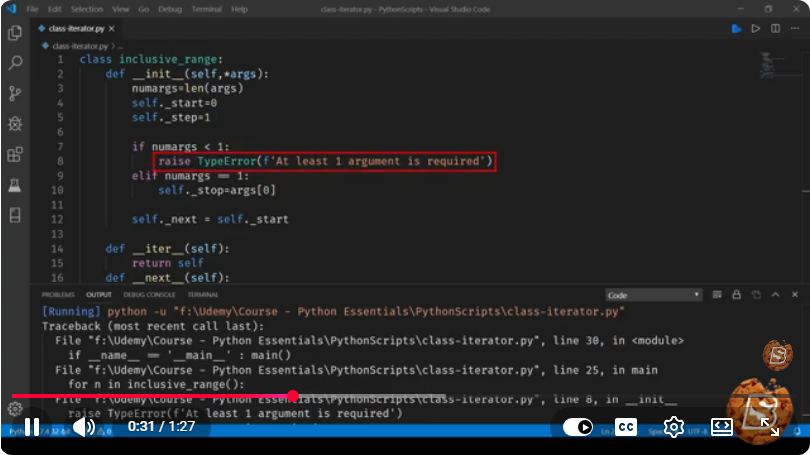
Python Essentials: Registering Errors and Raising Exceptions for Controlled Error Handling
In the world of programming, error handling is crucial to creating robust and reliable applications. In Python, the ability to raise exceptions allows developers to signal that an error has occurred and take appropriate action. This blog post will delve into the essentials of raising exceptions in Python, providing you with the knowledge to implement controlled error handling in your applications.
Understanding Exceptions in Python
Exceptions in Python are events that disrupt the normal flow of a program. They can occur due to various reasons, such as invalid input, failed operations, or system resource errors. When an exception is raised, it can either be handled gracefully or lead to application crashes if left unaddressed.
The Importance of Controlled Error Handling
Controlled error handling allows developers to manage the way their applications respond to unexpected situations. By raising exceptions at appropriate points in your code, you can ensure that your program behaves predictably, even when faced with errors.
Raising Exceptions in Python
In Python, you can raise exceptions using the raise statement. This statement can be used to raise built-in exceptions or custom exceptions that you define.
Raising Built-in Exceptions
Python has several built-in exceptions, such as ValueError, TypeError, and KeyError. You can raise these exceptions by using the raise keyword followed by the exception type. Here’s an example:
def divide_numbers(numerator, denominator):
    if denominator == 0:
        raise ValueError("Denominator cannot be zero.")
    return numerator / denominator

try:
    result = divide_numbers(10, 0)
except ValueError as e:
    print(f"Error: {e}")
In this example, the divide_numbers function raises a ValueError if the denominator is zero. The exception is caught in the try block, and a meaningful error message is printed.
Raising Custom Exceptions
In addition to built-in exceptions, Python allows you to define your own custom exceptions. This is useful for creating exceptions that are specific to your application’s needs.
Here's how you can define and raise a custom exception:
class CustomError(Exception):
    """A custom exception for specific error handling."""
    pass

def check_value(value):
    if value < 0:
        raise CustomError("Value cannot be negative.")

try:
    check_value(-5)
except CustomError as e:
    print(f"Custom Error: {e}")
In this example, we define a custom exception called CustomError. The check_value function raises this exception if the input value is negative. Again, we use a try block to handle the exception.
Best Practices for Raising Exceptions
Use Meaningful Messages: When raising exceptions, always provide a clear and descriptive message. This will help users and developers understand what went wrong.
Avoid Overusing Exceptions: Use exceptions for exceptional conditions, not for regular control flow. Overusing exceptions can lead to code that is difficult to read and maintain.
Document Custom Exceptions: If you create custom exceptions, document them clearly in your code so that other developers understand their purpose.
Use Specific Exceptions: Raise specific exceptions instead of generic ones to provide more context about the error.
Conclusion
Raising exceptions in Python is a powerful feature that enhances the robustness of your applications. By mastering the art of controlled error handling, you can create more reliable and user-friendly software. Remember to use meaningful messages, define custom exceptions when necessary, and handle exceptions appropriately to ensure a smooth user experience.
With this knowledge, you are now equipped to implement effective error handling in your Python applications. Happy coding!
Connect with SkillBakery Studios
Explore more tutorials, tools, and resources:
Posted by SkillBakery Studios


 Hello, my name is Jack Sparrow. I'm a 50 year old self-employed Pirate from the Caribbean.
No comments:
Post a Comment