
5. Unlocking Global Scalability and NoSQL Power: An Introduction to Azure Cosmos DB
Unlocking Global Scalability and NoSQL Power: An Introduction to Azure Cosmos DB
In today’s digital landscape, businesses need databases that can handle a vast amount of data while remaining highly available, responsive, and scalable. Azure Cosmos DB is a leading solution that addresses these needs by offering a globally distributed, multi-model database service. In this blog post, we’ll explore the unique features of Azure Cosmos DB that enable global scalability and harness the power of NoSQL databases.
What is Azure Cosmos DB?
Azure Cosmos DB is Microsoft's globally distributed, multi-model database service designed for high availability and low latency. It supports various data models, including document, key-value, graph, and column-family, making it versatile for different application requirements. Its unique architecture allows developers to build applications that can handle massive amounts of data across multiple regions seamlessly.
Key Features of Azure Cosmos DB
Azure Cosmos DB offers several key features that set it apart from traditional databases:
1. Global Distribution
Azure Cosmos DB allows you to replicate your data across multiple Azure regions around the globe. This means that users can access their data from the nearest geographical location, minimizing latency and improving performance.
2. Multi-Model Support
Unlike traditional databases that are limited to a single data model, Azure Cosmos DB supports multiple models. You can work with document data (using APIs like MongoDB and SQL), key-value pairs, graphs (using Gremlin), and column-family data (using Cassandra API). This flexibility allows developers to choose the best model for their application needs.
3. Elastic Scalability
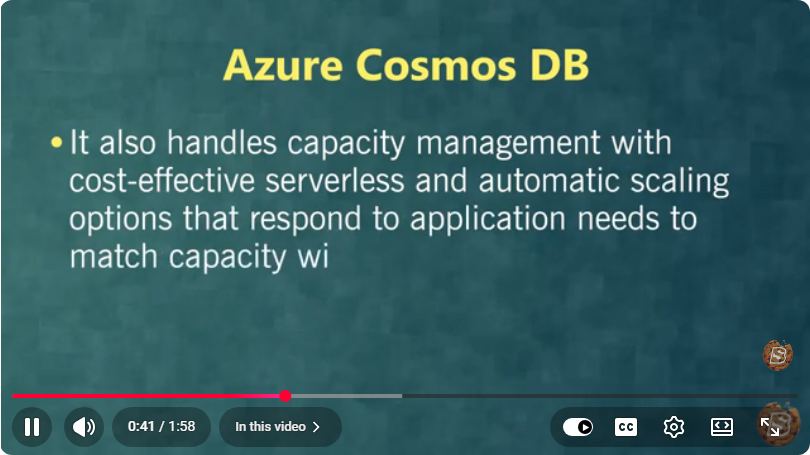
Azure Cosmos DB is designed to scale elastically, which means it can dynamically adjust to changes in workload and data volume. You can scale throughput and storage independently, allowing you to optimize costs while maintaining performance.
4. Guaranteed Performance
With Azure Cosmos DB, you can expect low-latency reads and writes, even at a global scale. Microsoft guarantees single-digit millisecond response times for reads and writes, making it suitable for performance-critical applications.
5. Comprehensive SLA
Microsoft provides a comprehensive Service Level Agreement (SLA) for Azure Cosmos DB, covering availability, latency, consistency, and throughput. This assurance gives businesses confidence in the reliability of their database solution.
Getting Started with Azure Cosmos DB
To start using Azure Cosmos DB, follow these steps:
Step 1: Create an Azure Account
If you don’t have an Azure account, you can sign up for a free account on the Azure website.
Step 2: Create a Cosmos DB Account
- Log in to the Azure portal.
- Click on "Create a resource," then select "Databases" and choose "Azure Cosmos DB."
- Select your desired API (SQL, MongoDB, Cassandra, Gremlin, or Table) and fill in the required information, including your subscription, resource group, and database account name.
- Choose the geographic region for your database and adjust the performance settings as needed, then click "Review + create."
Step 3: Access Your Database
Once your Azure Cosmos DB account is deployed, you can access it through the Azure portal or programmatically using SDKs provided by Microsoft for various programming languages (e.g., .NET, Java, Python).
Step 4: Start Building Your Application
You can begin creating databases and containers within your Cosmos DB account and start inserting data. Here’s a quick example of how to insert a document in a SQL API using .NET:
using Microsoft.Azure.Cosmos;

CosmosClient client = new CosmosClient("your-endpoint", "your-key");
Database database = await client.CreateDatabaseIfNotExistsAsync("YourDatabase");
Container container = await database.CreateContainerIfNotExistsAsync("YourContainer", "/yourPartitionKey");

var item = new { id = "1", name = "Sample Item" };
ItemResponse<dynamic> response = await container.CreateItemAsync(item);
Conclusion
Azure Cosmos DB is a powerful platform for developers looking to build scalable, high-performance applications globally. Its unique features, including global distribution, multi-model support, and guaranteed performance, make it an ideal choice for modern applications that demand flexibility and reliability. By using Azure Cosmos DB, businesses can unlock the full potential of their data in a way that traditional databases often cannot.
For more hands-on tutorials and information, keep exploring Azure’s documentation and resources. Happy coding!
Connect with SkillBakery Studios
Explore more tutorials, tools, and resources:
Posted by SkillBakery Studios


 Hello, my name is Jack Sparrow. I'm a 50 year old self-employed Pirate from the Caribbean.
No comments:
Post a Comment