
6 - Backbone.js : Model inheritance - Web Development
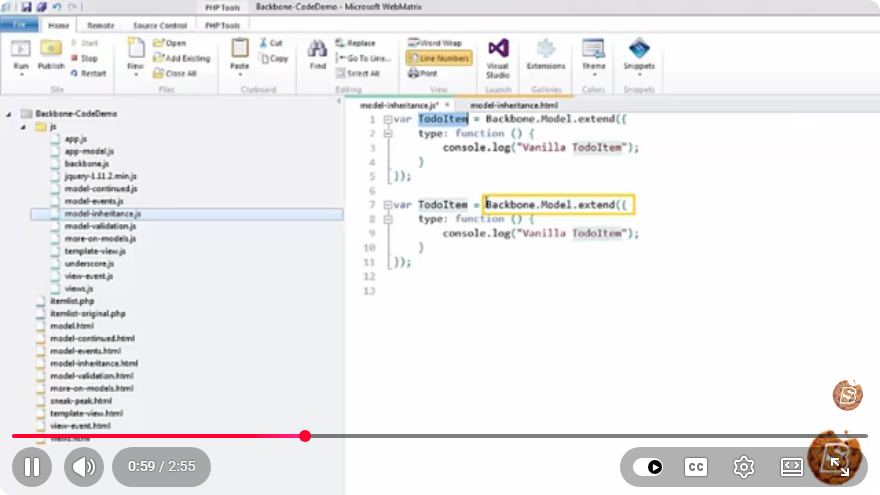
Understanding Model Inheritance in Backbone.js
Backbone.js is a lightweight JavaScript library that provides the structure for web applications by offering models with key-value binding and custom events. One of its powerful features is model inheritance, which allows developers to create a hierarchy of models that can share properties and methods. In this blog post, we will explore how model inheritance works in Backbone.js and its practical applications in web development.
What is Backbone.js?
Backbone.js helps organize JavaScript code by providing models, collections, views, and routers. It is particularly useful for single-page applications (SPAs) where managing complex data interactions is crucial. Backbone models are the heart of the application, allowing developers to create data objects that can be manipulated and rendered dynamically.
Why Use Model Inheritance?
Model inheritance in Backbone.js allows for code reuse and scalability. By creating a base model and extending it, you can streamline the development process, reduce redundancy, and maintain a clean codebase. This is especially beneficial in larger applications where multiple models share similar properties and behaviors.
Setting Up Backbone.js
Before we dive into model inheritance, ensure you have Backbone.js set up in your project. You can do this by including the necessary libraries in your HTML file:
<!DOCTYPE html>
<html lang="en">
<head>
    <meta charset="UTF-8">
    <meta name="viewport" content="width=device-width, initial-scale=1.0">
    <title>Backbone.js Inheritance Example</title>
    <script src="https://cdnjs.cloudflare.com/ajax/libs/jquery/3.6.0/jquery.min.js"></script>
    <script src="https://cdnjs.cloudflare.com/ajax/libs/underscore.js/1.13.1/underscore-min.js"></script>
    <script src="https://cdnjs.cloudflare.com/ajax/libs/backbone.js/1.4.0/backbone-min.js"></script>
</head>
<body>
    <script src="app.js"></script>
</body>
</html>
Make sure to create an app.js file where we will write our Backbone.js code.
Creating a Base Model
Let’s start by creating a base model. This model will have common attributes and methods, which other models can inherit.
// app.js
var BaseModel = Backbone.Model.extend({
    defaults: {
        name: '',
        age: 0
    },

    initialize: function() {
        console.log('Base model initialized');
    },

    displayInfo: function() {
        console.log('Name: ' + this.get('name') + ', Age: ' + this.get('age'));
    }
});
In this example, BaseModel has default attributes name and age, along with an initialize method that logs a message when the model is created and a displayInfo method to show the model's information.
Extending the Base Model
Now, let’s create a derived model that extends the BaseModel. This new model will add additional attributes specific to it while still retaining the functionalities of the base model.
// Create a derived model
var UserModel = BaseModel.extend({
    defaults: {
        role: 'user'
    },

    initialize: function() {
        BaseModel.prototype.initialize.call(this); // Call the base model's initialize
        console.log('User model initialized');
    },

    displayInfo: function() {
        BaseModel.prototype.displayInfo.call(this); // Call the base model's displayInfo
        console.log('Role: ' + this.get('role'));
    }
});
In this UserModel, we add a role attribute with a default value of 'user'. The initialize method calls the base model's initialize method, ensuring that the base model's setup is executed. Similarly, we extend the displayInfo method to include the user's role.
Using the Models
Now that we have our models set up, let’s create instances and see how inheritance works in practice.
// Create an instance of UserModel
var user = new UserModel({
    name: 'Alice',
    age: 30
});

// Display user information
user.displayInfo();
When you run this code, the output will be:
Base model initialized
User model initialized
Name: Alice, Age: 30
Role: user
This demonstrates that our UserModel inherits from BaseModel, utilizing its properties and methods while also adding its own functionality.
Conclusion
Model inheritance in Backbone.js is a powerful feature that allows developers to create organized and maintainable code. By defining a base model and extending it, you can ensure that your application is scalable and reduces redundancy.
By following the steps outlined in this tutorial, you can effectively implement model inheritance in your Backbone.js applications. With this knowledge, you are better equipped to manage complex data interactions and create robust web applications.
Feel free to explore further and customize your models according to your application's needs!
Connect with SkillBakery Studios
Explore more tutorials, tools, and resources:
Posted by SkillBakery Studios


 Hello, my name is Jack Sparrow. I'm a 50 year old self-employed Pirate from the Caribbean.
No comments:
Post a Comment