
AngularJs Architecture - Web Development
Understanding AngularJS Architecture: A Comprehensive Guide
AngularJS is a powerful JavaScript framework used for building dynamic web applications. With its unique architecture and features, it allows developers to create robust applications efficiently. In this blog post, we will delve into the core components of AngularJS architecture, helping you understand how it works and how to leverage its capabilities for your web development projects.
What is AngularJS?
AngularJS is an open-source framework developed by Google that simplifies the development of single-page applications (SPAs) by providing a structured approach to building dynamic web applications. It extends HTML with additional features and provides a set of tools for developing client-side applications.
Key Components of AngularJS Architecture
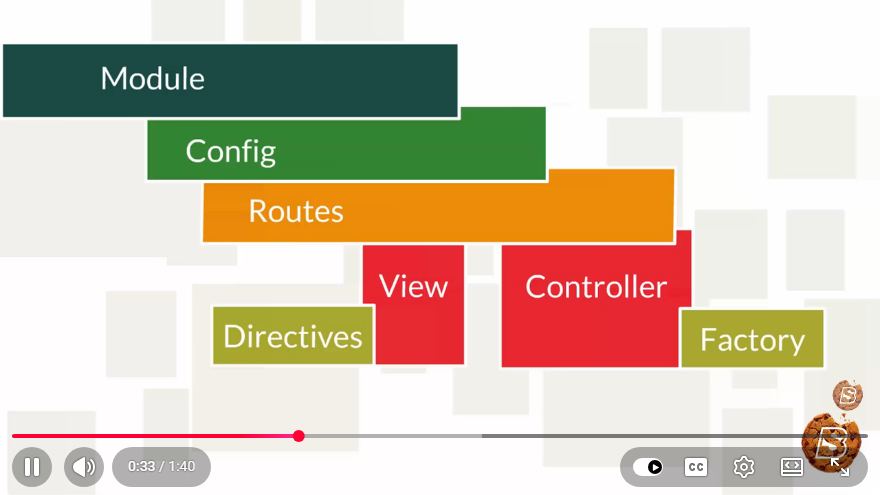
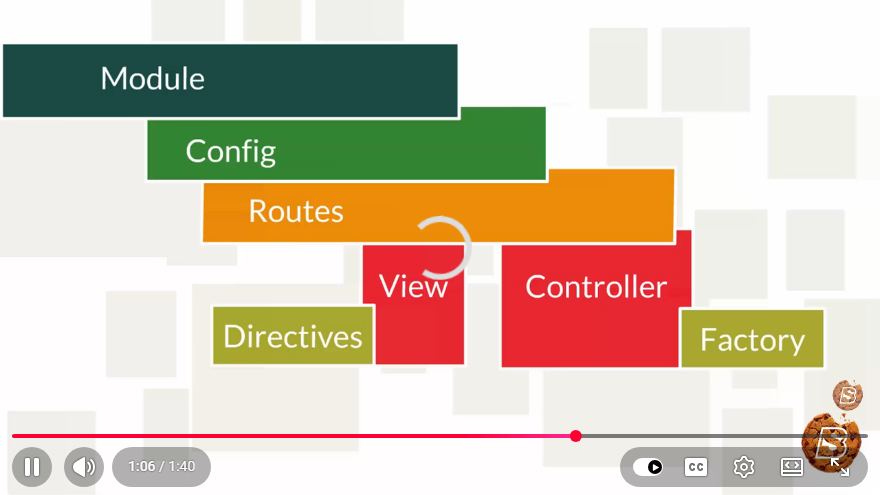
AngularJS architecture consists of several key components that work together to create a seamless web application experience:
1. Model-View-Controller (MVC)
AngularJS employs the MVC architectural pattern, which separates the application into three interconnected components:
Model: Represents the data and business logic of the application. It holds the application's state and provides methods for data manipulation.
View: The user interface (UI) that displays the data from the model. It is created using HTML, enhanced by Angular directives, which allow dynamic binding to the model.
Controller: Acts as a bridge between the Model and the View. It retrieves data from the model and processes user input from the view, updating the model as necessary.
2. Directives
Directives are custom HTML attributes that tell AngularJS to extend HTML with new behavior. They are one of the most powerful features of AngularJS, allowing developers to create reusable components. Some commonly used directives include:
ng-model: Binds the value of HTML controls to application data.ng-repeat: Repeats a set of HTML elements for each item in a collection.ng-if: Conditionally includes or excludes a portion of the DOM based on a specified expression.
3. Data Binding
Data binding is the process that connects the model and the view, ensuring that any changes in the model are automatically reflected in the view and vice versa. AngularJS supports two-way data binding, meaning that updates in the model will update the view, and changes in the view will update the model.
4. Dependency Injection
AngularJS has a built-in dependency injection mechanism that allows developers to manage dependencies between components. This feature simplifies the process of creating, testing, and maintaining complex applications by enabling developers to inject dependencies where needed.
5. Services
Services in AngularJS are singleton objects that provide reusable functionalities across the application. They are designed to handle data, interact with APIs, and perform specific tasks. Common types of services include:
- Factory: Creates and returns an object.
- Service: Creates a constructor function for creating objects.
- Value: Defines a simple value to be injected.
Building a Simple AngularJS Application
To illustrate the concepts discussed, let’s create a straightforward AngularJS application that demonstrates the MVC structure and data binding.
Step 1: Setting Up the Environment
First, include AngularJS in your HTML file:
<!DOCTYPE html>
<html lang="en">
<head>
    <meta charset="UTF-8">
    <meta name="viewport" content="width=device-width, initial-scale=1.0">
    <title>Simple AngularJS App</title>
    <script src="https://ajax.googleapis.com/ajax/libs/angularjs/1.8.2/angular.min.js"></script>
</head>
<body ng-app="myApp" ng-controller="myController">
    <h1>{{ title }}</h1>
    <input type="text" ng-model="name" placeholder="Enter your name">
    <p>Hello, {{ name }}!</p>
</body>
</html>
Step 2: Creating the AngularJS Module and Controller
Next, create a simple AngularJS module and controller to manage the application’s logic:
<script>
    angular.module('myApp', [])
        .controller('myController', function($scope) {
            $scope.title = 'Welcome to My AngularJS App';
            $scope.name = '';
        });
</script>
Step 3: Running the Application
Open your HTML file in a web browser, and you should see a simple application where you can input your name, and it will greet you dynamically. This example illustrates the basics of AngularJS architecture, including data binding and the MVC pattern.
Conclusion
Understanding the AngularJS architecture is crucial for developing robust web applications. With its MVC pattern, directives, data binding, dependency injection, and services, AngularJS provides developers with the tools needed to create dynamic and efficient applications. By following the simple example provided, you can begin exploring the capabilities of AngularJS and start building your own applications.
For more advanced topics and features, consider diving deeper into the AngularJS documentation and experimenting with more complex projects. Happy coding!
Connect with SkillBakery Studios
Explore more tutorials, tools, and resources:
Posted by SkillBakery Studios


 Hello, my name is Jack Sparrow. I'm a 50 year old self-employed Pirate from the Caribbean.
No comments:
Post a Comment