
Introduction to AngularJS - Web Development
Introduction to AngularJS: A Beginner's Guide
AngularJS is a powerful JavaScript framework that has transformed the way web applications are built. Developed by Google, it allows developers to create dynamic, single-page applications (SPAs) with ease. In this blog post, we will introduce AngularJS, its features, and how to get started with this framework in just a few minutes.
What is AngularJS?
AngularJS is an open-source front-end web framework designed for building client-side applications. It extends HTML with new attributes, making it more expressive and interactive. The framework follows the Model-View-Controller (MVC) architectural pattern, which separates the application logic, data, and presentation layers, enhancing code maintainability and testability.
Key Features of AngularJS
1. Two-Way Data Binding
One of the standout features of AngularJS is two-way data binding. This means that any changes in the user interface (UI) are automatically reflected in the model and vice versa. This eliminates the need for manual DOM manipulation and makes it easier to synchronize data between the view and the model.
2. Dependency Injection
AngularJS has a built-in dependency injection feature that allows developers to manage services and components efficiently. This promotes better organization of code and enhances testability by making it easy to swap dependencies during testing.
3. Directives
Directives are special markers on DOM elements that tell AngularJS to attach specific behavior to that element or transform it in some way. They are essentially custom HTML elements or attributes that extend HTML’s capabilities.
4. MVC Architecture
AngularJS uses the MVC design pattern, which helps separate concerns in an application. The Model represents the data, the View displays the data, and the Controller manages the logic. This separation allows developers to work on different aspects of the application simultaneously.
5. Testing Support
AngularJS was built with testing in mind. The framework supports both unit testing and end-to-end testing, making it easier for developers to ensure their applications are bug-free and function as expected.
Getting Started with AngularJS
To kickstart your journey with AngularJS, follow these simple steps:
Step 1: Set Up the Environment
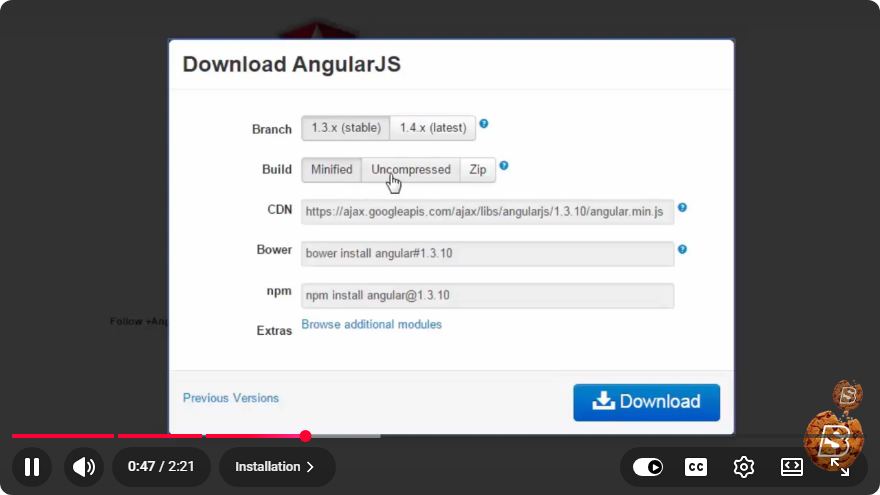
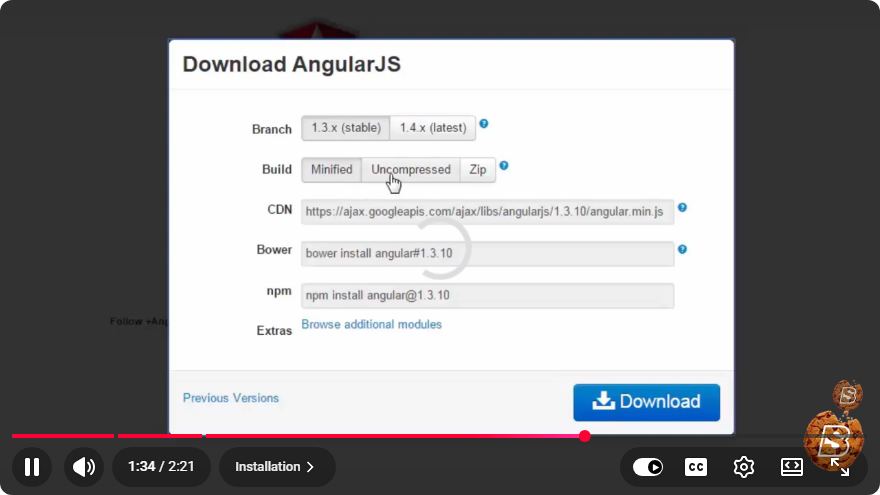
Before you begin coding, you need to set up your environment. You can include AngularJS in your project by downloading it or linking to a CDN. Here’s how to link to the CDN:
<!DOCTYPE html>
<html lang="en">
<head>
    <meta charset="UTF-8">
    <meta name="viewport" content="width=device-width, initial-scale=1.0">
    <title>AngularJS Example</title>
    <script src="https://ajax.googleapis.com/ajax/libs/angularjs/1.8.2/angular.min.js"></script>
</head>
<body ng-app="myApp">

    <div ng-controller="myController">
        <h1>{{ title }}</h1>
        <input type="text" ng-model="name" placeholder="Enter your name">
        <p>Hello, {{ name }}!</p>
    </div>

    <script>
        angular.module('myApp', [])
            .controller('myController', function($scope) {
                $scope.title = 'Welcome to AngularJS';
                $scope.name = '';
            });
    </script>
</body>
</html>
Step 2: Create Your First Application
In the above code snippet, we create a simple AngularJS application named myApp and a controller called myController. The application displays a welcoming message and an input field where users can enter their name. The output dynamically updates as users type.
Step 3: Run Your Application
You can run your application by simply opening the HTML file in a web browser. You should see a greeting message and an input field where you can interact with the application.
Conclusion
AngularJS is a robust framework that simplifies the process of building dynamic web applications. With features like two-way data binding, dependency injection, and a clear MVC architecture, it empowers developers to create powerful SPAs with less effort.
Whether you're a seasoned developer or a beginner, AngularJS has a lot to offer. We hope this introduction helps you get started on your AngularJS journey. Happy coding!
Connect with SkillBakery Studios
Explore more tutorials, tools, and resources:
Posted by SkillBakery Studios


 Hello, my name is Jack Sparrow. I'm a 50 year old self-employed Pirate from the Caribbean.
No comments:
Post a Comment