
Developers : 2-Write Your First Rust Program
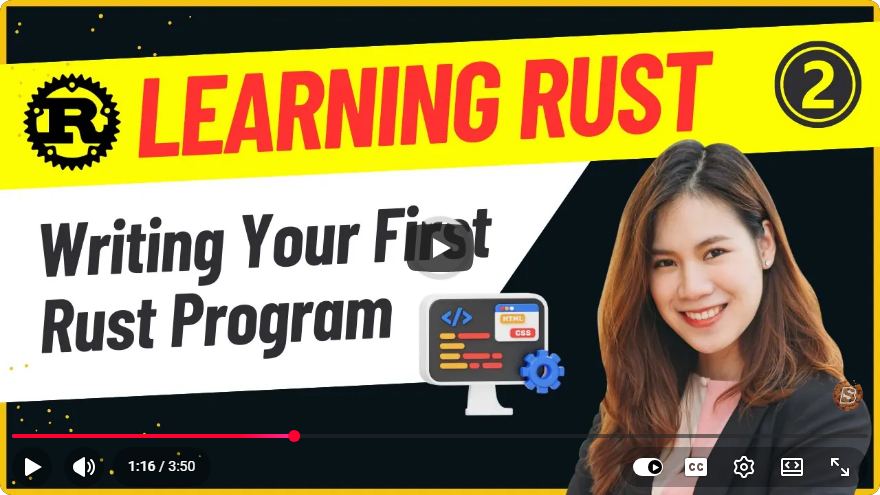
Developing Your First Rust Program: A Step-by-Step Guide
Rust has emerged as one of the most popular programming languages due to its focus on performance, safety, and concurrency. If you are a developer looking to get started with Rust, you've come to the right place! In this tutorial, we'll guide you through writing your first Rust program in under four minutes.
What is Rust?
Rust is a systems programming language designed for performance and safety, especially safe concurrency. It was created by Mozilla Research and has gained a strong following due to its unique features like ownership, borrowing, and lifetimes, which help prevent bugs and ensure memory safety.
Setting Up Your Rust Environment
Before we can dive into writing our first program, we need to set up our development environment. Here’s how you can do that:
Step 1: Install Rust
Download Rustup: Rustup is an installer for the Rust programming language. You can download it by running the following command in your terminal:
curl --proto '=https' --tlsv1.2 -sSf https://sh.rustup.rs | shFollow the on-screen instructions: The installer will guide you through setting up Rust. Make sure to add Rust to your system's PATH.
Verify installation: After installation, you can verify that Rust is correctly installed by running:
rustc --versionIf everything is set up correctly, you should see the version of Rust installed.
Step 2: Install an Integrated Development Environment (IDE)
While you can use any text editor, using an IDE like Visual Studio Code or IntelliJ IDEA with Rust support can significantly enhance your coding experience.
To install the Rust extension for Visual Studio Code, go to the Extensions Marketplace and search for "Rust" to find and install the recommended extension.
Writing Your First Rust Program
Now that your environment is set up, let’s write a simple Rust program that prints "Hello, World!" to the console.
Step 1: Create a New Rust Project
You can create a new Rust project using Cargo, Rust's package manager and build system. Run the following command in your terminal:
cargo new hello_world
This command creates a new directory named hello_world with the following structure:
hello_world/
├── Cargo.toml
└── src
    └── main.rs
Cargo.toml is where you manage your project's dependencies, and main.rs is where your Rust code lives.
Step 2: Write Your Code
Open src/main.rs in your preferred text editor or IDE. You will see a default template provided by Cargo. Modify it to look like this:
fn main() {
    println!("Hello, World!");
}
Here’s a breakdown of the code:
fn main() { ... }: This defines the main function, which is the entry point of a Rust program.println!("Hello, World!");: This line prints "Hello, World!" to the console.
Step 3: Compile and Run the Program
Now that your code is written, you can compile and run your project. In your terminal, navigate to the hello_world directory and execute:
cargo run
You should see the following output:
Hello, World!
Congratulations! You have successfully written and executed your first Rust program.
Next Steps
Now that you've created a simple program, here are some suggestions for what to do next:
Explore Rust's Documentation: The official Rust documentation is an excellent resource for learning more about the language's features and best practices.
Experiment with Code: Try modifying your program to print different messages or perform calculations. This will help you gain familiarity with Rust's syntax and semantics.
Learn About Cargo: Cargo is not just a build system; it also manages dependencies. Explore how to add third-party libraries to your project by modifying the
Cargo.tomlfile.Join the Rust Community: Engage with other Rust developers through forums, Discord channels, or Reddit. This will help you stay updated and learn from others.
Conclusion
Writing your first Rust program is a straightforward process that opens the door to a powerful and modern programming language. With its emphasis on safety and performance, Rust is an excellent choice for both beginners and experienced developers alike. Keep experimenting, learning, and exploring the vast ecosystem that Rust has to offer. Happy coding!
Connect with SkillBakery Studios
Explore more tutorials, tools, and resources:
Posted by SkillBakery Studios


 Hello, my name is Jack Sparrow. I'm a 50 year old self-employed Pirate from the Caribbean.
No comments:
Post a Comment