
Developers : 27-Invoke JavaScript Functions in WebAssembly from Rust
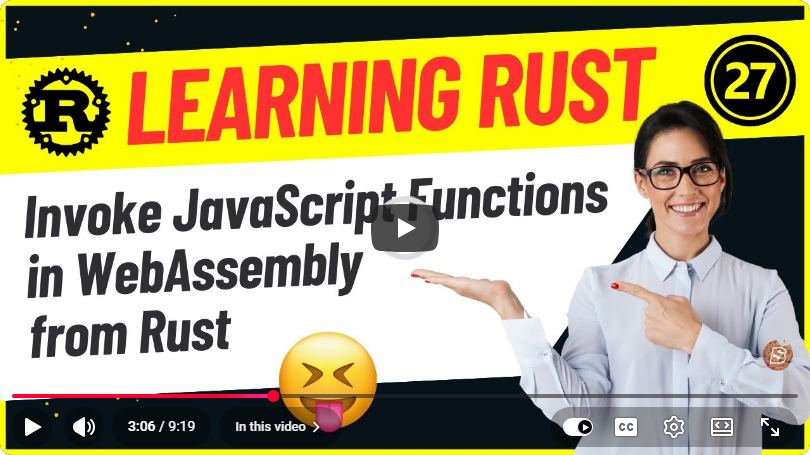
Invoking JavaScript Functions in WebAssembly from Rust
In recent years, WebAssembly (Wasm) has gained significant traction in the web development community due to its performance and portability. This allows developers to run code written in languages like Rust, C, or C++ in the browser at near-native speed. In this post, we'll explore how to invoke JavaScript functions from Rust code compiled to WebAssembly. This technique is particularly useful for leveraging existing JavaScript libraries or functionalities that are not natively available in Rust.
Prerequisites
Before diving into the tutorial, ensure you have the following installed on your machine:
Setting Up Your Rust Project
Let’s start by creating a new Rust project for our WebAssembly application.
cargo new wasm_js_interop --lib
cd wasm_js_interop
Configuring Cargo.toml
Open the Cargo.toml file and add the following dependencies. This will include the wasm-bindgen crate, which facilitates the interaction between Rust and JavaScript.
[lib]
crate-type = ["cdylib"]

[dependencies]
wasm-bindgen = "0.2"
Writing Rust Code
Next, let’s create a Rust function that we will call from JavaScript. Open src/lib.rs and write the following code:
use wasm_bindgen::prelude::*;

// A simple function that we want to call from JavaScript
#[wasm_bindgen]
pub fn greet(name: &str) -> String {
    format!("Hello, {}!", name)
}

// A function to invoke a JavaScript alert
#[wasm_bindgen]
pub fn alert_greeting(name: &str) {
    // Calling JavaScript's alert function from Rust
    let greeting = greet(name);
    alert(&greeting);
}

// Importing the alert function from JavaScript
#[wasm_bindgen(module = "alert.js")]
extern "C" {
    fn alert(s: &str);
}
In this code:
- We define a
greetfunction that takes a name and returns a greeting string. - The
alert_greetingfunction constructs the greeting and invokes a JavaScript alert. - We use the
extern "C"block to import the alert function from an external JavaScript module.
Writing the JavaScript File
Create a new JavaScript file in the project directory named alert.js with the following content:
export function alert(s) {
    window.alert(s);
}
This simple JavaScript function will display an alert box with the message passed to it from Rust.
Compiling to WebAssembly
Now that we have our Rust code and JavaScript file set up, we can compile the Rust code to WebAssembly using wasm-pack.
Run the following command in your terminal:
wasm-pack build --target web
This command compiles the Rust code into a WebAssembly module and generates the necessary JavaScript bindings.
Setting Up the HTML File
Next, create an index.html file in the project directory with the following content:
<!DOCTYPE html>
<html lang="en">
<head>
    <meta charset="UTF-8">
    <meta name="viewport" content="width=device-width, initial-scale=1.0">
    <title>Rust + WebAssembly + JavaScript</title>
</head>
<body>
    <h1>Rust WebAssembly with JavaScript</h1>
    <button id="greet-button">Greet</button>

    <script type="module">
        import init, { alert_greeting } from './wasm_js_interop.js';

        async function run() {
            await init();
            document.getElementById('greet-button').onclick = () => {
                alert_greeting('World');
            };
        }

        run();
    </script>
</body>
</html>
In this HTML file:
- We import the WASM module and the
alert_greetingfunction. - We set up an event listener on a button to trigger the
alert_greetingfunction when clicked.
Running Your Application
To run your application, you can use a simple HTTP server. If you have Python installed, you can run the following command in your terminal:
python -m http.server
Now, open your browser and navigate to http://localhost:8000. Click the "Greet" button, and you should see an alert box displaying "Hello, World!".
Conclusion
In this tutorial, we covered how to invoke JavaScript functions from Rust code compiled to WebAssembly. This interop capability allows you to leverage existing JavaScript libraries and features seamlessly in your Rust applications. As you continue to explore WebAssembly, consider the vast opportunities it unlocks for building high-performance web applications.
Feel free to experiment with different JavaScript functions, and happy coding!
Connect with SkillBakery Studios
Explore more tutorials, tools, and resources:
Posted by SkillBakery Studios


 Hello, my name is Jack Sparrow. I'm a 50 year old self-employed Pirate from the Caribbean.
No comments:
Post a Comment