
Master JavaScript & jQuery - Closures - Web Development
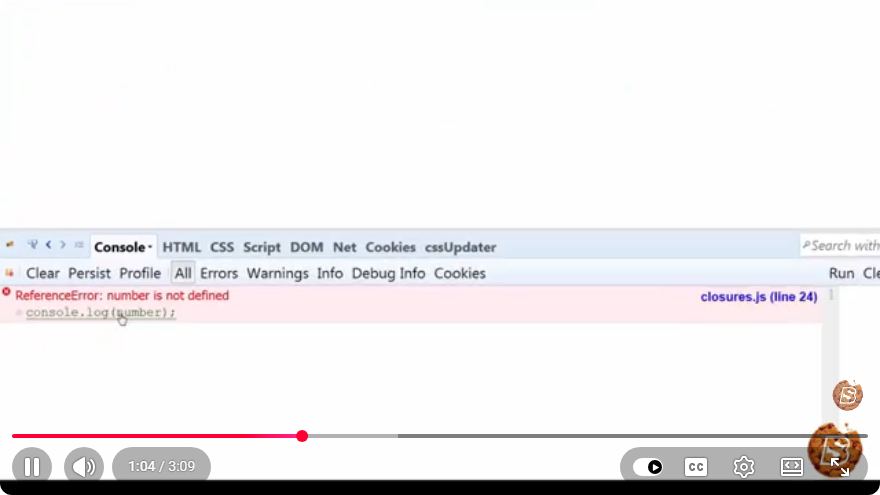
Mastering JavaScript & jQuery: Understanding Closures
In the realm of web development, JavaScript stands out as one of the most versatile and widely used programming languages. Among its many powerful features, closures are a fundamental concept that every developer should grasp. In this blog post, we will explore closures in JavaScript and how they can enhance your coding skills.
What is a Closure?
A closure is a function that retains access to its lexical scope, even when the function is executed outside that scope. This means that a closure "remembers" the environment it was created in, allowing it to access variables defined in that environment even after they are no longer in scope.
Why Are Closures Important?
Closures are essential for several reasons:
- Data Privacy: Closures allow for the creation of private variables, which are not accessible from the outside scope. This is particularly useful for encapsulation.
- Function Factories: You can create functions dynamically with their own private states.
- Callbacks and Event Handlers: Closures are often used in asynchronous programming, especially in callbacks.
How Closures Work
To better understand closures, let’s look at a simple example:
function outerFunction() {
    let outerVariable = 'I am outside!';

    function innerFunction() {
        console.log(outerVariable);
    }

    return innerFunction;
}

const closureFunction = outerFunction();
closureFunction(); // Output: I am outside!
Explanation of the Example
- Defining the Outer Function: The
outerFunctioncontains a variableouterVariableand an inner functioninnerFunction. - Returning the Inner Function: When
outerFunctionis called, it returnsinnerFunction, which becomesclosureFunction. - Accessing Outer Variables: When
closureFunctionis executed, it can still accessouterVariable, demonstrating how closures maintain access to their outer scope.
Practical Applications of Closures
Data Privacy Example
Closures can be used to create private variables:
function createCounter() {
    let count = 0; // Private variable

    return {
        increment: function() {
            count++;
            return count;
        },
        decrement: function() {
            count--;
            return count;
        },
        getCount: function() {
            return count;
        }
    };
}

const counter = createCounter();
console.log(counter.increment()); // Output: 1
console.log(counter.increment()); // Output: 2
console.log(counter.getCount());  // Output: 2
console.log(counter.decrement());  // Output: 1
Explanation of the Counter Example
- Private Variable: The
countvariable is private and cannot be accessed directly from outside thecreateCounterfunction. - Public Methods: The
increment,decrement, andgetCountmethods allow controlled access to thecountvariable, demonstrating the encapsulation of state.
Using Closures with jQuery
Closures are often utilized in jQuery to handle events and callbacks. Here’s a simple jQuery example:
$(document).ready(function() {
    let clickCount = 0; // Private variable

    $('#myButton').click(function() {
        clickCount++;
        console.log('Button clicked ' + clickCount + ' times.');
    });
});
Explanation of the jQuery Example
- Event Handling: The
clickevent handler forms a closure around theclickCountvariable. - Counting Clicks: Each time the button is clicked, the
clickCountvariable is updated and its value is logged to the console, demonstrating how closures can help manage state in event-driven programming.
Conclusion
Understanding closures is a vital aspect of mastering JavaScript and jQuery. They provide powerful mechanisms for data privacy, dynamic function creation, and effective event handling. As you continue your journey in web development, keep practicing with closures to enhance your coding practices and explore the depth of JavaScript.
Feel free to watch the original video titled “Master JavaScript & jQuery - Closures - Web Development” to gain further insights and examples. Happy coding!
Connect with SkillBakery Studios
Explore more tutorials, tools, and resources:
Posted by SkillBakery Studios


 Hello, my name is Jack Sparrow. I'm a 50 year old self-employed Pirate from the Caribbean.
No comments:
Post a Comment