
Master Meteor JS : Meteor key technologies - Web Development
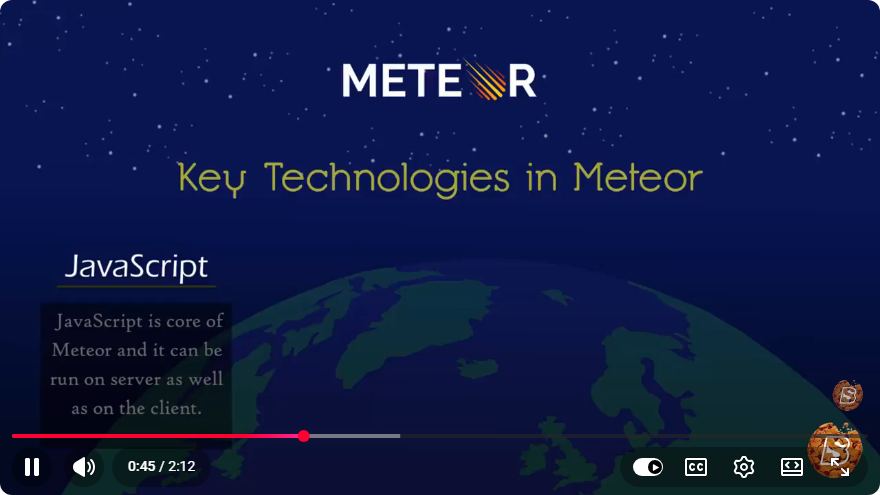
Master Meteor JS: Key Technologies for Web Development
Meteor JS is a powerful full-stack framework that simplifies the process of building web applications. In this blog post, we will explore the key technologies behind Meteor JS, providing you with a solid understanding to kickstart your web development journey. Whether you are a seasoned developer or a beginner, this guide will offer valuable insights into using Meteor for creating dynamic web applications.
What is Meteor JS?
Meteor JS is an open-source platform for building web and mobile applications in pure JavaScript. It allows developers to write both client and server code in the same language, simplifying the development process. Meteor employs a reactive programming model, which means that your application updates automatically as data changes.
Key Features of Meteor JS
Full-Stack Development: Meteor enables you to use JavaScript for both the front-end and back-end, making it easier to share code and maintain your application.
Real-Time Data: Meteor's reactivity feature allows real-time data updates. When data on the server changes, the client automatically receives the updated data without needing a page refresh.
Built-in Package Ecosystem: Meteor comes with a rich package ecosystem, allowing developers to easily integrate third-party libraries and tools.
Simple Deployment: Meteor applications can be deployed seamlessly to various platforms, including Galaxy, Heroku, and others.
Support for Mobile: With Meteor, you can build not just web applications but also mobile applications for iOS and Android using the same codebase.
Understanding Meteor's Key Technologies
Meteor JS is built on several core technologies that significantly enhance its functionality. Let's take a closer look at these technologies:
1. MongoDB
MongoDB is a NoSQL database that stores data in a flexible, JSON-like format. It is the default database for Meteor applications, allowing developers to store and query data easily. The integration between Meteor and MongoDB is seamless, providing real-time data synchronization between the server and client.
// Example of inserting a document into a MongoDB collection
Collections.Users.insert({
  username: 'john_doe',
  email: 'john@example.com',
  createdAt: new Date()
});
2. Minimongo
Minimongo is an in-memory database that runs on the client side. It provides a local version of your MongoDB collections, allowing for quick data access and manipulation without needing to hit the server. This enhances performance and provides a smoother user experience.
// Example of querying a Minimongo collection
const user = Collections.Users.findOne({ username: 'john_doe' });
console.log(user);
3. DDP (Distributed Data Protocol)
DDP is the protocol that Meteor uses to communicate between the client and server. It enables real-time data updates, making it possible for your applications to have synchronized data without requiring additional configuration. DDP automatically handles data subscriptions and publications.
// Example of a publication on the server
Meteor.publish('users', function () {
  return Collections.Users.find({});
});

// Example of subscribing to the publication on the client
Meteor.subscribe('users');
4. Blaze
Blaze is Meteor's built-in templating engine that allows you to create dynamic HTML. It provides a simple syntax for embedding JavaScript logic within your templates, making it easy to build reactive UIs.
<template name="userList">
  <ul>
    {{#each users}}
      <li>{{username}}</li>
    {{/each}}
  </ul>
</template>
5. Reactive Variables
Meteor's reactive programming model is enhanced by reactive variables, which automatically update the UI when their underlying data changes. This makes building dynamic interfaces straightforward and efficient.
// Example of using ReactiveVar
const count = new ReactiveVar(0);

// Increment the count
function increment() {
  count.set(count.get() + 1);
}

// Template helper to get the current count
Template.counter.helpers({
  currentCount() {
    return count.get();
  }
});
Conclusion
Meteor JS is an incredibly robust framework that leverages modern technologies to deliver a seamless web development experience. By understanding its key components—MongoDB, Minimongo, DDP, Blaze, and reactive variables—you can harness the full potential of Meteor to build dynamic and responsive applications.
As you dive deeper into Meteor, consider exploring additional resources and documentation to expand your knowledge further. Happy coding!
Connect with SkillBakery Studios
Explore more tutorials, tools, and resources:
Posted by SkillBakery Studios


 Hello, my name is Jack Sparrow. I'm a 50 year old self-employed Pirate from the Caribbean.
No comments:
Post a Comment