
MoonJs - If Directive
Understanding Moon.js: A Deep Dive into the If Directive
In the world of front-end development, frameworks and libraries that simplify the process of building user interfaces are continually evolving. Among them, Moon.js shines as a lightweight alternative to more prominent frameworks like Vue.js and React. One of the core features of Moon.js is its directives, which allow developers to manipulate the DOM easily. In this post, we’ll explore the if directive in Moon.js, providing insights into its usage and functionality.
What is Moon.js?
Moon.js is a minimalistic JavaScript framework that offers reactive data binding and component-based architecture. Its design philosophy emphasizes simplicity and performance, making it an excellent choice for developers who prefer a straightforward approach to building web applications.
Key Features of Moon.js
- Reactive data binding: Automatically updates the DOM when the underlying data changes.
- Lightweight: With a small footprint, it loads quickly and enhances performance.
- Component-based architecture: Facilitates the creation of reusable UI components.
The If Directive in Moon.js
The if directive is a powerful feature in Moon.js that allows developers to conditionally render elements based on the state of their application. This capability is pivotal in creating dynamic user interfaces that respond to user interactions or data changes.
Syntax of the If Directive
The syntax for using the if directive is straightforward. Here’s a basic example:
<template>
  <div>
    <p v-if="isVisible">This text is visible!</p>
    <p v-else>This text is hidden!</p>
  </div>
</template>
In this example, the <p> element with the v-if directive will only render if the isVisible variable is true. Conversely, the v-else directive provides an alternative rendering when isVisible is false.
Implementing the If Directive
Let’s take a closer look at how to implement the if directive in a practical scenario. Assume we have a simple application that toggles the visibility of a message based on a button click.
Step 1: Setting Up Your Project
First, ensure you have Moon.js included in your project. You can either download it or link it via a CDN:
<script src="https://unpkg.com/moon.js"></script>
Step 2: Creating Your HTML Structure
Next, create a simple HTML structure for your application:
<div id="app">
  <button @click="toggleVisibility">Toggle Message</button>
  <p v-if="isVisible">Hello, Moon.js!</p>
  <p v-else>Goodbye, Moon.js!</p>
</div>
Step 3: Adding JavaScript Logic
Now, let’s add the necessary JavaScript to manage our application's state:
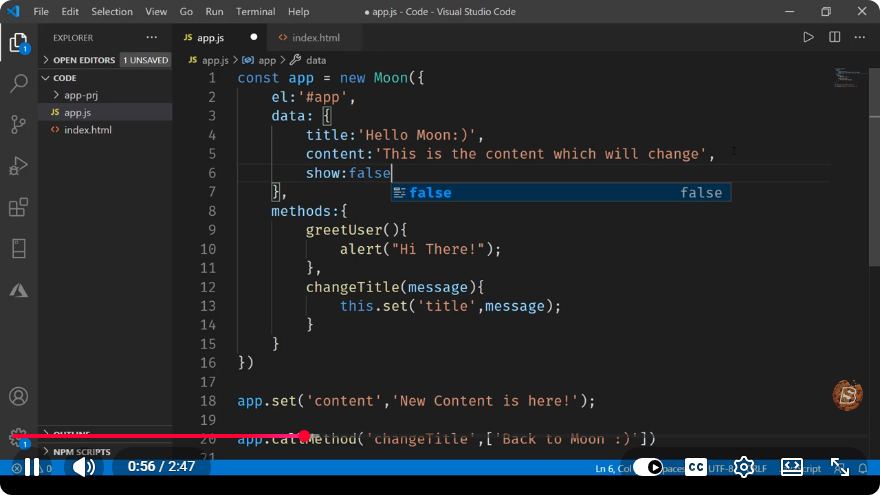
new Moon({
  el: '#app',
  data: {
    isVisible: false,
  },
  methods: {
    toggleVisibility() {
      this.isVisible = !this.isVisible;
    },
  },
});
How it Works
- HTML Structure: The button triggers the
toggleVisibilitymethod when clicked. - Data Binding: The
isVisibledata property determines which message is displayed. - Conditional Rendering: The
v-ifandv-elsedirectives conditionally render the paragraphs based on the value ofisVisible.
Example in Action
To see this in action, open your browser and load the HTML file you just created. Clicking the button should toggle between the two messages, demonstrating the functionality of the if directive.
Practical Use Cases
The if directive is incredibly versatile and can be applied in various scenarios, including:
- User Authentication: Show or hide elements based on whether a user is logged in.
- Dynamic Forms: Display different form fields based on user selections.
- Error Messages: Show error messages conditionally based on validation results.
Conclusion
The if directive in Moon.js is a fundamental feature that enhances the framework's ability to create interactive and dynamic web applications. By leveraging this directive, developers can efficiently manage the visibility of elements, leading to a better user experience. With its simplicity and effectiveness, Moon.js is an excellent choice for those looking to build responsive UIs without the overhead of larger frameworks.
Further Reading
To continue exploring Moon.js and its capabilities, consider checking out the official Moon.js Documentation for more in-depth information on directives and other features. Happy coding!
Connect with SkillBakery Studios
Explore more tutorials, tools, and resources:
Posted by SkillBakery Studios


 Hello, my name is Jack Sparrow. I'm a 50 year old self-employed Pirate from the Caribbean.
No comments:
Post a Comment