
MoonJs - Methods and Directives
Understanding Moon.js: Methods and Directives
In recent years, the JavaScript ecosystem has seen the emergence of various lightweight frameworks that make building web applications easier. One such framework is Moon.js, a minimal and reactive library designed for building user interfaces. In this post, we will dive into the core concepts of Moon.js, focusing on its methods and directives.
What is Moon.js?
Moon.js is a small and powerful framework that allows developers to create reactive applications with minimal overhead. Its design philosophy emphasizes simplicity and ease of use, making it an excellent choice for developers looking for an alternative to more complex libraries like Vue.js or React.
Key Features of Moon.js
- Lightweight: The entire library is only a few kilobytes in size.
- Reactive: Automatically updates the UI when the underlying data changes.
- Directives: Provides a set of built-in directives to streamline DOM manipulation.
Getting Started with Moon.js
Before we explore methods and directives, let's set up a simple Moon.js application. Here's a basic HTML template:
<!DOCTYPE html>
<html lang="en">
<head>
    <meta charset="UTF-8">
    <meta name="viewport" content="width=device-width, initial-scale=1.0">
    <title>Moon.js Example</title>
    <script src="https://unpkg.com/moon.js"></script>
</head>
<body>
    <div id="app">
        <h1>Welcome to Moon.js!</h1>
        <p>{{ message }}</p>
        <button @click="changeMessage">Change Message</button>
    </div>

    <script>
        // Moon.js application code will go here
    </script>
</body>
</html>
In this template, we load Moon.js from a CDN and set up a basic HTML structure.
Methods in Moon.js
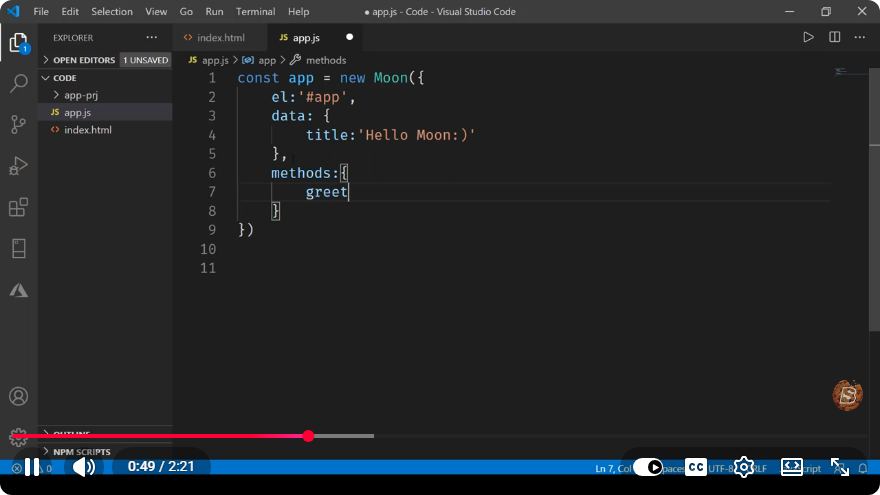
Methods in Moon.js are functions that are defined within the Moon instance and can be triggered by events or other actions. They allow you to manipulate the data and perform actions when certain user interactions occur.
Defining Methods
You can define methods inside your Moon instance as follows:
const app = new Moon({
    el: '#app',
    data: {
        message: 'Hello, Moon.js!'
    },
    methods: {
        changeMessage() {
            this.message = 'You changed the message!';
        }
    }
});
Explanation
el: The element where the Moon instance will be mounted.data: The state of your application, which can be reactive.methods: This object contains user-defined functions that can manipulate the data or perform actions.
Using a Method
In the HTML, we use the @click directive to listen for click events on the button and trigger the changeMessage method. When the button is clicked, the message will change from "Hello, Moon.js!" to "You changed the message!"
Directives in Moon.js
Directives in Moon.js are special attributes that provide functionality to your HTML elements. They enable you to perform various tasks, such as rendering elements conditionally, looping through data, or handling events.
Common Directives
v-if: Conditionally render an element.v-for: Render a list of items.@event: Bind event listeners.
Example of Directives Usage
Let’s enhance our initial example by adding a v-if directive:
<p v-if="message === 'You changed the message!'">You successfully changed the message!</p>
With this addition, when the message updates to "You changed the message!", the paragraph will become visible, confirming the change.
Full Example
Here is the complete code with methods and directives:
<!DOCTYPE html>
<html lang="en">
<head>
    <meta charset="UTF-8">
    <meta name="viewport" content="width=device-width, initial-scale=1.0">
    <title>Moon.js Example</title>
    <script src="https://unpkg.com/moon.js"></script>
</head>
<body>
    <div id="app">
        <h1>Welcome to Moon.js!</h1>
        <p>{{ message }}</p>
        <p v-if="message === 'You changed the message!'">You successfully changed the message!</p>
        <button @click="changeMessage">Change Message</button>
    </div>

    <script>
        const app = new Moon({
            el: '#app',
            data: {
                message: 'Hello, Moon.js!'
            },
            methods: {
                changeMessage() {
                    this.message = 'You changed the message!';
                }
            }
        });
    </script>
</body>
</html>
Conclusion
Moon.js offers a straightforward way to build reactive web applications with minimal complexity. By understanding and utilizing methods and directives, you can effectively manage your application’s state and enhance user interactions. Whether you are building small projects or exploring new concepts, Moon.js presents a lightweight alternative that is worth considering.
Feel free to explore the official Moon.js documentation for more advanced features and functionalities. Happy coding!
Connect with SkillBakery Studios
Explore more tutorials, tools, and resources:
Posted by SkillBakery Studios


 Hello, my name is Jack Sparrow. I'm a 50 year old self-employed Pirate from the Caribbean.
No comments:
Post a Comment