
MoonJs - Understanding Event Emitters
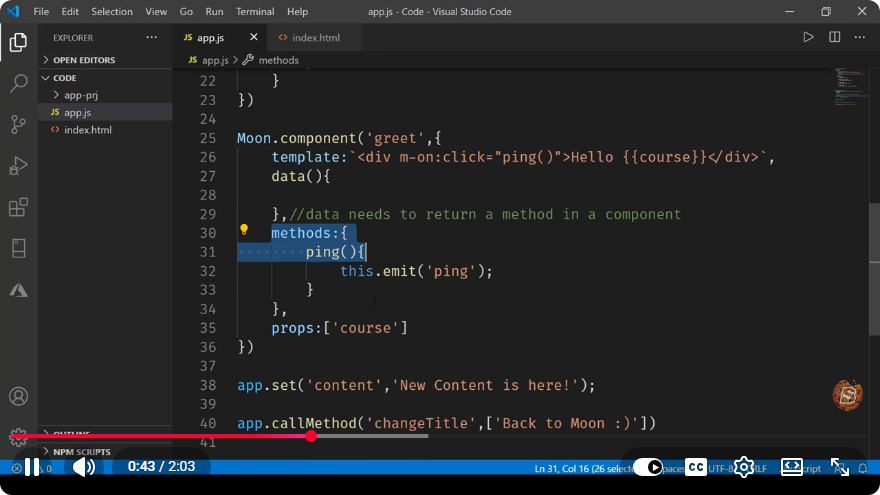
Understanding Event Emitters in MoonJs
In the world of JavaScript frameworks, event-driven programming plays a pivotal role in building responsive applications. One such framework, MoonJs, offers a robust way to handle events through its Event Emitters. This blog post aims to demystify Event Emitters in MoonJs, providing you with the knowledge to use them effectively in your applications.
What are Event Emitters?
Event Emitters are objects that allow you to handle asynchronous events in your application. They enable you to listen for specific events and respond to them when they occur. This mechanism is especially useful in applications that require real-time updates or need to react to user interactions.
How Event Emitters Work in MoonJs
MoonJs, a lightweight framework inspired by Vue.js, incorporates a simple yet powerful Event Emitter system. At its core, an Event Emitter allows you to:
- Emit Events: Trigger an event with optional data.
- Listen to Events: Register a callback function that will execute when the event is emitted.
- Remove Listeners: Detach a callback from an event when it's no longer needed.
Creating an Event Emitter
To start using Event Emitters in MoonJs, you first need to create an instance of the EventEmitter class. Here's how you can do that:
import { EventEmitter } from 'moonjs';

const emitter = new EventEmitter();
Emitting Events
Once you have your EventEmitter instance, you can emit events using the emit method. This method takes the event name as the first argument and any additional data as subsequent arguments.
emitter.emit('userLoggedIn', { username: 'JohnDoe' });
In this example, we are emitting a userLoggedIn event and passing along an object containing the username.
Listening to Events
To respond to the emitted events, you need to set up a listener using the on method. This method takes the event name and a callback function that will be executed when the event is emitted.
emitter.on('userLoggedIn', (data) => {
    console.log(`${data.username} has logged in.`);
});
In this case, when the userLoggedIn event is emitted, the callback function will log a message to the console.
Removing Listeners
In scenarios where you no longer need to listen for an event, it's good practice to remove the listener to prevent memory leaks. This can be done using the off method.
const userLoginCallback = (data) => {
    console.log(`${data.username} has logged in.`);
};

emitter.on('userLoggedIn', userLoginCallback);

// Later in the code, you can remove the listener
emitter.off('userLoggedIn', userLoginCallback);
Practical Example
Let’s put everything together into a simple example that demonstrates the use of Event Emitters in MoonJs.
import { EventEmitter } from 'moonjs';

const emitter = new EventEmitter();

const userLoginHandler = (data) => {
    console.log(`${data.username} has logged in.`);
};

// Register the event listener
emitter.on('userLoggedIn', userLoginHandler);

// Emit the event
emitter.emit('userLoggedIn', { username: 'JohnDoe' });

// Remove the listener when no longer needed
emitter.off('userLoggedIn', userLoginHandler);
By running this code, you'll see that the message indicating that the user has logged in will be printed to the console, demonstrating the effective use of the EventEmitter.
Conclusion
Understanding Event Emitters is essential for developing responsive and interactive applications with MoonJs. They provide a clean and efficient way to manage events in your application. By mastering the use of emitters, you can enhance user experience and improve the modularity of your code.
Whether you're building a small project or a large-scale application, incorporating Event Emitters will undoubtedly make your JavaScript development journey smoother. Happy coding!
Connect with SkillBakery Studios
Explore more tutorials, tools, and resources:
Posted by SkillBakery Studios


 Hello, my name is Jack Sparrow. I'm a 50 year old self-employed Pirate from the Caribbean.
No comments:
Post a Comment