
MoonJs - Using Data in Custom Component Templates
MoonJs - Using Data in Custom Component Templates
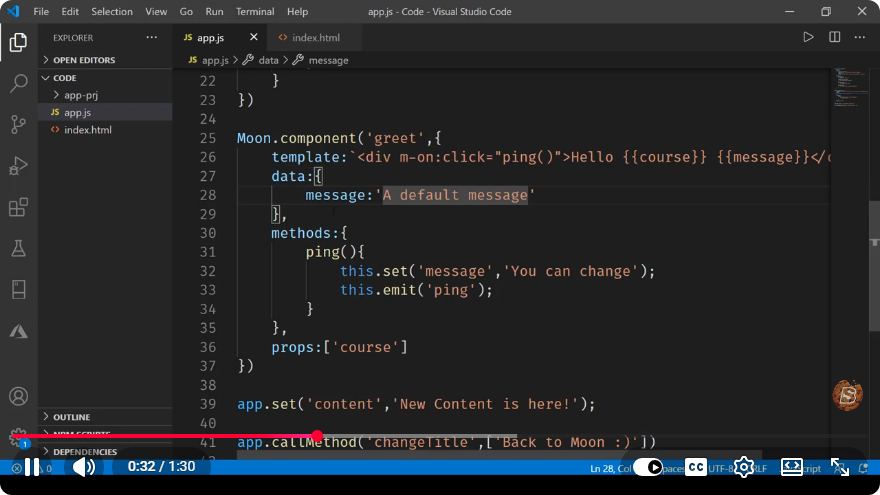
In the world of modern web development, frameworks that allow for the creation of reusable components have become essential. One such framework is MoonJs, which offers a lightweight and flexible approach to building web applications. In this blog post, we will explore how to use data in custom component templates with MoonJs, as demonstrated in the informative YouTube video titled "MoonJs - Using Data in Custom Component Templates."
What is MoonJs?
MoonJs is a minimalistic JavaScript framework that focuses on simplicity and performance. With a syntax similar to Vue.js, it allows developers to create reactive components efficiently. One of its standout features is the ability to bind data directly into component templates, making it easy to create dynamic and interactive user interfaces.
Setting Up MoonJs
Before we dive into using data in custom component templates, let’s ensure you have MoonJs set up in your project.
Step 1: Include MoonJs
You can include MoonJs in your project by adding a script tag to your HTML file. Here’s how you can do that:
<!DOCTYPE html>
<html lang="en">
<head>
    <meta charset="UTF-8">
    <meta name="viewport" content="width=device-width, initial-scale=1.0">
    <title>MoonJs Example</title>
    <script src="https://unpkg.com/moonjs/dist/moon.js"></script>
</head>
<body>
    <div id="app"></div>
    <script src="app.js"></script>
</body>
</html>
Step 2: Create Your App File
Create a file named app.js where we will define our MoonJs components and templates.
Creating a Custom Component
Now that we have everything set up, let’s create a custom component that utilizes data within its template.
Step 1: Define Your Component
In your app.js, you can define a simple component. Here’s an example of a Greeting component that takes a name property:
const Greeting = {
    props: ['name'],
    template: `
        <div>
            <h1>Hello, {name}!</h1>
        </div>
    `
};
Step 2: Mount the Component
Next, we will mount this component onto the DOM. Create an instance of Moon and register the component:
new Moon({
    el: '#app',
    components: {
        Greeting
    },
    data: {
        userName: 'Alice'
    },
    template: `
        <div>
            <Greeting name={userName} />
        </div>
    `
});
In this example, we have created a Greeting component that accepts a name prop. We then bind the userName data property from the Moon instance to the name prop in the Greeting component.
Understanding Data Binding
One of the key features of MoonJs is its data binding capabilities. The {name} syntax in the template allows MoonJs to dynamically replace it with the value of the name prop when rendering the component. This means that if you change the userName data property, the component will automatically update to reflect this change.
Example of Reactive Data
Let’s enhance our example by adding a text input field that allows users to change the userName:
new Moon({
    el: '#app',
    components: {
        Greeting
    },
    data: {
        userName: 'Alice'
    },
    template: `
        <div>
            <input type="text" value={userName} on-input={e => userName = e.target.value} />
            <Greeting name={userName} />
        </div>
    `
});
In this updated code, we have added an input field that binds its value to userName. The on-input event updates the userName data property whenever the input changes, demonstrating the reactivity of MoonJs.
Conclusion
Using data in custom component templates with MoonJs is straightforward and efficient. The framework’s reactive nature allows developers to create dynamic UIs with minimal effort. In this tutorial, we covered the basics of setting up MoonJs, creating a custom component, and utilizing data binding effectively.
By mastering these techniques, you can unlock the full potential of MoonJs in your web development projects. So go ahead, experiment with your components, and see how easily you can create interactive applications!
For more information, be sure to check out the original video, MoonJs - Using Data in Custom Component Templates. Happy coding!
Connect with SkillBakery Studios
Explore more tutorials, tools, and resources:
Posted by SkillBakery Studios


 Hello, my name is Jack Sparrow. I'm a 50 year old self-employed Pirate from the Caribbean.
No comments:
Post a Comment